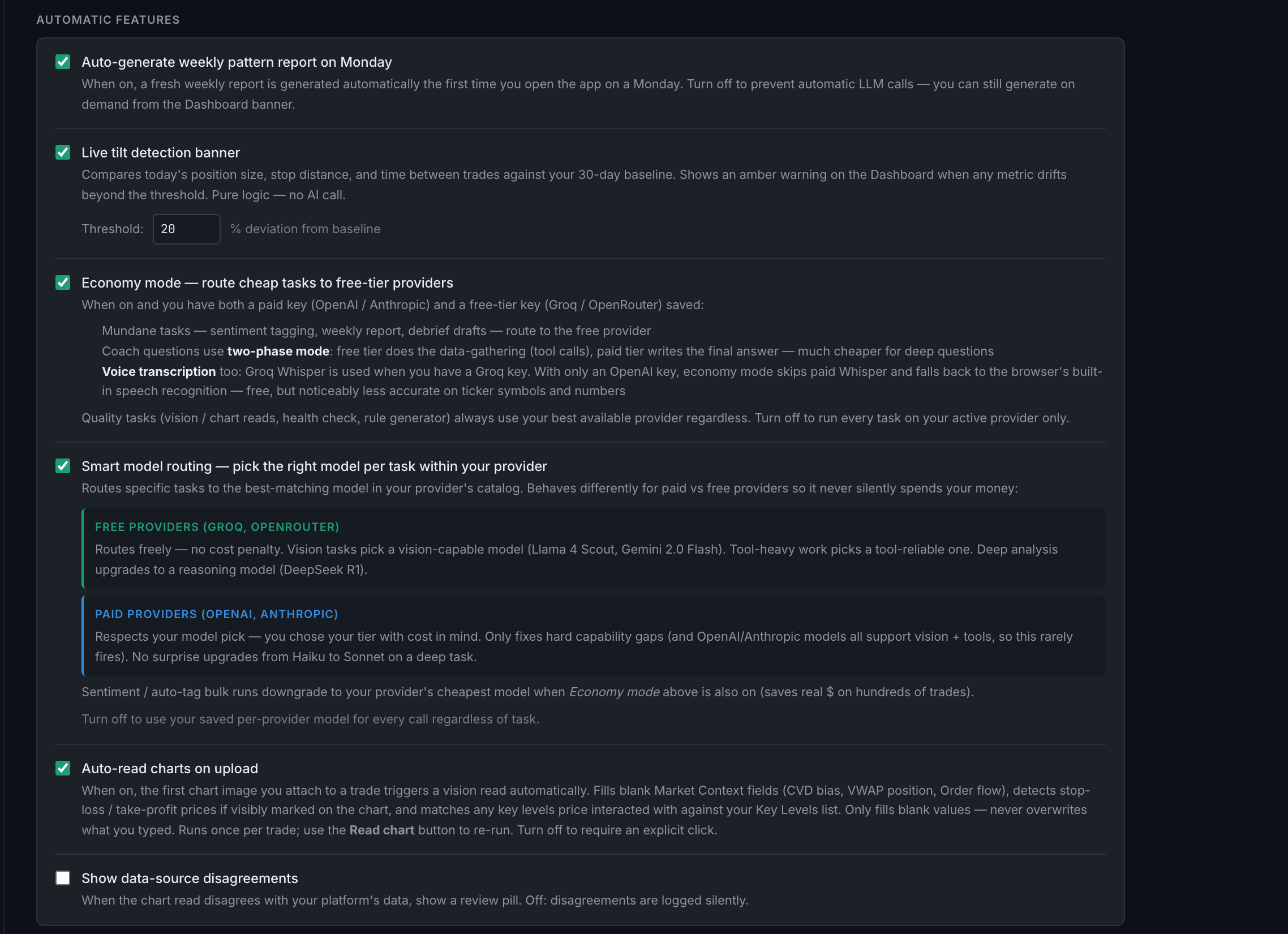
Which AI features run automatically, and how do I turn each off?
Two of them, and one that is not AI at all. Auto-generate weekly pattern report on Monday and Auto-read charts on upload are the only things that spend money without you pressing anything. Both have their own switch in the Automatic features block on this page.
Everything else waits for a click, which is deliberate — surprise LLM spend is the thing this whole page is arranged to prevent.
The two that fire on their own:
- Auto-generate weekly pattern report on Monday. The first time you open the app on a Monday, a fresh weekly report is generated. One call, once a week. Off by switch; you can still generate one on demand from the Dashboard banner.
- Auto-read charts on upload. The first chart image attached to a trade triggers a vision read. This is the more expensive of the two and the more useful — see the next question.
One that looks like AI and is not:
- Live tilt detection banner. Its own description says so: pure logic — no AI call. It compares today's position size, stop distance and time between trades against your 30-day baseline. It is on this page because it sits next to the settings it resembles, not because it costs anything.
And one that only changes what you see:
- Show data-source disagreements does not make a call either way. It decides whether a disagreement already recorded is surfaced to you.
Everything else is on a button. Coach questions, Read chart, auto-tag, health checks, rule generation, briefings, the Ask bar, and both bulk actions all require you to ask.