Every AI feature in this app runs on your key, from your browser, billed to your account with whichever provider you chose. There is no AI included in the price and no AI markup — you are not buying tokens from us.
That is one decision with a lot of consequences, and this page walks through all of them: what it costs, which provider to pick, what the app sends, and how to turn any of it off.
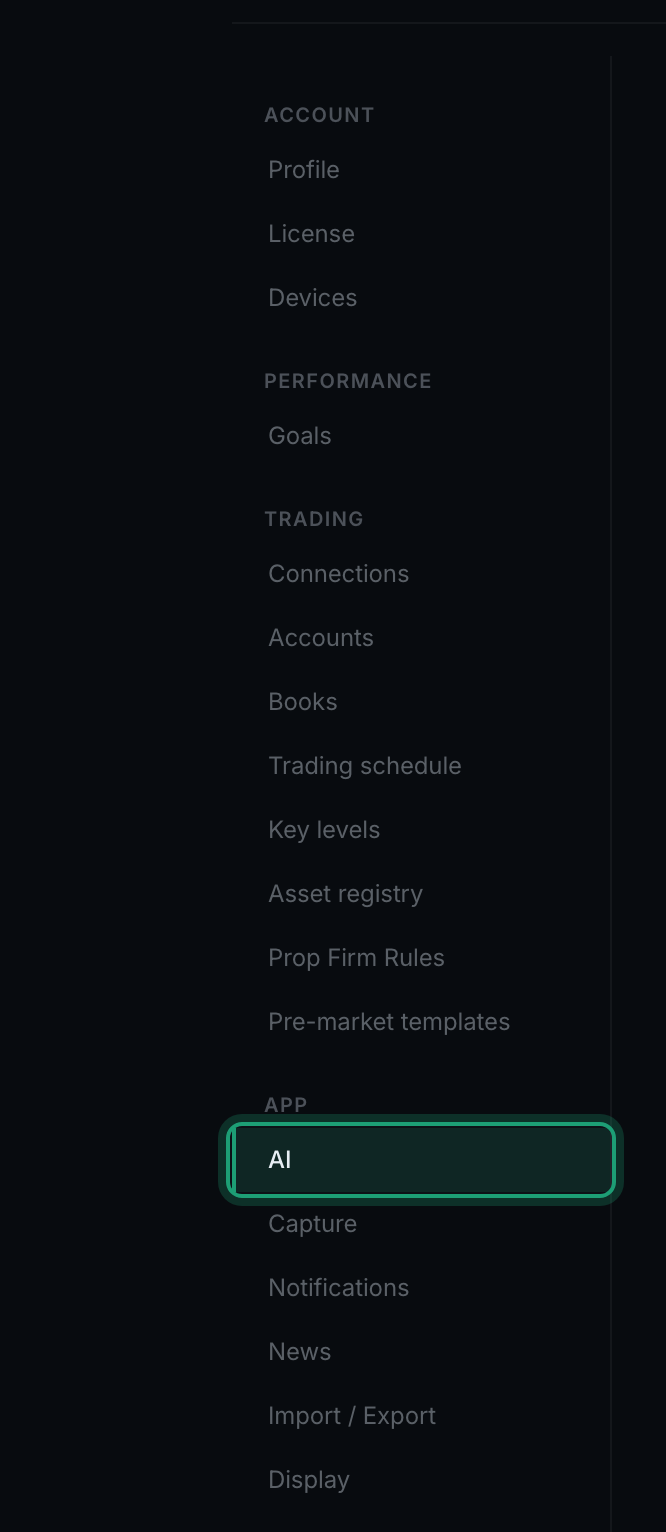
Everything here is configured in Settings → AI, under App in the sidebar.
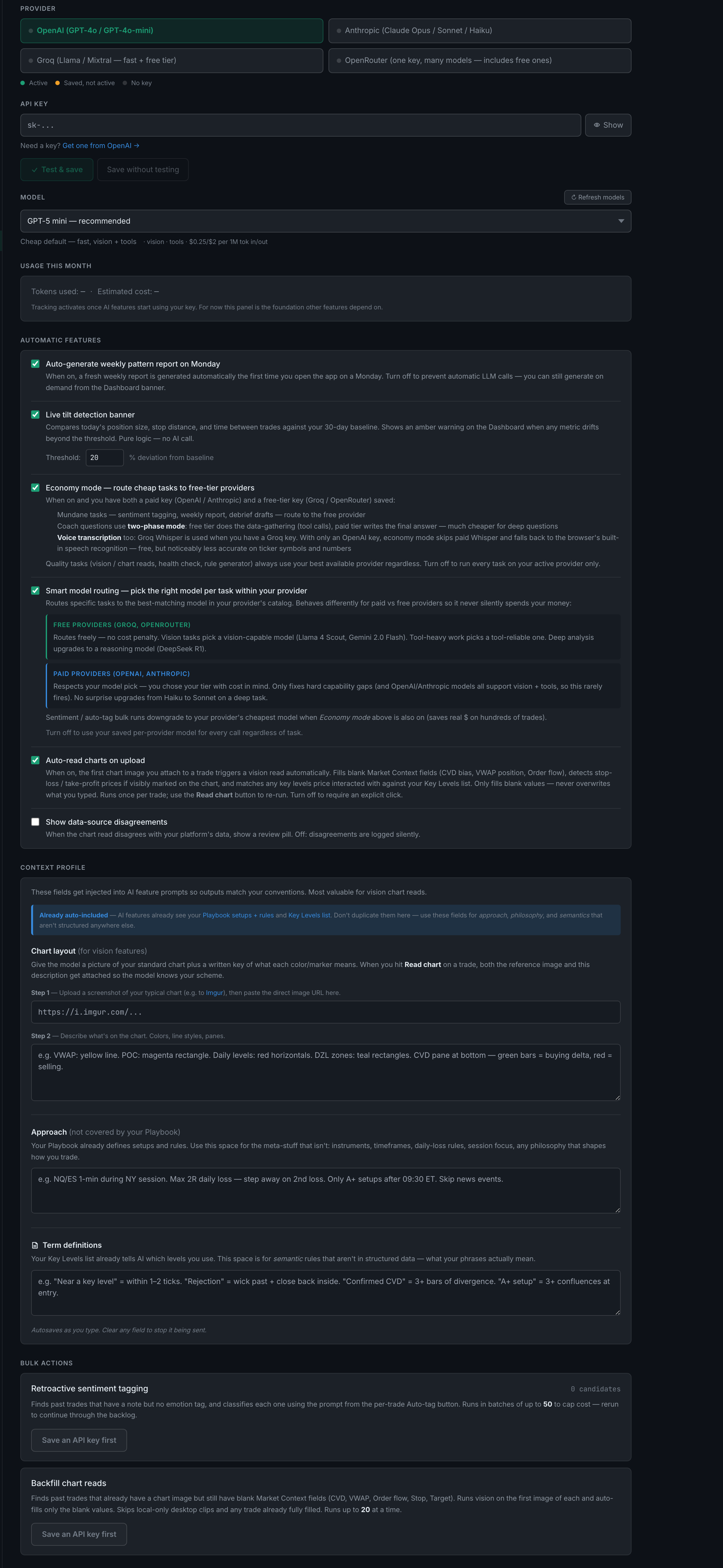
Settings → AI: the whole tab, from the provider list down to the two bulk actions, on an account with no key saved
What does BYOK mean and why does the app work this way?
BYOK is "bring your own key". You get an API key from an AI provider, paste it into Settings → AI, and the app calls that provider directly from your browser. Nothing routes through a TradePerformance server, and nothing is marked up.
In your browser's local storage, on the machine you typed it on. It is deliberately excluded from the settings that sync between your devices, so it never reaches our database. Nobody at TradePerformance can see it, because we never receive it.
Not by us. The privacy policy says it plainly: we do not train AI models on your trade data, and we do not sell or share it with third parties for advertising. What your chosen AI provider does with a request is governed by that provider's terms, which is one more reason the choice of provider is yours.
Only what a feature needs, only when that feature runs, and only to the provider you configured. Nothing AI-related is sent to a TradePerformance server. If no AI feature runs, nothing leaves at all.
They stay switched off and say so. Nothing breaks, nothing is hidden, and every non-AI part of the app works exactly as it does with a key. You lose interpretation, not data.
Four — OpenAI, Anthropic, Groq and OpenRouter. You can save a key for each and switch between them. Groq and OpenRouter have genuinely free tiers; OpenAI and Anthropic are paid.
What is the difference between the free and paid models?
The free models are genuinely capable at writing and summarising and genuinely weaker at reasoning, at seeing images reliably, and at calling tools. The paid models are better at all three, and the gap shows up most on the features that chain several steps together.
What can I actually do on a free model, and where will it fall short?
Free is enough for tagging, drafting and summarising — the high-volume, low-judgement work. It falls short on chart reads, on multi-step Coach questions, and anywhere a wrong answer is worse than no answer.
Why would I want more than one provider configured?
Because the app uses them together. With a free key and a paid key both saved, cheap work runs free, quality work runs paid, and a provider outage falls through to the other one instead of failing.
Settings → AI, choose the provider, paste the key, press Test & save. The test calls your provider once before storing anything, so a key that is wrong tells you immediately instead of at the moment you needed it.
What do the status dots on each provider tile mean?
Green In use is the provider currently answering. Amber Saved, not active has a working key but is not the one being called. Red Validation failed means the last test on that key did not pass. No dot means no key.
Under the key field there is a Model dropdown. Pick one, and the line underneath tells you what that model can do — vision, tools — and its price per million tokens in and out.
What is smart model routing and when does it pick a cheaper model?
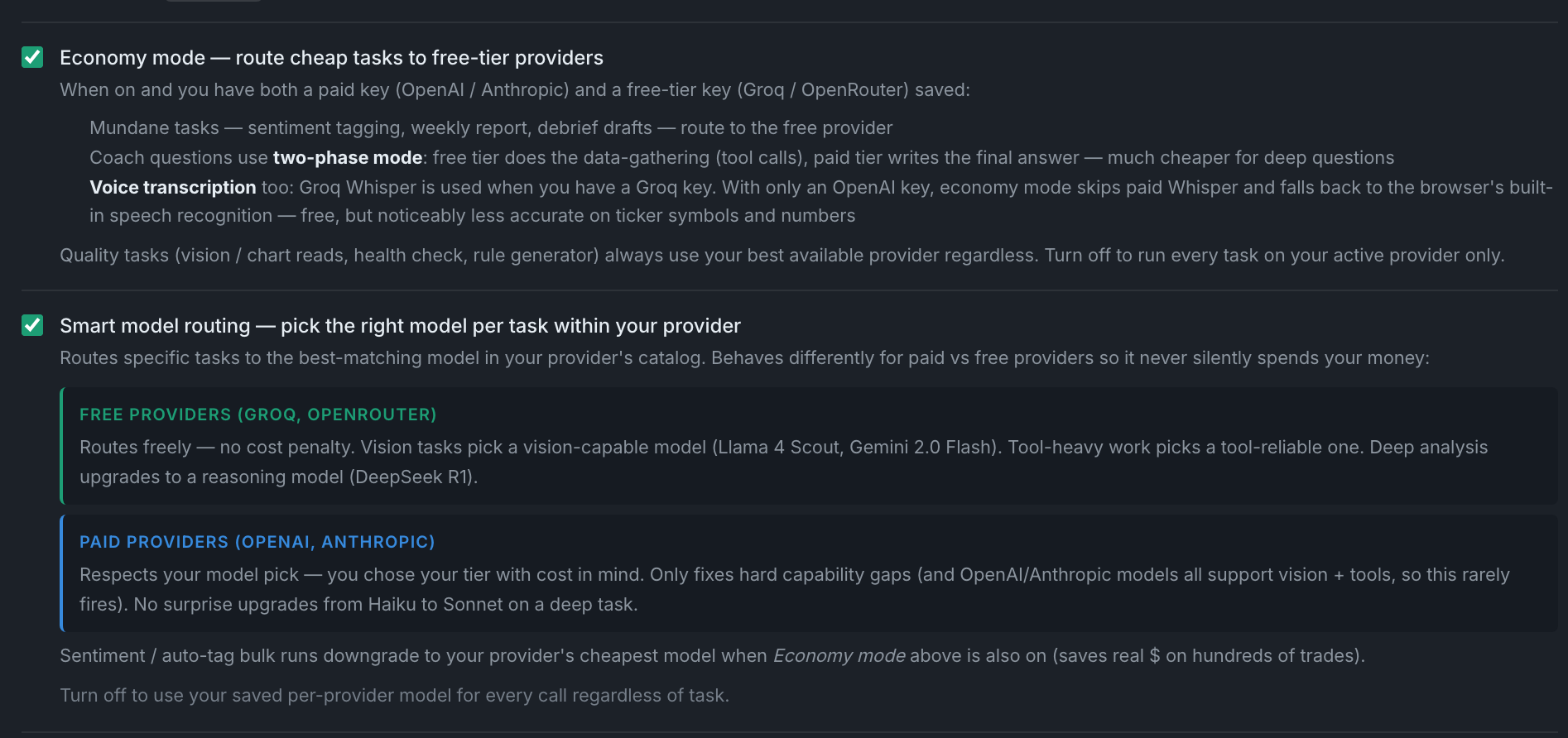
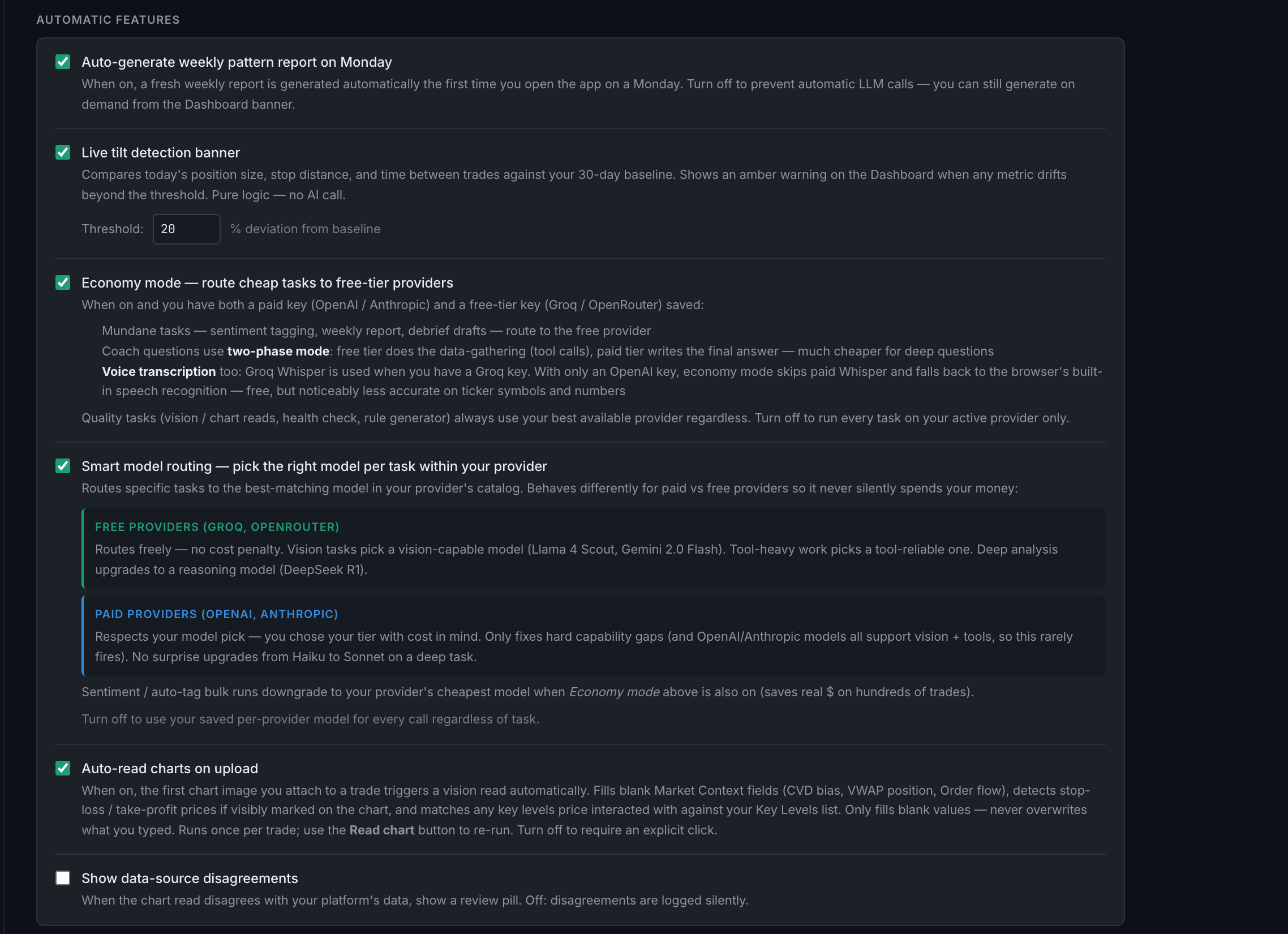
Smart routing overrides your model choice for one call when the task needs something your model cannot do. It is on by default. On free providers it moves freely; on paid providers it only fixes hard capability gaps, so it will never quietly upgrade you from Haiku to Opus.
What is the context profile and what does changing it do?
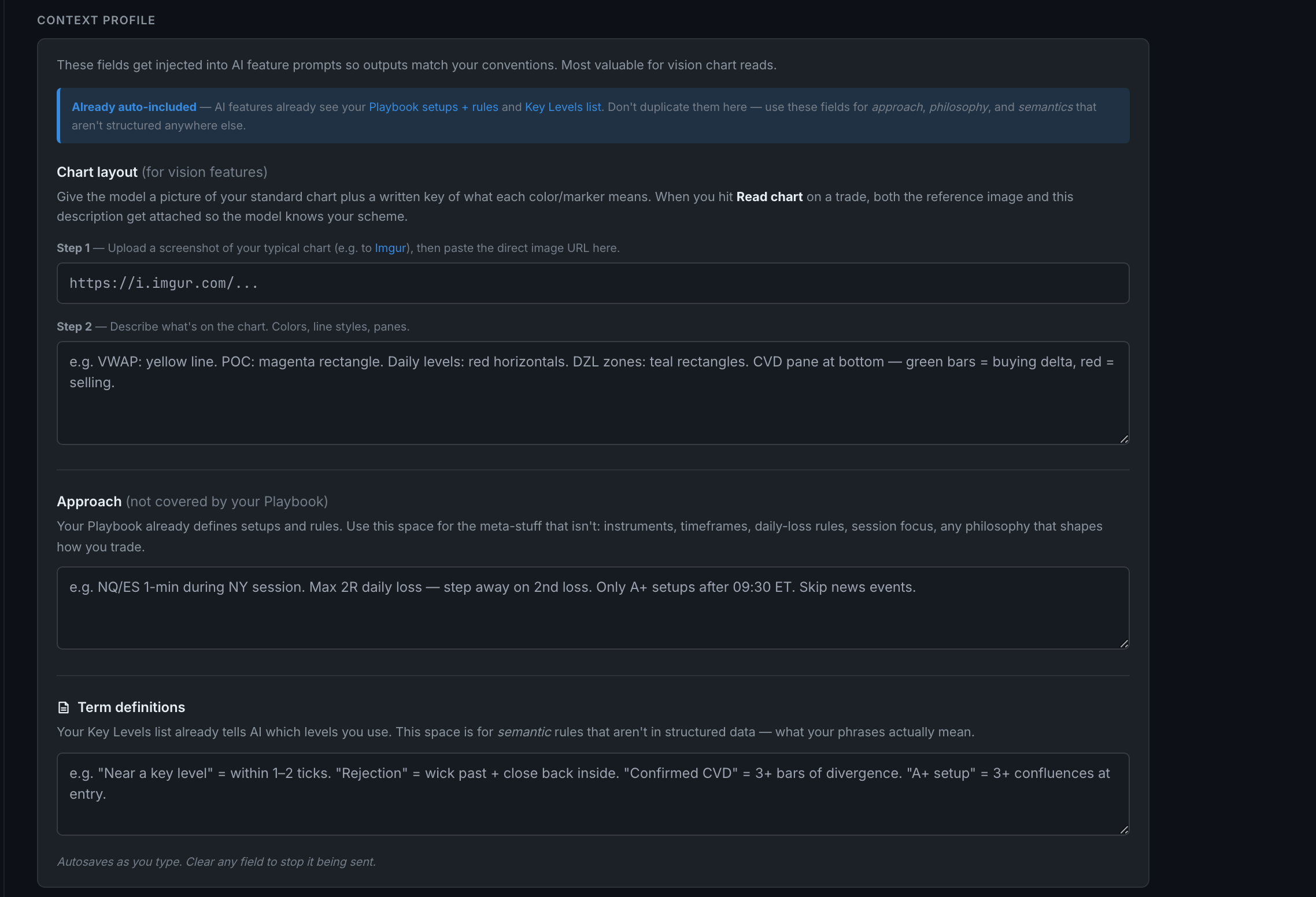
A standing description of how you trade and what your charts look like, injected into AI prompts so the model reads your screen and your vocabulary the way you do. Three blocks — Chart layout, Approach and Term definitions — and it autosaves as you type.
What does this cost me per token, roughly, and what drives the bill?
Between nothing and a few cents per call, depending entirely on the model. The app shows each model's price per million tokens next to it. What actually drives a bill is not the per-token rate — it is chart images and deep Coach questions.
Not on this page — the Usage this month panel is a placeholder that reads — for both figures and is not wired to anything. Real per-run costs are shown by the bulk actions while they run. For a true total, use your provider's own dashboard.
Economy mode routes the mundane work to your free provider and keeps the quality work on your best one. It is on by default. It trades away almost nothing — except that with only an OpenAI key it also downgrades voice transcription to the browser's own engine, which is noticeably worse.
Which AI features run automatically, and how do I turn each off?
Two of them, and one that is not AI at all. Auto-generate weekly pattern report on Monday and Auto-read charts on upload are the only things that spend money without you pressing anything. Both have their own switch in the Automatic features block on this page.
When you attach a chart image to a trade, it runs a vision read on it straight away and fills in the Market Context fields you left blank. It never overwrites anything you typed, and it runs once per trade.
It surfaces a review pill when the chart read disagrees with data that came from your platform. It is off by default, and off means the disagreement is still recorded — just silently, for us to investigate rather than you.
What does the live tilt detection banner setting control?
Whether the Dashboard shows an amber warning when today's trading drifts from your own 30-day baseline. It is on by default, and — despite living on the AI page — it makes no AI call at all. Its own description says so: pure logic.
What is bulk sentiment tagging and when should I run it?
Retroactive sentiment tagging finds past trades that have a note but no emotion tag and classifies each one. It runs up to 50 at a time to cap the cost, shows the running total in dollars while it works, and can be re-run to continue through the backlog.
What is backfill chart reads and when should I run it?
Backfill chart reads finds past trades that already have a chart image but still have blank Market Context fields, and runs a vision read on each. Up to 20 at a time, because vision is the expensive call.