What is the context profile and what does changing it do?
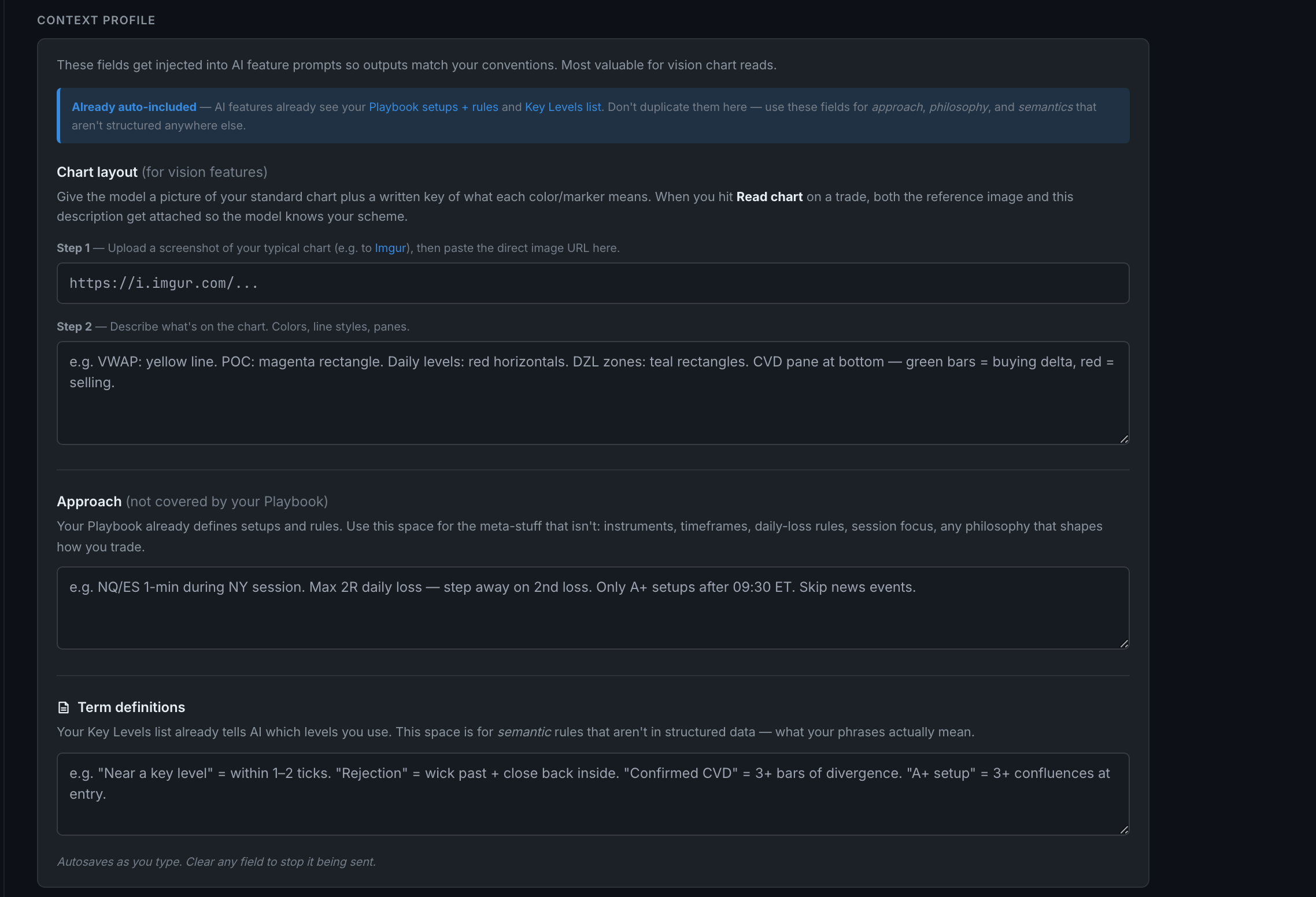
A standing description of how you trade and what your charts look like, injected into AI prompts so the model reads your screen and your vocabulary the way you do. Three blocks — Chart layout, Approach and Term definitions — and it autosaves as you type.
This is the highest-value thing on the page for anyone using chart reads, and it is usually empty.
Read the blue notice first. It says "Already auto-included — AI features already see your Playbook setups + rules and Key Levels list." Do not retype those here. These fields are for the things that are not structured anywhere else: your approach, your philosophy, and what your words mean.
Chart layout is for vision features and comes in two steps. Step 1 takes a URL to a screenshot of your typical chart — upload it somewhere that gives you a direct image link and paste that in. Step 2 is a written key to what is on it: "VWAP: yellow line. POC: magenta rectangle. Daily levels: red horizontals. CVD pane at bottom — green bars = buying delta." When you run Read chart on a trade, both the reference image and this description are attached to the model's request, so it has your colour scheme in front of it instead of guessing from convention.
Approach is the meta-level material your Playbook does not hold — instruments, timeframes, daily-loss rules, session focus, the philosophy that shapes how you trade. The field's own example: "NQ/ES 1-min during NY session. Max 2R daily loss — step away on 2nd loss. Only A+ setups after 09:30 ET. Skip news events."
Term definitions is the semantic layer. Your Key Levels list already tells the app which levels you use; this says what your phrases mean. "Near a key level" = within 1–2 ticks. "Rejection" = wick past + close back inside. This is what converts a vague question into one the model can answer consistently.
Where it makes the biggest difference: the chart read is written to return nothing rather than guess at a level it cannot identify. Telling it that your VWAP is the yellow line converts a whole class of "could not tell" into real answers — which is also why running backfill chart reads after filling this in is worth more than running it before.
It saves itself. There is no save button — the fields autosave as you type, and clearing a field stops it being sent.
This one does sync. Unlike the key, the profile is stored with your account settings, so it follows you to your other devices.