Can I see more than five numbers?
Yes. The small chevron at the right-hand end of the strip opens a second row of five more.
Step by step
- Look at the far right of the stat strip for a small chevron button. Its tooltip reads Show more stats.
- Click it and a second row appears underneath, with its own sparklines: Expectancy, Max Win, Max Drawdown, Max Loss and Trades.
- Click it again — now reading Hide more stats — to fold the row away.
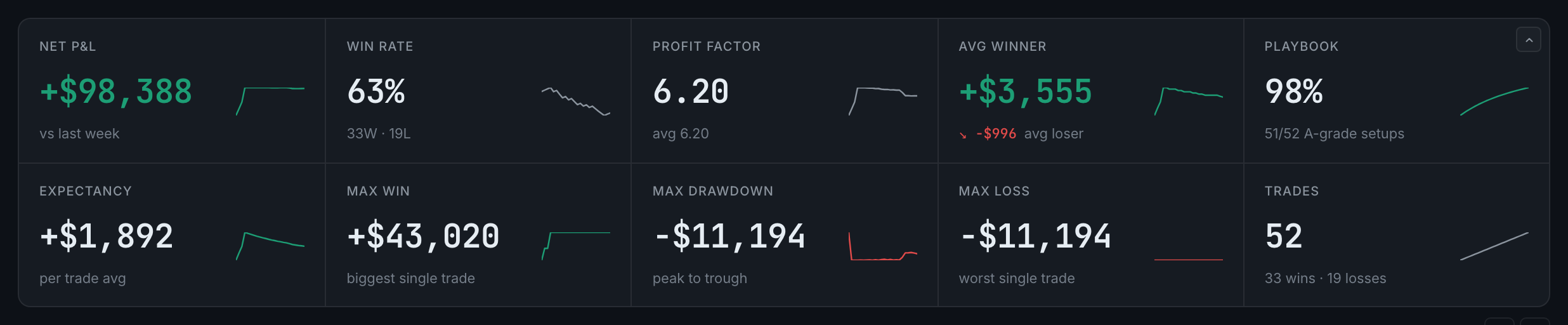
the stat strip with its second row open: expectancy, max win, max drawdown, max loss and trade count
The choice is remembered, so the strip opens the way you left it.
Expectancy is the one worth watching if you only add one. It is your average result per trade, which is the number that tells you whether the edge is real once the sample is big enough.