What is on the Dashboard?
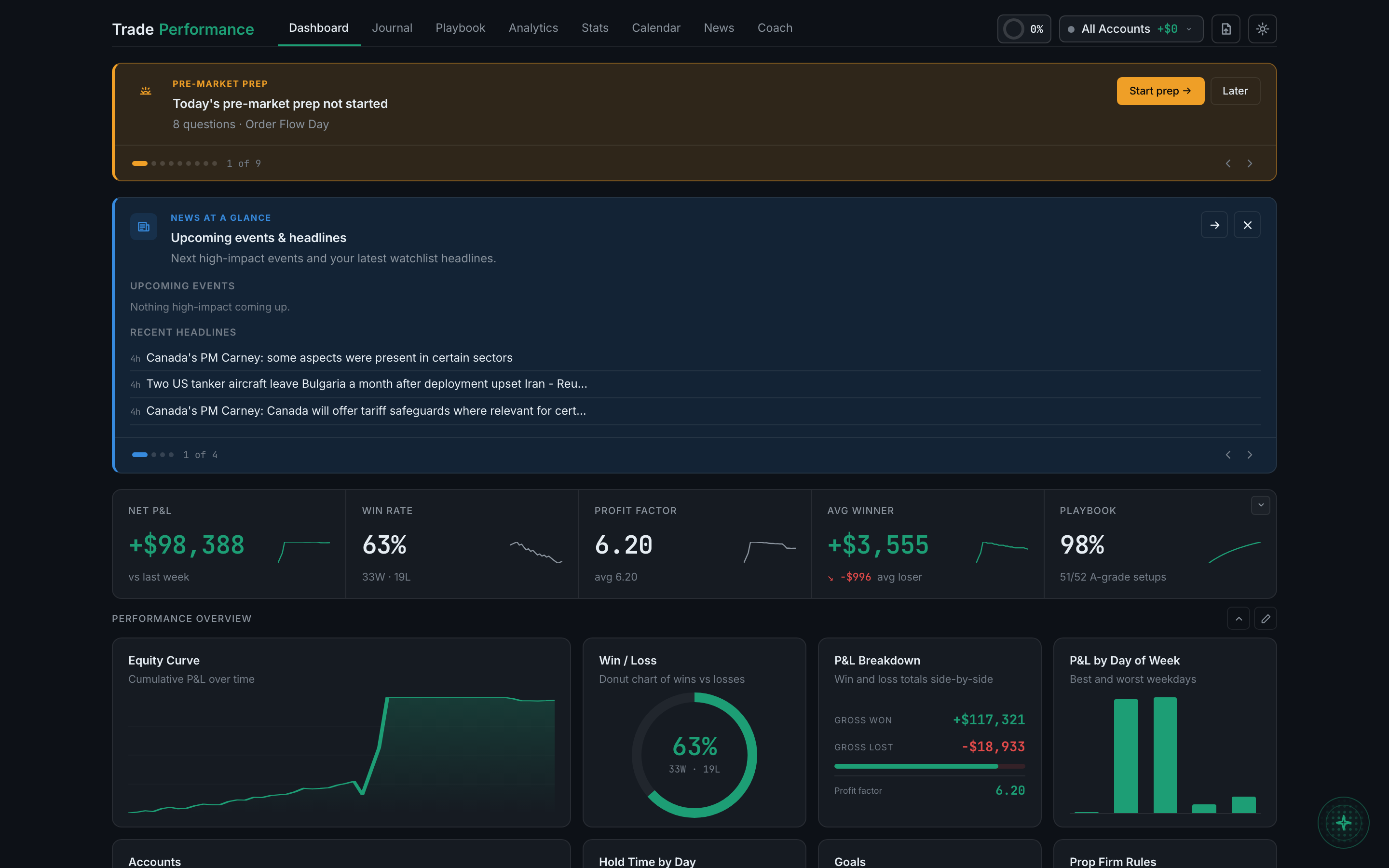
Four things stacked down the page: a banner stack of anything urgent, a strip of five headline numbers, a grid of widgets you choose, and a recent trades table.
The layout is deliberate rather than decorative. The things that can still change your day sit where you cannot miss them, and the things that describe the past sit lower down.
Working down the page:
- A banner stack — one slot at a time, with dots and a count like "1 of 9", and arrows to page through. This is where prop firm warnings, news releases, your pre-market prep and behavioural alerts surface.
- A notification carousel underneath it, in blue, carrying the less urgent cards: the news at a glance, your daily summary, the weekly report.
- A stat strip of five headline figures, each with a small sparkline showing how it got there.
- Performance Overview, a grid of widgets you pick and arrange.
- Recent trades, the same table as the Journal, so you can open a trade from here.
If a section is missing, it has nothing to say. The banner stack disappears entirely when nothing is urgent, and a carousel card only appears once there is something in it.