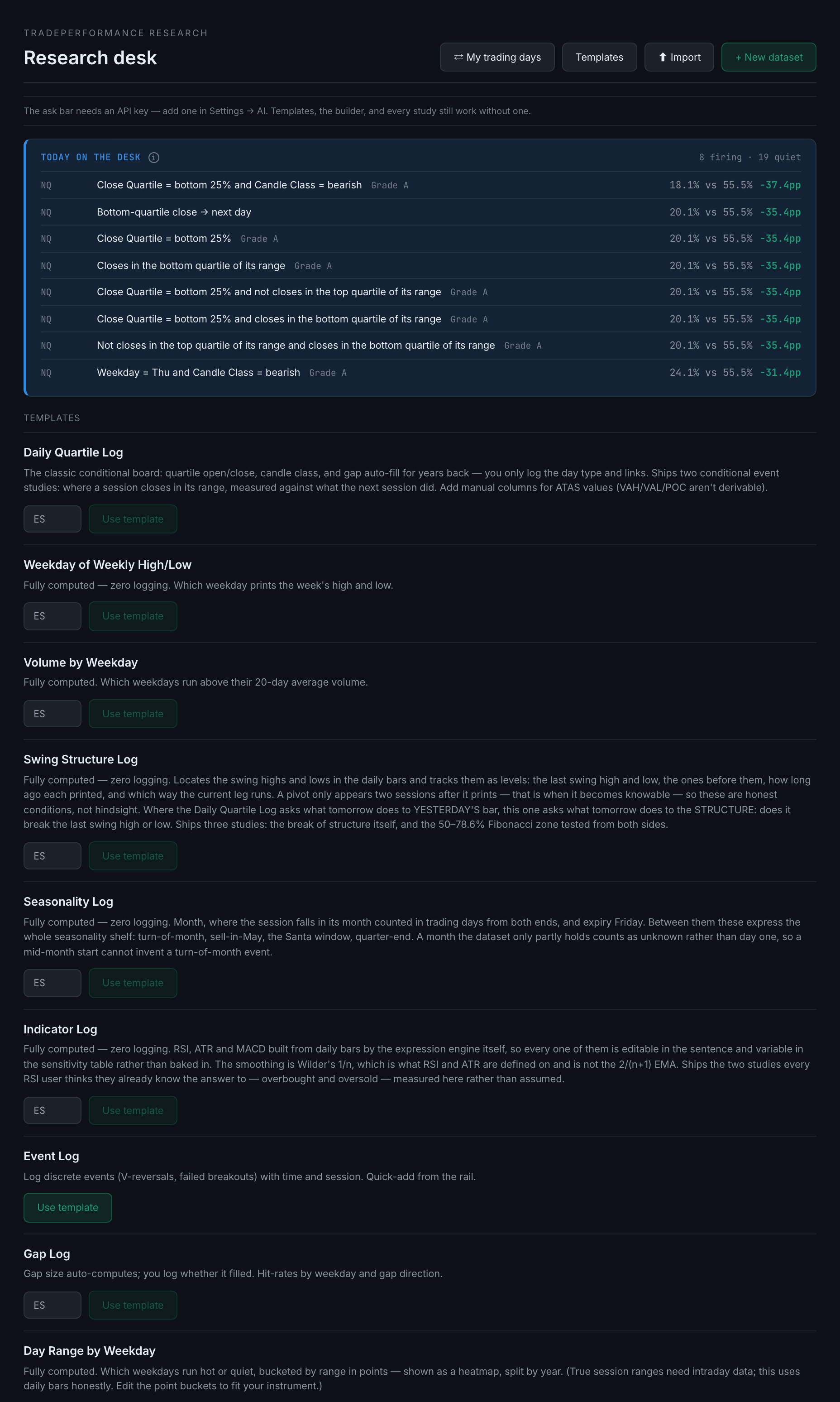
What are the templates, and which one should I start with?
Thirteen ready-made datasets. Most need nothing but a ticker, and several need no logging at all — they compute everything and ship with studies already built.
Press Templates to open the shelf. Each card gives the template's name, what it holds, and a Use template button; the ones that need a ticker have a small box next to the button to type it into.
Using one creates the dataset, adds its columns, fetches the daily bars, backfills every computed column across all the history the feed has, and builds the studies the template ships with. On a liquid future that is around five years and a couple of thousand rows, and it takes seconds rather than minutes.
The thirteen split into three groups.
Zero logging — everything is computed. Start here. There is nothing to fill in, ever.
- Weekday of Weekly High/LowWhich weekday prints the week's high, and which prints its low.
- Swing Structure LogFinds the swing highs and lows in the daily bars and tracks them as levels. Ships the break-of-structure study and the 50–78.6% Fibonacci zone tested from both sides. A pivot is only recorded two sessions after it prints, which is when it becomes knowable, so the conditions are honest rather than hindsight.
- Seasonality LogMonth, position within the month counted in trading days from both ends, and expiry Friday. Between them these cover turn-of-month, sell-in-May, the Santa window and quarter-end.
- Indicator LogRSI, ATR and MACD, built by the expression engine rather than baked in, so every parameter stays editable. Ships the overbought and oversold studies.
- Volume by WeekdayWhich weekdays run above their own 20-day average volume.
- Day Range by WeekdayWhich weekdays run hot or quiet, bucketed by range in points and drawn as a heatmap split by year.
- Volatility Regime — VIX, Rates — 10-Year Yield, Dollar — DX Futures — three fixed-symbol datasets built from free daily bars. Their real use is as regime columns: they are how you ask whether an edge you found elsewhere survives in high volatility.
Computed, with a little logging.
- Daily Quartile LogThe classic conditional board. Quartile open and close, candle class and gap all compute themselves for years back; you add the day type and any links. Ships two studies on where a session closes in its range against what the next one did.
- Gap LogGap size computes itself; you log whether it filled.
Logging-first.
- Setup Confirmation LogYou log a signal and whether it confirmed. Make one per instrument and the builder's Join section can then ask cross-instrument questions.
- Event LogDiscrete events with a time on them.
If you are starting cold, Daily Quartile Log on whatever you actually trade is the one to take. It is the template the rest of this page's examples come from, and it earns its keep without you logging a thing.