How do I create a dataset by hand?
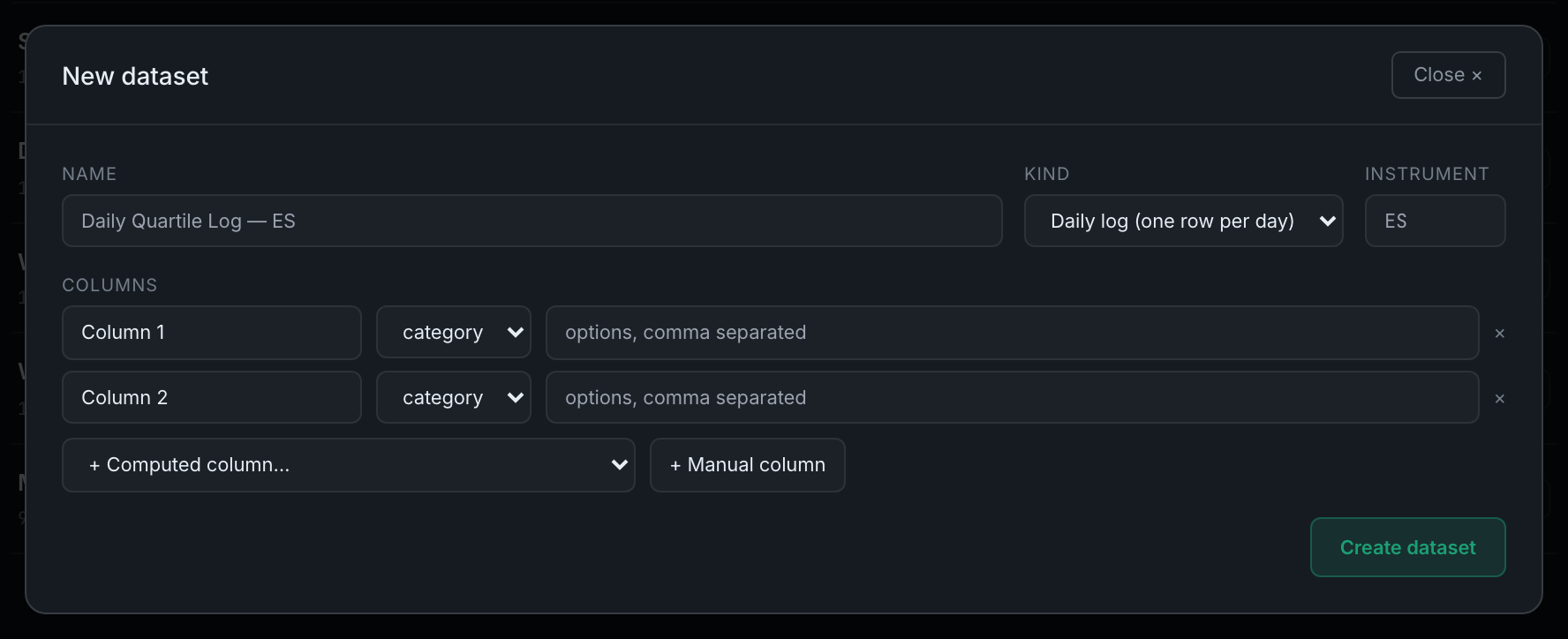
+ New dataset, give it a name, pick daily log or event log, set the instrument, then add columns — computed ones from the dropdown, manual ones you define yourself.
The modal is a short form and one list.
Step by step
- Press + New dataset in the desk header.
- Give it a name. This is what shows on the desk, so name it after the question rather than the mechanism — "Gap fills — ES" reads better six months later than "Dataset 2".
- Choose the kind. Daily log for one row per session, which is what you want unless you are recording things that happen several times a day. Event log for those.
- Set the instrument — the ticker whose daily bars the computed columns will read. Leave it out only if nothing here is going to be computed.
- Add computed columns from the + Computed column… dropdown. Each one arrives with its own label and type already set.
- Add manual columns with + Manual column, then rename each one and pick its type — category, number, boolean, date, time, link or text. A category column takes a comma-separated list of its options.
- Press Create dataset. If it has computed columns and an instrument, the backfill runs immediately and tells you how many days it filled.

A dataset is not frozen once made. Columns get added later — by you, by the edge scan, or by the Ask bar — and every addition backfills across the whole history rather than starting from today.