What is on the Setup & Session sub-page?
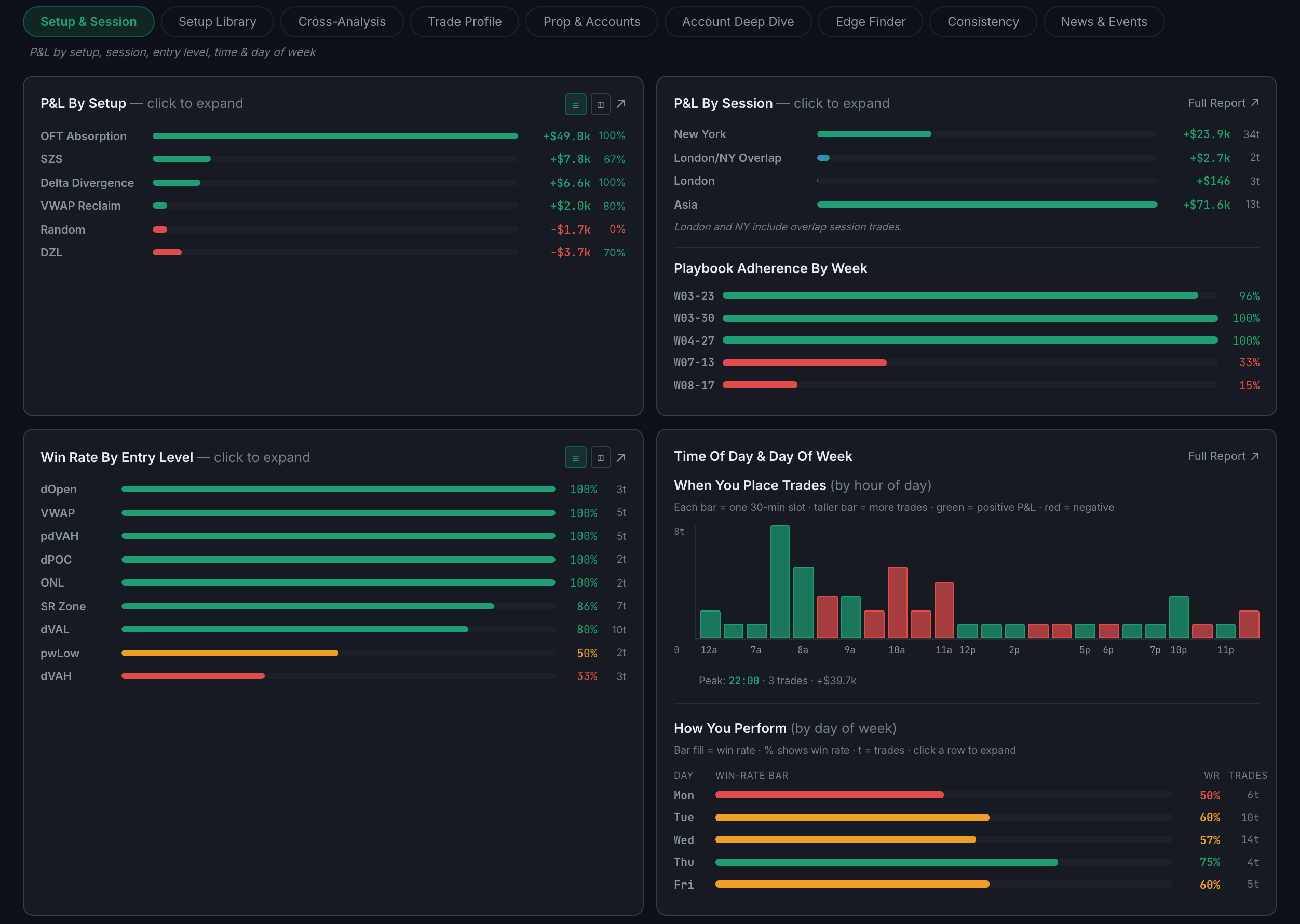
The four basic cuts of "what works" — P&L by setup, by session, by entry level, and by time of day and day of week.
This is the first sub-page of Edge and the one to open when you have no specific question. Each panel takes one dimension you tagged on your trades and ranks your results along it. Nothing here is clever; it is simply the thing most traders never actually sit down and total up.
Indicators on this sub-page:
- P&L by SetupEvery named setup ranked, with its total and win rate. This is the panel that pays for tagging.
- P&L by SessionNew York, London/NY overlap, London and Asia, each with a trade count. A footnote worth reading: London and New York both include the overlap trades, so the four figures are not four separate buckets.
- Playbook Adherence by WeekThe share of trades that followed a playbook setup, week by week, coloured so a bad run is obvious.
- Win Rate by Entry LevelYour results split by the key level you entered against — dOpen, VWAP, pdVAH, dPOC, ONL, SR Zone and so on — with a trade count per level.
- Time of Day & Day of WeekTwo views stacked. When you place trades is a bar per 30-minute slot, height for volume and colour for whether that slot made money, with your peak slot called out below. How you perform is win rate per weekday. Reading them together is the point: a heavy hour that is not a profitable hour is the cheapest fix in the app.
P&L by Setup and Win Rate by Entry Level both expand. Click a row to open it, and the two small icons in the panel header switch the whole panel between a list and a box view.