Do I need the desktop companion to use the indicator?
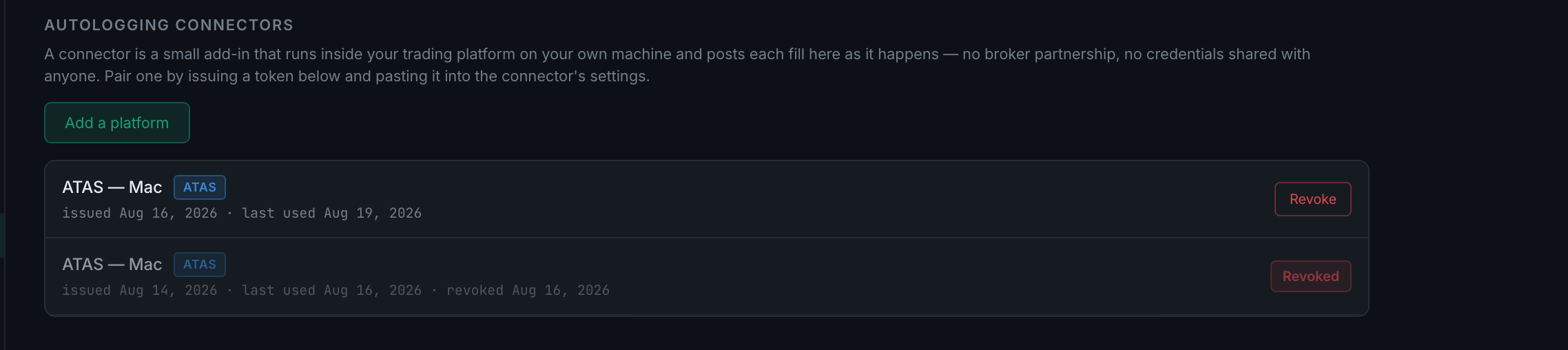
No. The platform connector is an add-in that runs inside your trading platform, on your own machine, and posts each fill straight to your journal. It has nothing to do with the desktop app and does not need it installed.
The two are separate installs solving different problems, and it is easy to assume otherwise because both are things you install.
A connector lives inside your platform. It is an add-in for ATAS, NinjaTrader or whatever you trade on. When a fill happens, the add-in posts it to your account. There is no broker partnership behind it — which is precisely why it is a connector you install rather than an account you authorise, and why pairing is a token you paste in rather than a login screen.
Pairing is a token. You generate one in the app, paste it into the connector, and that is the link. The token is shown once — the server keeps only a hash of it, so there is no way to read it again later and no way for anyone here to recover it for you. Copy it when it appears.
What is available today differs by platform. ATAS is the connector that exists; NinjaTrader, Quantower, Sierra Chart, MotiveWave, Bookmap and MetaTrader are listed but not yet available. The download page shows the same picture from the other side: two ATAS files and a Chrome extension marked Available at launch, and NinjaTrader 8 marked In development.
If your platform is not on the list, the fallbacks are the ones that need nothing installed — import a CSV, connect a broker, or log by hand or by voice.