What can I share to the community, and what stays private?
Three kinds of thing — a playbook setup, a pre-market template, and a Coach prompt. What gets published is the definition in each case. Your trades, your P&L and your statistics are never part of it.
This is the question worth getting right before you press Share, so here is exactly what leaves in each case.
A playbook setup publishes its name, its direction, its description, the asset classes it applies to, its rules and its checklist. It does not publish how the setup performed for you. No win rate, no expectancy, no trade count, no P&L — none of that is in what gets sent. You are sharing the recipe, not the results.
A pre-market template publishes its name and its questions. Nothing else.
A Coach prompt publishes its name and its text.
What is never shared, from anywhere: your trades, your notes, your emotion tags, your account names or numbers, your debriefs, your goals, your API keys, and your email address. None of those are reachable from a share, because none of them is in the payload.
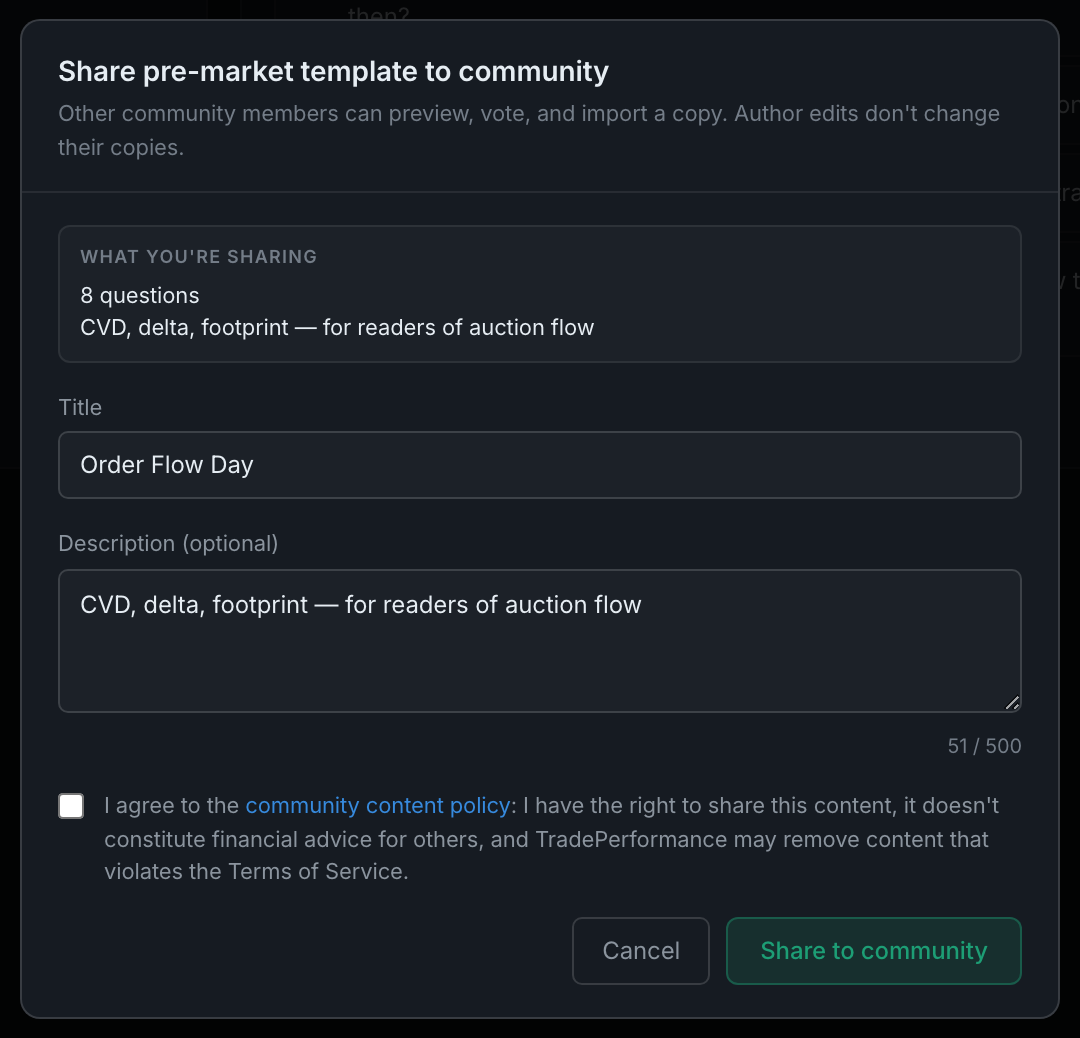
The dialog shows you what is going. Above the fields is a WHAT YOU'RE SHARING block summarising the payload — "8 questions" and the template's description, for instance. Read it before you agree; it is the whole of what leaves.
You choose the title and description. Both default to whatever the item is already called, and both are editable before anything is published — so if your setup is named after your prop account, rename it here. The description is optional and capped at 500 characters.
Nothing publishes until you tick the policy box. The Share to community button stays disabled until you do, and the box states what you are agreeing to: that you have the right to share the content, that it does not constitute financial advice for others, and that TradePerformance may remove content that violates the Terms of Service.
Sharing is opt-in and per item. Nothing is published automatically, nothing is published in bulk, and having one setup shared does not share the next one you create.
What you share stops being yours to change for anyone else. The dialog's own subtitle says so: "Other community members can preview, vote, and import a copy. Author edits don't change their copies." Improving your setup later does not update the copies people took. If you have changed something materially, share it again rather than assuming the fix propagated.