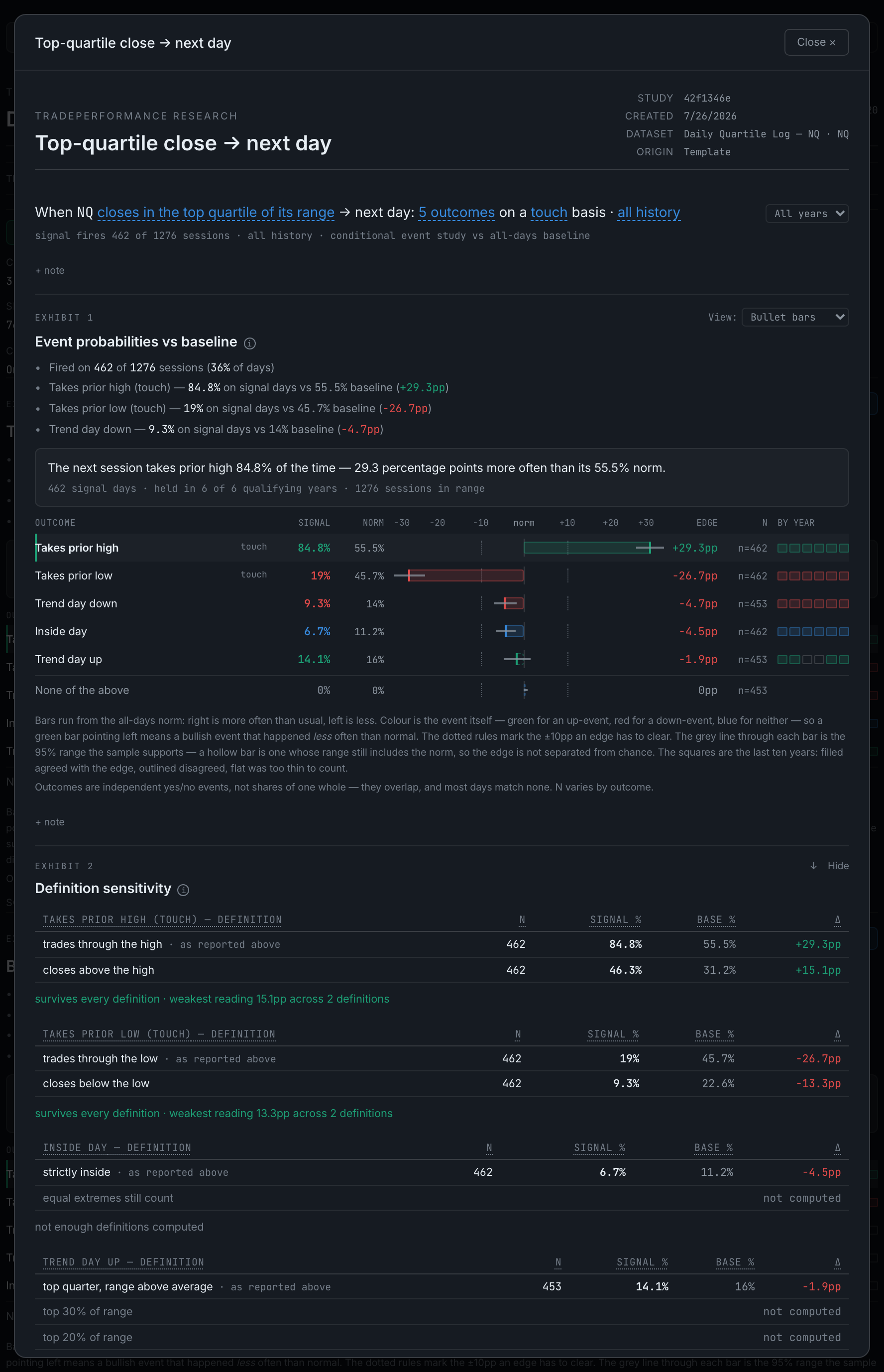
What is inside a deep research note?
A header, the condition as an editable sentence, then up to eight exhibits — the main chart, definition sensitivity, year by year, horizons, the backtest, the setup card, the data table, the out-of-sample ledger and the transfer test.
The note opens with a header block naming the study, when it was created, which dataset it reads and where it came from. Under that sits the condition sentence — a plain English statement of exactly what is being measured, with its clauses underlined in blue. Clicking an underlined clause opens an edit strip; changing one re-computes the column and backfills before the study re-runs, so you watch the numbers change rather than finding they quietly did.
Beside the sentence is the year lens. It scopes every exhibit below it at once, and while it is on anything other than All years a line in amber says so — because the banked grade and verdict still speak for the full range, and a study read under a 2024 lens is answering a different question than its badge is.
Then the exhibits. Which ones appear depends on what the study can support:
- Exhibit 1 — the main chart. How often each outcome happened on signal days, drawn against how often it happens on all days.
- Definition sensitivityThe same study under every defensible definition of its outcomes.
- Year by yearThe headline edge split into calendar years.
- Study table by horizonWhat the market did 1, 3 and 5 sessions after the signal.
- The rule, tradedThe backtest.
- Out of sample — since this study existedThe ledger.
- Transfer testThe same condition replayed on another dataset.
- Setup cardThe study condensed to a tradeable rule, with the button that sends it to the Playbook.
- DataThe same result as a plain table of numbers.
Each has its own hover explanation next to its heading, its own ↑ ↓ to move it and Hide to put it away. Hidden exhibits are listed at the foot and come back with one click. The numbering follows what is on screen, so hiding one renumbers the rest.
At the very bottom: AI read, which needs an API key, and Export PNG / Export PDF, which capture the note exactly as it stands — your lens, your chosen views, your notes — with the controls stripped out.