How do I turn voice mode on?
Settings → Capture → Audio setup → Voice mode, tick Voice mode (always on). After that the hotkey — ⇧⌘V on a Mac by default — toggles it without opening Settings. You need a Groq or OpenAI key first; see the next question.
When voice mode is on, focusing any supported text field starts dictation on its own. You do not click a microphone icon per field. What you say is appended to whatever is already in the field, so you can type a little, speak a little, and keep going.
A VOICE pill appears in the top bar once it is on, and that pill is also the fastest way to turn it back off — click it. Hover it and it names the transcription route you are on and the hotkey that toggles it.
Its colour is a live status light, which is the quickest way to know whether anything is being recorded right now:
- Green, labelled "on"Armed and waiting. It will start recording when you focus a field and speak.
- Amber, labelled "PTT"Push-to-talk is on, so it is waiting for you to hold the key.
- Red, labelled "listening"The microphone is recording at this moment.
One thing worth knowing: the pill is only drawn when voice mode is already on. It is a way out, not a way in. To switch voice on for the first time, use the Settings checkbox or the hotkey.
The setting is remembered between sessions. If you left voice on yesterday it is on today.
Step by step
- Open Settings and choose Capture in the left sidebar, under App.
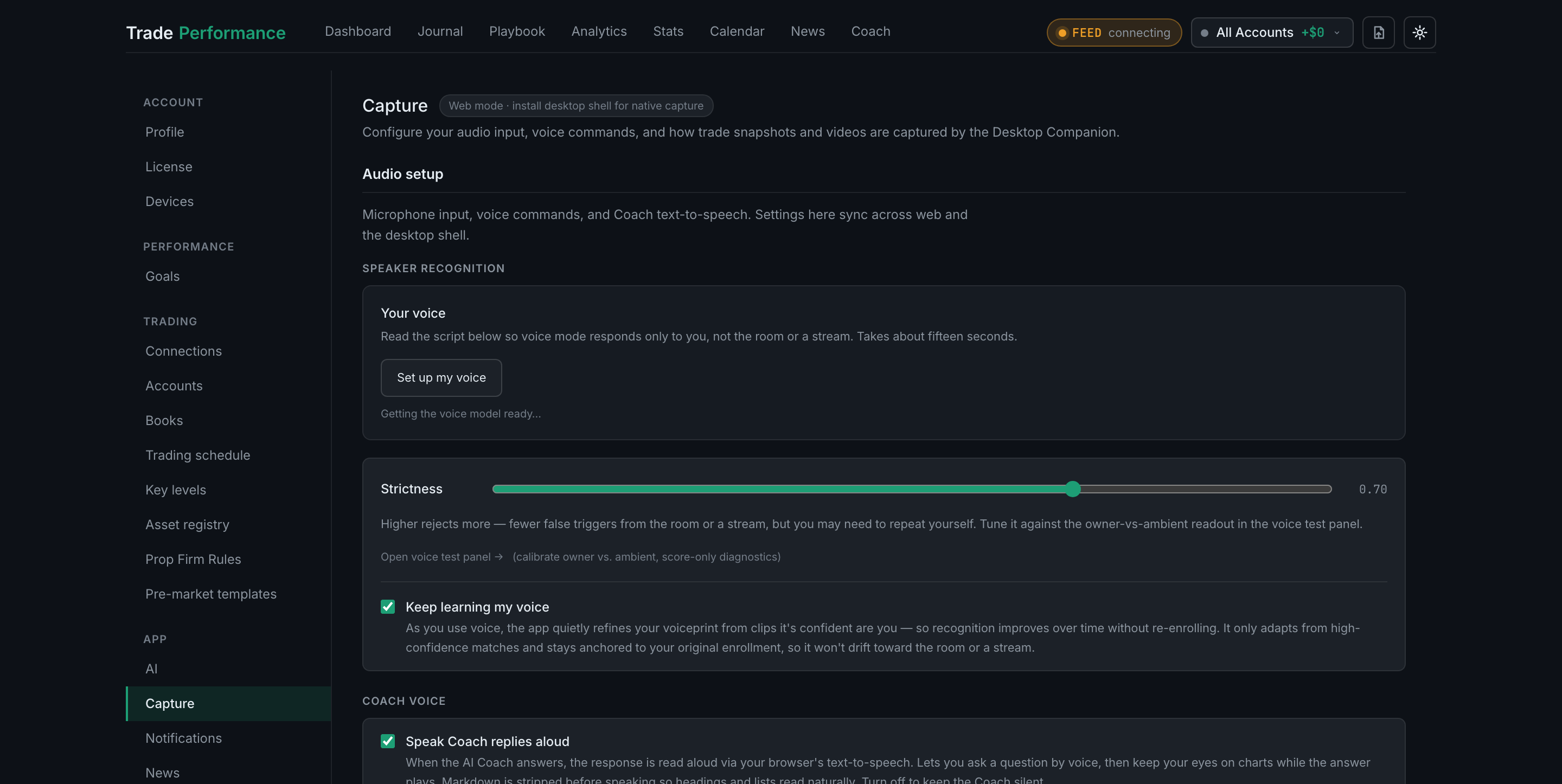
Settings → Capture: the sidebar with Capture selected under App, and the Audio setup section it opens on - The first section is Audio setup. Scroll to the Voice mode block.
- Tick Voice mode (always on).
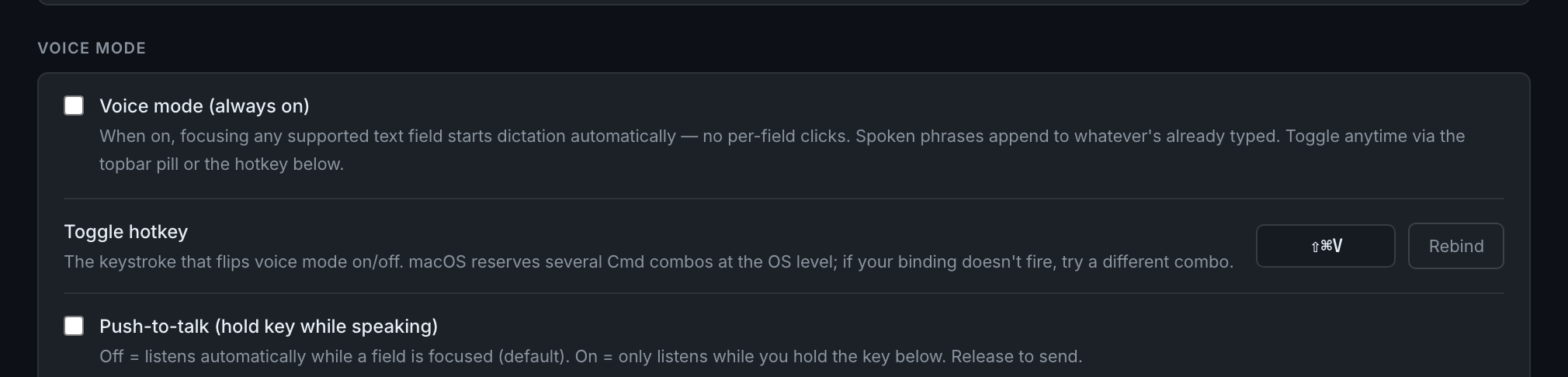
the Voice mode block: the enable checkbox and the toggle hotkey row with its Rebind button - Look at the top bar — the VOICE pill is now there, green and reading "on".

the top bar with voice mode on, showing the VOICE pill and its state label - Click into any note or text field and start talking. Your words land in the field.voice/vo-20-dictationdictation in progress: the pill red and reading "listening", and spoken words landing in a focused field