TradePerformance

Voice

Dictate into any field and drive the app by speaking, so your hands can stay on your trading platform while a trade is still live. Voice mode is off until you turn it on, and everything it needs is in one place.

Where the settings live

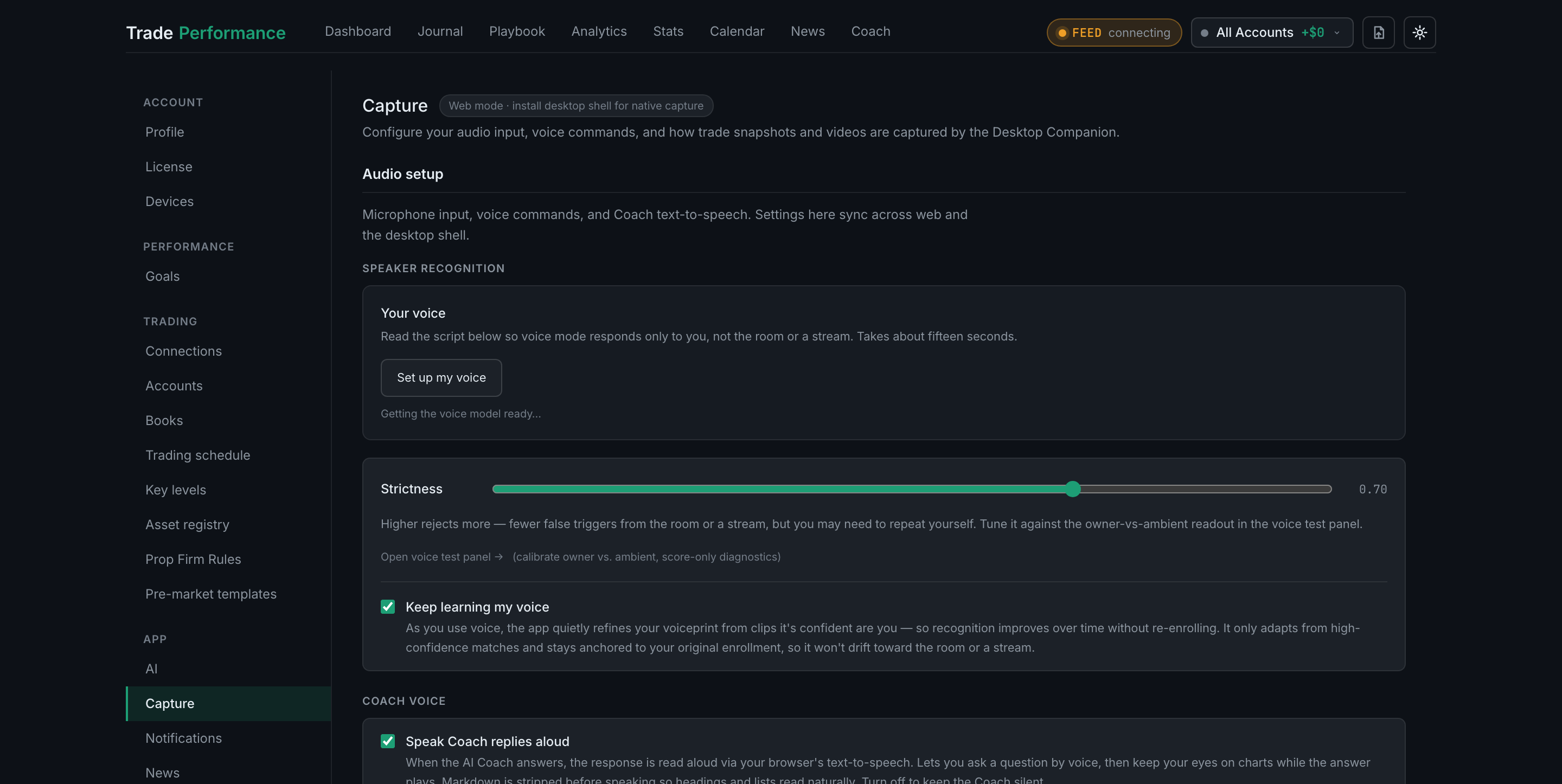
Voice is configured under Settings → Capture → Audio setup, not under a tab called Voice. Audio input and screen capture share a page because they are both about the hardware on your desk. The section holds four blocks, in this order:

  • Speaker recognitionYour voiceprint, the strictness slider, and adaptive learning.
  • Coach voiceWhether the AI Coach reads its answers aloud.
  • Voice modeThe on switch, hotkeys, microphone, feedback and personal vocabulary.
  • Voice macrosYour own trigger phrases.
Settings → Capture: the sidebar with Capture selected, the page header, and the Audio setup section beginning

Turning voice on

How do I turn voice mode on?

Settings → Capture → Audio setup → Voice mode, tick Voice mode (always on). After that the hotkey — ⇧⌘V on a Mac by default — toggles it without opening Settings. You need a Groq or OpenAI key first; see the next question.

Settings → Capture: the sidebar with Capture selected under App, and the Audio setup section it opens on
Read the full guide
What do I need for voice to work — browser, microphone, keys?

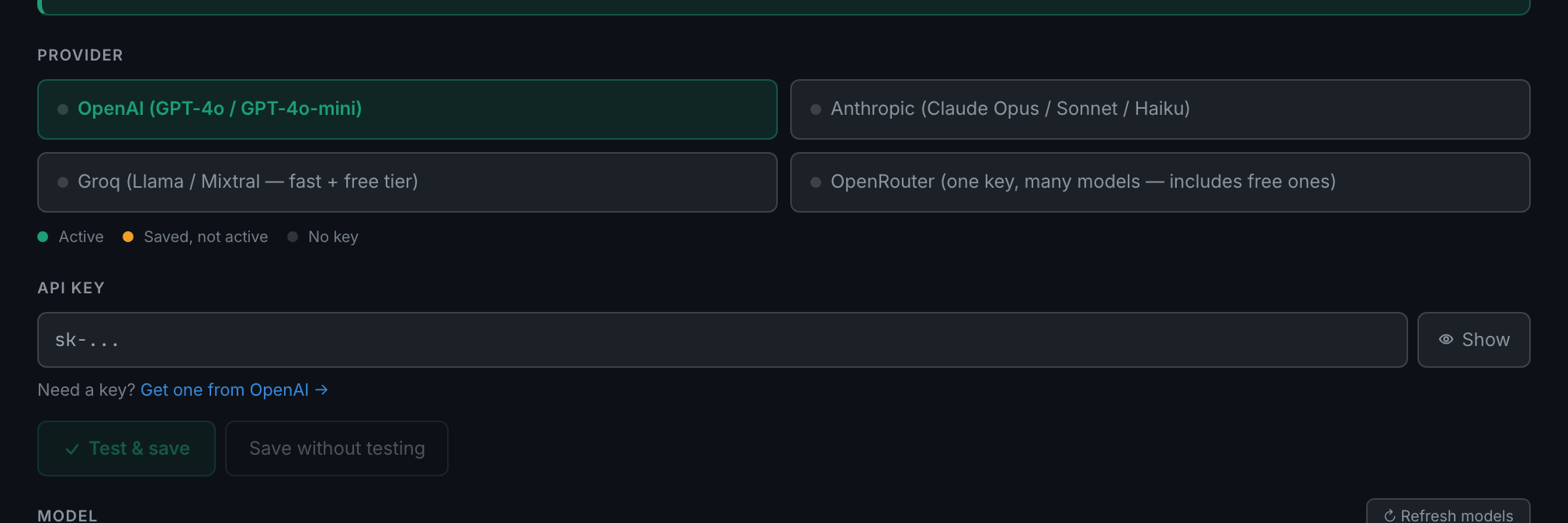
A supported browser, a microphone, and an API key — Groq or OpenAI. A Groq key is free, and that is the one to get. Turn voice on without a key and the app says so: Voice needs a Whisper key (Groq or OpenAI) — add one in Settings → AI.

Settings → AI: the provider list, the status dots and the masked key field where a Groq or OpenAI key goes
Read the full guide
What is the difference between toggle mode and push-to-talk?

Toggle listens automatically whenever a field is focused. Push-to-talk listens only while you hold a key. Toggle is the default; push-to-talk is more deliberate and avoids silence-detection problems entirely.

the Push-to-talk switch in its default off state, with the line that explains what each setting does
Read the full guide
Can I rebind the voice hotkeys?

Yes, both of them. Press Rebind beside either key, then press the combination you want.

the toggle hotkey row mid-rebind, the key cap amber and reading
Read the full guide

What you can actually say

What voice commands work everywhere?

Around twenty-five, grouped below by what they do — filling in a form, starting a routine, going to a page, asking what is available, repeating yourself, and correcting what voice just did. Anything that is not a command becomes dictation into whatever field you have focused.

Read the full guide
What questions can I ask out loud about my stats?

A good many, and the answer is spoken back to you. "What's my P&L today", "win rate this week", "how many losers today", "average winner", "P&L on NQ this week" and "show me my last NQ loser" all work, from any page. They need no AI key — the answer is arithmetic on trades you have already logged.

Read the full guide
What voice commands are specific to each page?

Yes — several pages add their own, on top of the global set rather than replacing it. Say "what can I say" on any page and it reads back that page's commands first.

Read the full guide
What happens after I dictate a trade — can I review before saving?

It depends on how much you said. A phrase carrying a direction or an entry price is written straight away — no review step. A bare "new trade" opens the + Trade form instead, and you check it and press the button yourself.

Read the full guide

Your microphone

How do I choose or change my microphone?

Voice mode → Microphone. It defaults to your system default; pick a specific input if the browser keeps grabbing the wrong one.

the Microphone block: the input picker, its explanation and the note that a change applies to the next dictation session
Read the full guide
How do I check the app is hearing me?

Press ▶ Test mic under the microphone picker and talk. The bar should turn green and push past the marked line.

the input level meter at rest, with its ▶ Test mic button, the threshold tick and the guidance beneath it
Read the full guide
What are the chime and audio feedback settings?

Two opt-in confirmations under Command feedback — a short chime when a spoken command matches, and an operating-system notification when the tab is in the background.

the Command feedback block with both checkboxes and the chime Test button
Read the full guide

Making it respond only to you

What is voice enrollment and do I need it?

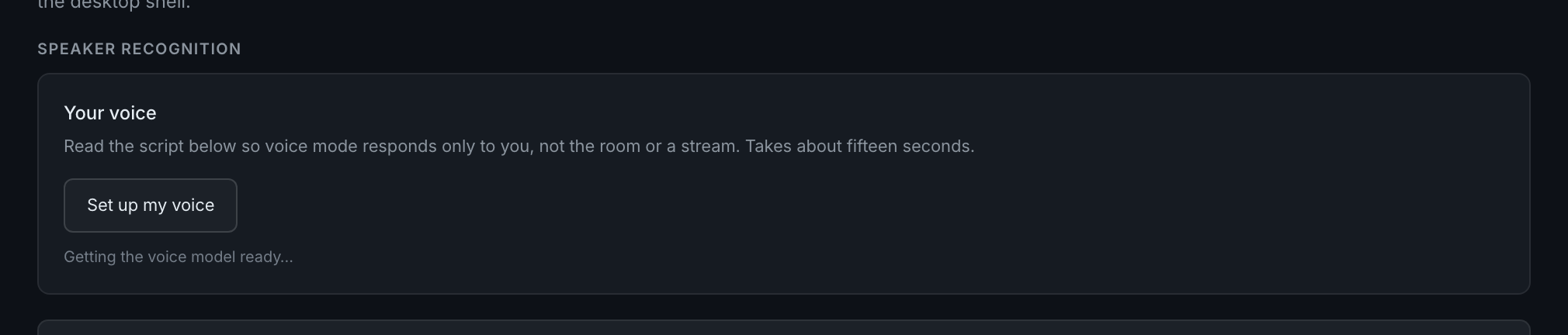
Reading a short script so the app learns your voice and responds only to you. Not required to dictate, but it is what stops a livestream, a podcast or someone else in the room from driving your journal.

the
Read the full guide
How do I train my voiceprint?

Speaker recognition → Set up my voice, wait for the model to download, then read the ten lines out loud. You need at least five clips and eight seconds; Finish unlocks when you have them.

the
Read the full guide
Voice isn't recognizing me — how do I fix it?

In order: check the level meter, check you are on the right microphone, lower strictness a little, and re-enroll if the card says your voiceprint is from an older model.

the input level meter and its ▶ Test mic button, the first thing to check
Read the full guide
What does the strictness slider change?

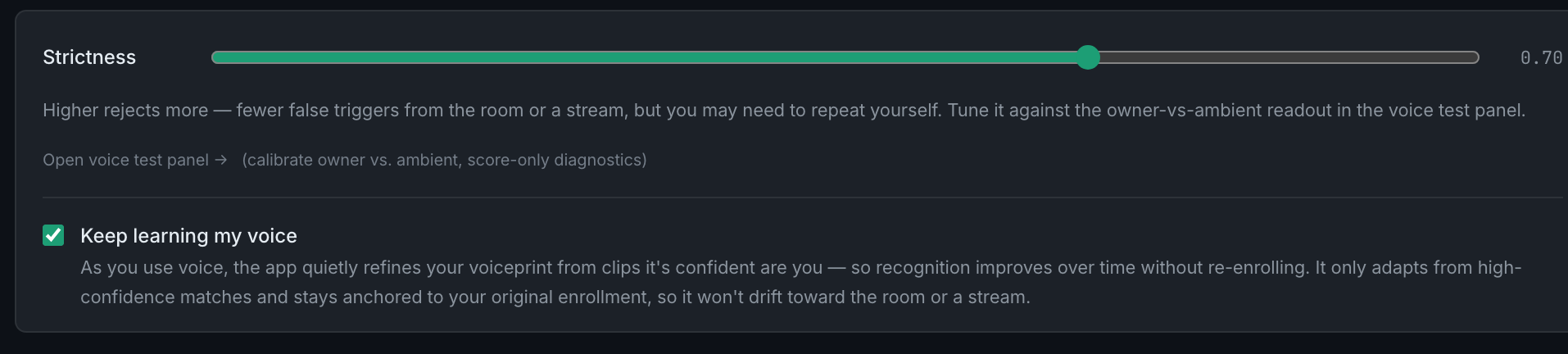
How close a match to your voiceprint the app demands before it acts. Higher rejects more. It runs from 0 to 1 and starts at 0.70.

the strictness slider with its current value, the voice test panel link, and the
Read the full guide
What is "keep learning my voice"?

On by default. The app quietly refines your voiceprint from clips it is confident are you, so recognition tracks changes in your voice, room and microphone without you re-enrolling.

the
Read the full guide
Can I use my voiceprint on another device?

Yes. Your voiceprint is stored on your account, so enrolling once covers every browser and machine you sign into.

the
Read the full guide
How do I re-enroll from scratch?

Press Re-enroll on the "Your voice" card and read the script again. It replaces your old voiceprint.

the
Read the full guide

Teaching it your words

The app keeps mishearing a ticker or term — can I teach it?

Two ways. Type the term into Personal vocabulary so transcription expects it — and when you correct a value the app set, it remembers that correction on its own.

the Personal vocabulary field, where you name the terms up front rather than waiting to correct them
Read the full guide
What is personal vocabulary and how is it different from a correction?

Vocabulary is a list you type in advance. Corrections are pairs the app learns from what you fix. Vocabulary biases transcription; corrections also rewrite a specific mishearing.

the Personal vocabulary field with its guidance about keeping the list short and ticker-only
Read the full guide
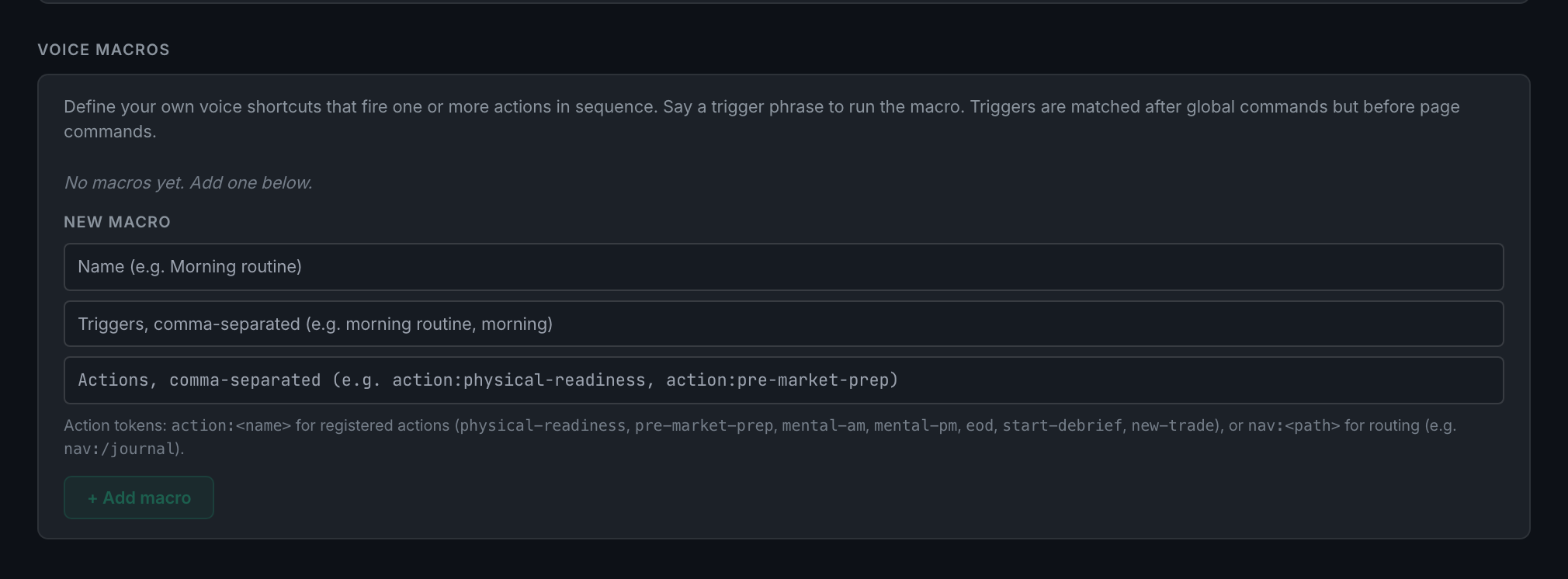
What are voice macros and how do I make one?

Your own trigger phrases that fire one or more actions in sequence. Add them under Voice macros: a name, the phrases that trigger it, and the actions to run.

the Voice macros panel: the New macro form and the reference listing the action tokens
Read the full guide

When something is wrong

What do the voice diagnostics tell me?

Exactly what was heard and what happened to it, for the last hundred or so voice events. Reach it from Open voice diagnostics → at the bottom of the Voice mode block.

the
Read the full guide