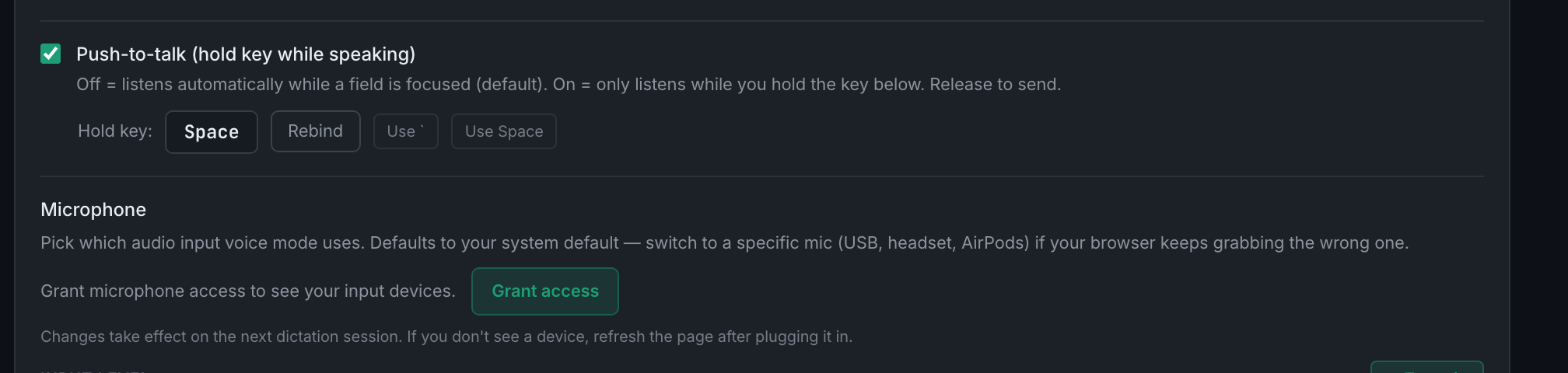
What is the difference between toggle mode and push-to-talk?
Toggle listens automatically whenever a field is focused. Push-to-talk listens only while you hold a key. Toggle is the default; push-to-talk is more deliberate and avoids silence-detection problems entirely.
In the default mode the app decides when you have finished speaking by listening for a pause. That is comfortable most of the time and occasionally wrong — a long think in the middle of a sentence can end the phrase early, and a noisy room can keep it open.
Push-to-talk removes that guesswork. You hold a key, speak, and release to send. Nothing is transcribed while the key is up.
The two work together rather than replacing each other: the toggle hotkey still arms voice mode, and the push-to-talk key controls when it actually listens.
Two presets are offered for the hold key:
- Backtick (`)The default, and the one that works in any field.
- SpaceOnly fires when no text field has focus, so it does not disrupt typing. Good if you drive the app by voice more than you write in it.