How do I train my voiceprint?
Speaker recognition → Set up my voice, wait for the model to download, then read the ten lines out loud. You need at least five clips and eight seconds; Finish unlocks when you have them.
The script is ten short, plain sentences. The words themselves do not matter — speaker recognition is content-independent — so they are deliberately easy to read rather than full of trading jargon you might stumble on. Reading fluently matters more than reading accurately.
Pause for a beat between lines. Each pause is what ends one clip and starts the next, and the counter only advances when a clip is banked.
The ten lines, so you know what you are walking into. They are deliberately plain — no jargon to trip over, because reading fluently matters more than what the words are:
- This is my voice for logging trades.
- I am setting up voice recognition now.
- The market opens in a few minutes.
- I will read each line out loud.
- My plan today is to stay patient.
- Let me check the chart before I enter.
- I took a small loss on that one.
- That was a clean setup and a good exit.
- I am done trading for the day.
- Thanks for helping me set this up.
The first run downloads the model with a real progress bar. That is a one-time cost per browser, not per enrollment.
If the save fails, the card says so and stays un-enrolled. It does not flip to "enrolled" and quietly lose your work on the next reload. You get Retry save and Re-record.
Step by step
- Settings → Capture → Audio setup → Speaker recognition.
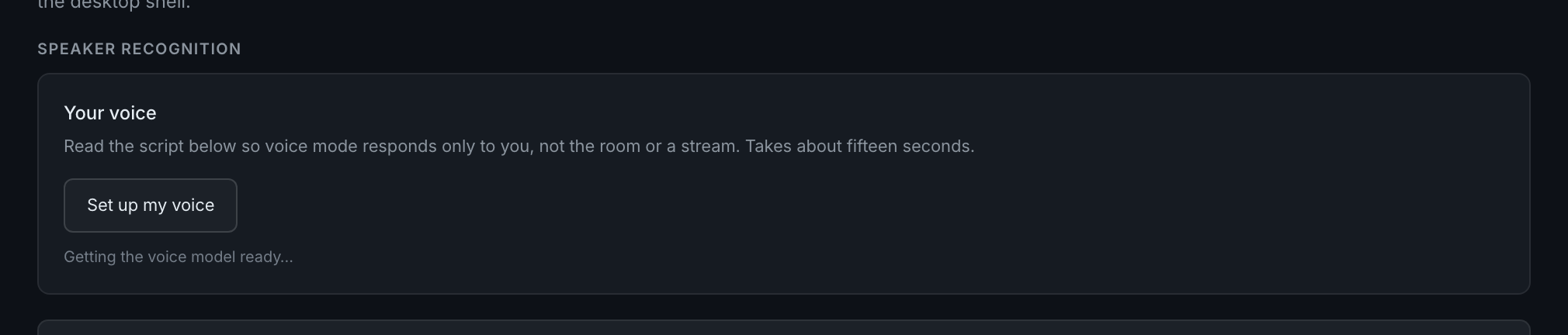
the "Your voice" card, where enrollment starts - Press Set up my voice. The model downloads on the first run — roughly 100 MB, with a percentage.voice/vo-18-enroll-downloadingthe card mid-download, showing the progress bar and the percentage, with the note that this happens once per browser
- Press Start recording.voice/vo-19-enroll-readythe card once the model is loaded, showing the Start recording button
- Read each highlighted line out loud, pausing briefly at the end of it. Completed lines turn green with a tick.
- Watch the counter: it reads phrases against the five needed and seconds against the eight needed, and tells you when you have enough.
- Press Finish. The card now reports how many samples and seconds it stored.