What are voice macros and how do I make one?
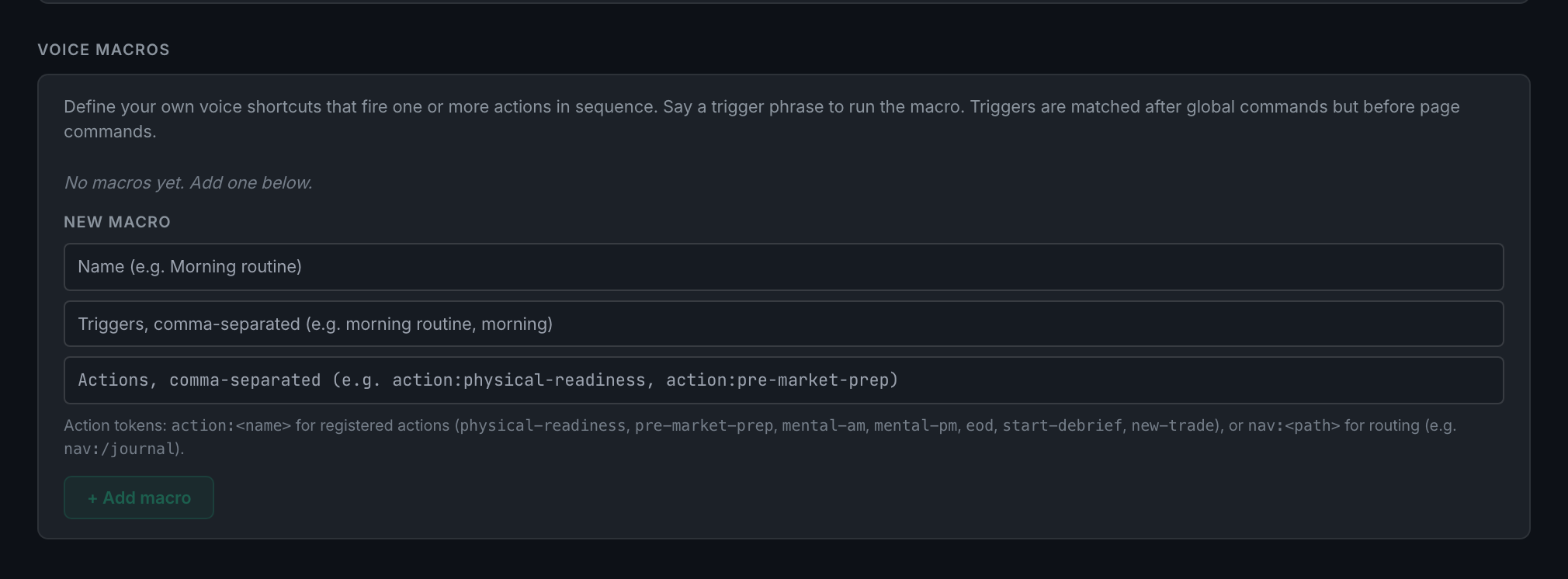
Your own trigger phrases that fire one or more actions in sequence. Add them under Voice macros: a name, the phrases that trigger it, and the actions to run.
A macro is for a routine you repeat. Saying morning routine can open the physical readiness card and then the pre-market prep card, in that order, without you touching either.
Each macro has three parts:
- NameWhat you call it, for your own reference.
- TriggersOne or more phrases, comma-separated. Any of them fires it.
- ActionsComma-separated tokens, run in the order you list them.
Actions come in two forms. action:<name> runs a registered action, and there are seven: physical-readiness, pre-market-prep, mental-am, mental-pm, eod, start-debrief and new-trade. nav:<path> navigates, so nav:/journal opens the Journal.
Triggers are matched after the app's built-in global commands and before page-specific ones. You cannot override save or next with a macro, but you can add anything the app does not already answer to.
Macros are stored in the browser you create them in, and they do not travel to your other machines. You can add and remove them, but not edit one in place — remove it and add it again.
Step by step
- Settings → Capture → Audio setup → Voice macros.
- Under New macro, type a name, for example
Morning routine. - Type the triggers, comma-separated:
morning routine, morning. - Type the actions, comma-separated:
action:physical-readiness, action:pre-market-prep.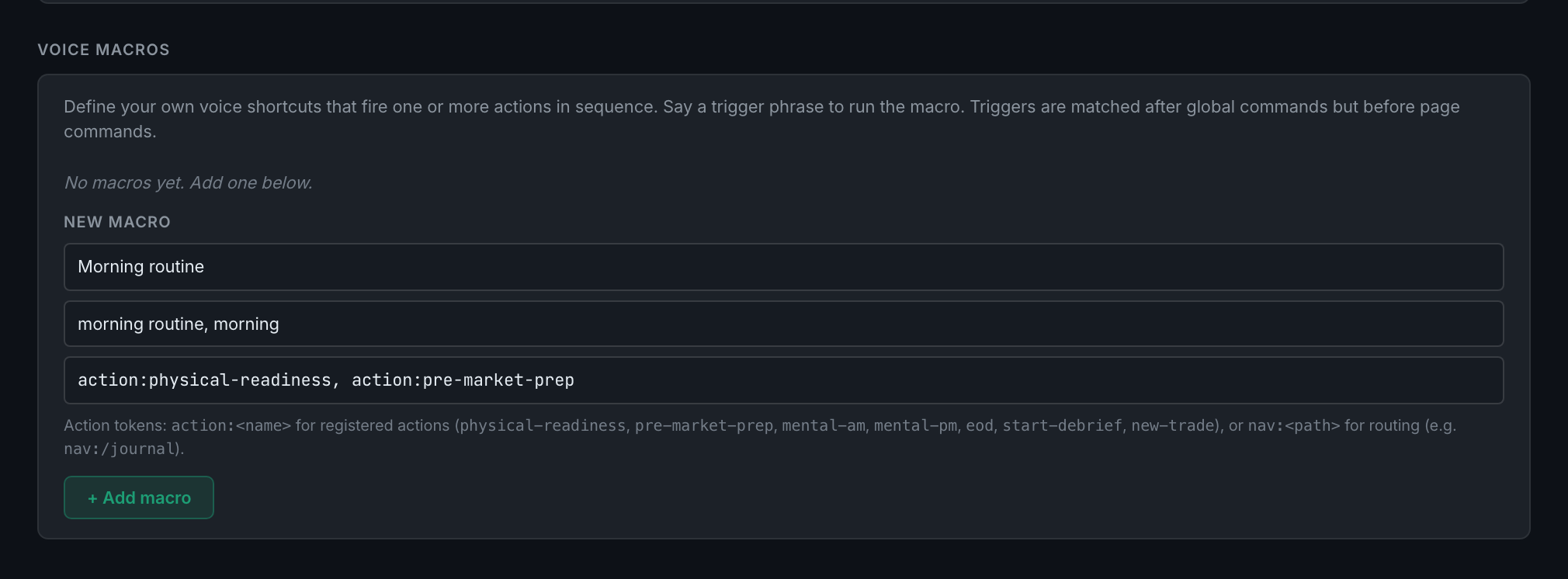
the New macro form filled in, showing what a name, a trigger list and an action chain actually look like before you press Add - Press + Add macro. It appears above with its triggers and its action chain, and a Remove button.
- With voice mode on, say one of your triggers.