How do I add key levels manually?
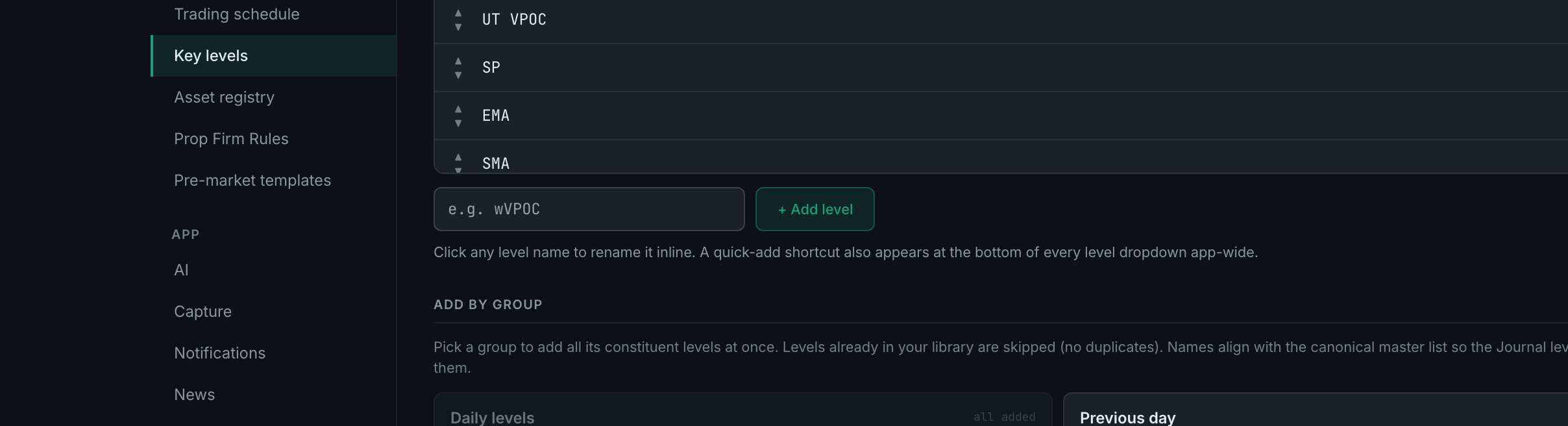
Type the name into the box on Settings → Key levels and press + Add level. It appears in every level dropdown in the app straight away.
Click any level name to rename it inline. Each row also carries a pair of arrows to move it up or down — that order is the order you meet it in every dropdown — and an × to retire it (see below for what that does when trades already use the level).
There is a shortcut worth knowing: a quick-add also appears at the bottom of every level dropdown across the app, so you can create a level at the moment you need it without coming back here.
If your library is empty the page says so — no levels yet — and points you at the box below it or the group picker.
Ordering is worth two minutes. The levels you trade daily should be at the top, because this is the order you will meet under time pressure when you are tagging a trade.