How do I get my trades out — as a CSV or a PDF?
Both buttons sit at the right of the Report by row. CSV exports the trades currently selected; PDF opens a dialog where you choose the date range, the theme and which sections to include.
The two exports are for different jobs. CSV is the raw rows for a spreadsheet. PDF is a finished document.
Export CSV takes whatever the report builder currently has selected — one setup, one session, or everything if nothing is selected — and writes fourteen columns:
> Date, Symbol, Setup, Session, Direction, Status, P&L, Stop, Target, Contracts, R:R Planned, > R:R Actual, Duration (min), Emotion
The file is named for the dimension, the value and today's date, so exports do not overwrite each other. It downloads straight away — there is no dialog.
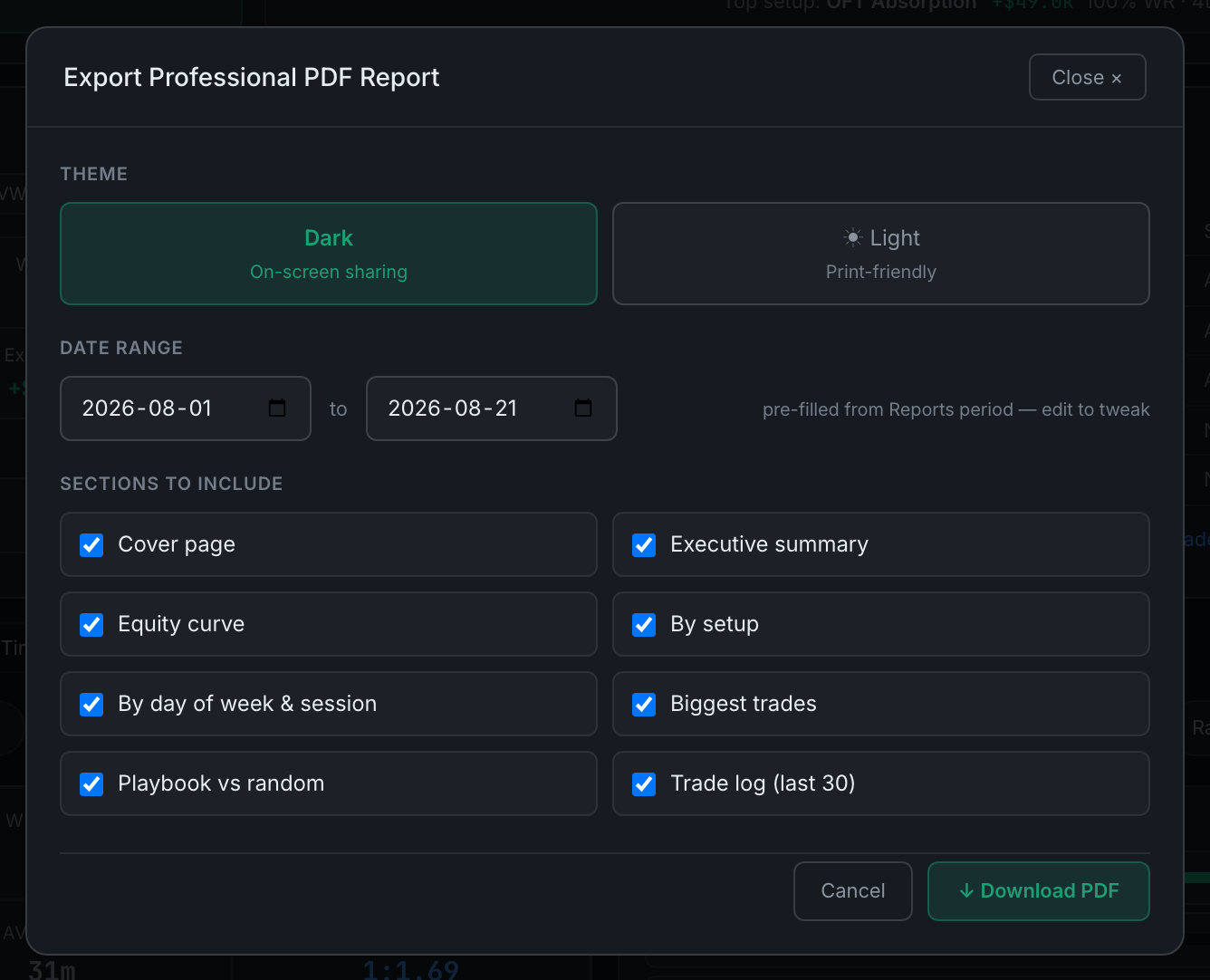
Export PDF opens Export Professional PDF Report first, with three choices:
- ThemeDark, labelled for on-screen sharing, or Light, labelled print-friendly. Pick Light if it is going to be printed or forwarded to someone who will print it.
- Date rangeTwo date fields. They default to the first of the current month through today, whatever the period filter above is set to, so set them deliberately rather than assuming they follow your filter.
- Sections to includeEight tick boxes, all on: cover page, executive summary, equity curve, by setup, by day of week & session, biggest trades, playbook vs random, and trade log (last 30).
Turn off what you do not want, then ↓ Download PDF. Cancel closes without generating. The document carries your display name and the account you have selected — "All accounts" if you have not narrowed to one.
The CSV respects the filter row, so narrowing to one account or one period before exporting is the way to produce a spreadsheet about that account or that period. The PDF takes its account from the filter row too, but its dates come from those two fields — set them.