What is on the Edge Finder sub-page?
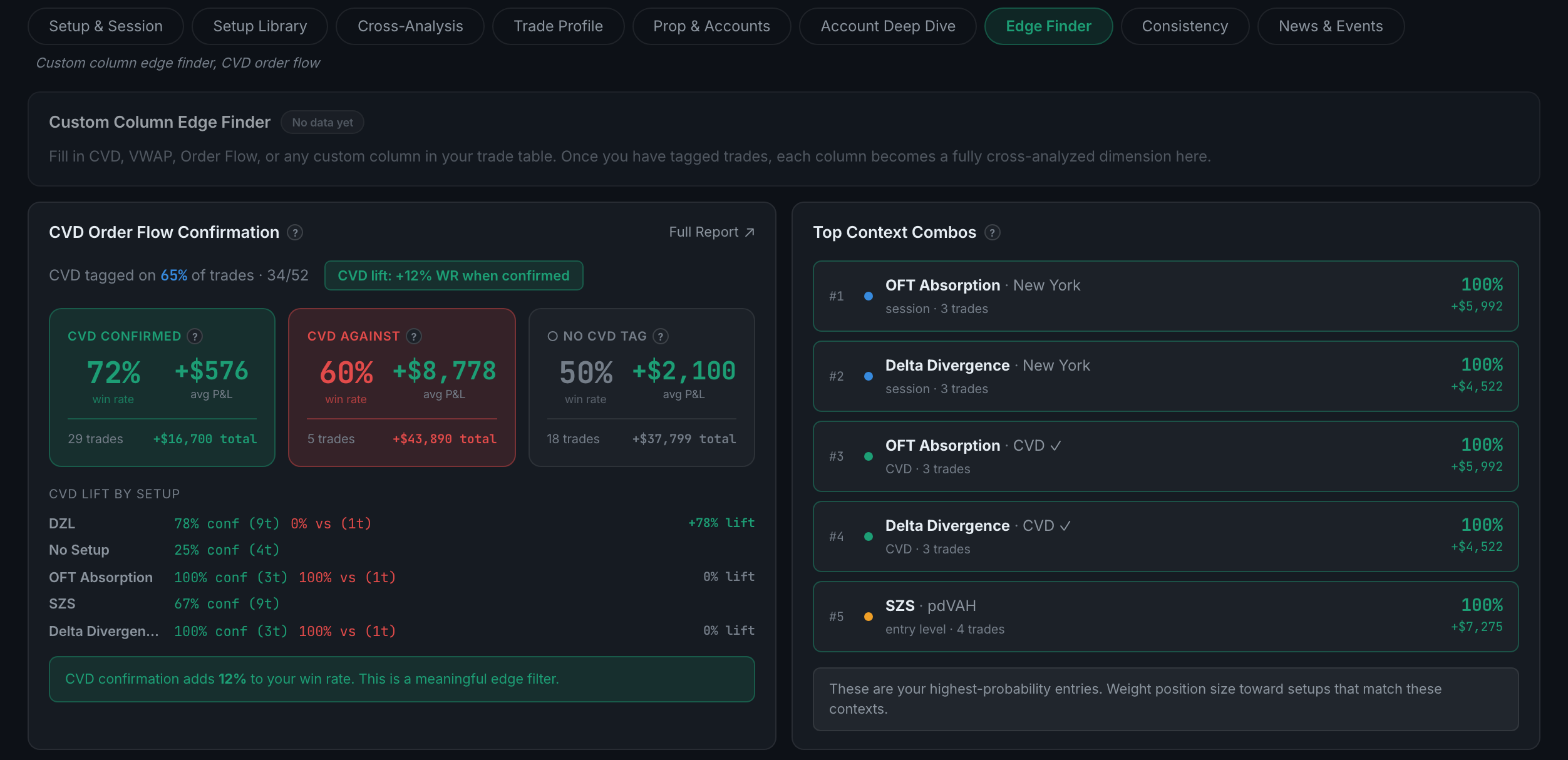
It runs your own custom columns against your results looking for an edge you never named, and adds CVD order flow confirmation.
Every other panel in Edge analyses a dimension the app defined. This one analyses the dimensions you defined. If you added a custom column — a grade, a conviction rating, a note about whether the level held — Edge Finder tests each of its values against your P&L and surfaces the splits that separate winners from losers.
Indicators on this sub-page:
- Custom Column Edge FinderYour custom columns turned into cross-analysed dimensions. Until you have filled some in it carries a No data yet badge and tells you what to do: fill in CVD, VWAP, Order Flow or any custom column on your trades, and each one becomes a dimension here.
- CVD Order Flow ConfirmationYour trades split three ways: CVD confirmed, CVD against, and no CVD tag, each with win rate, average P&L, trade count and total. Above them, what share of your trades carry a CVD tag at all and the win-rate lift confirmation is worth. Below, that lift broken down by setup, and a verdict on whether it is a meaningful filter.
- Top Context CombosYour five highest-probability combinations, each naming the setup and the context it pairs with, which dimension that context came from (session, entry level, CVD), the trade count, the win rate and the money. The note underneath says the useful part plainly: weight position size toward setups matching these contexts.
Read the trade counts before acting. A 100% win rate over three trades is at the top of that list because the list is sorted by win rate, not by confidence.
This is the sub-page that rewards the fussiest journalling in the app, and the one that does almost nothing if you never fill a custom column in.