What happens to my data if I stop using the app?
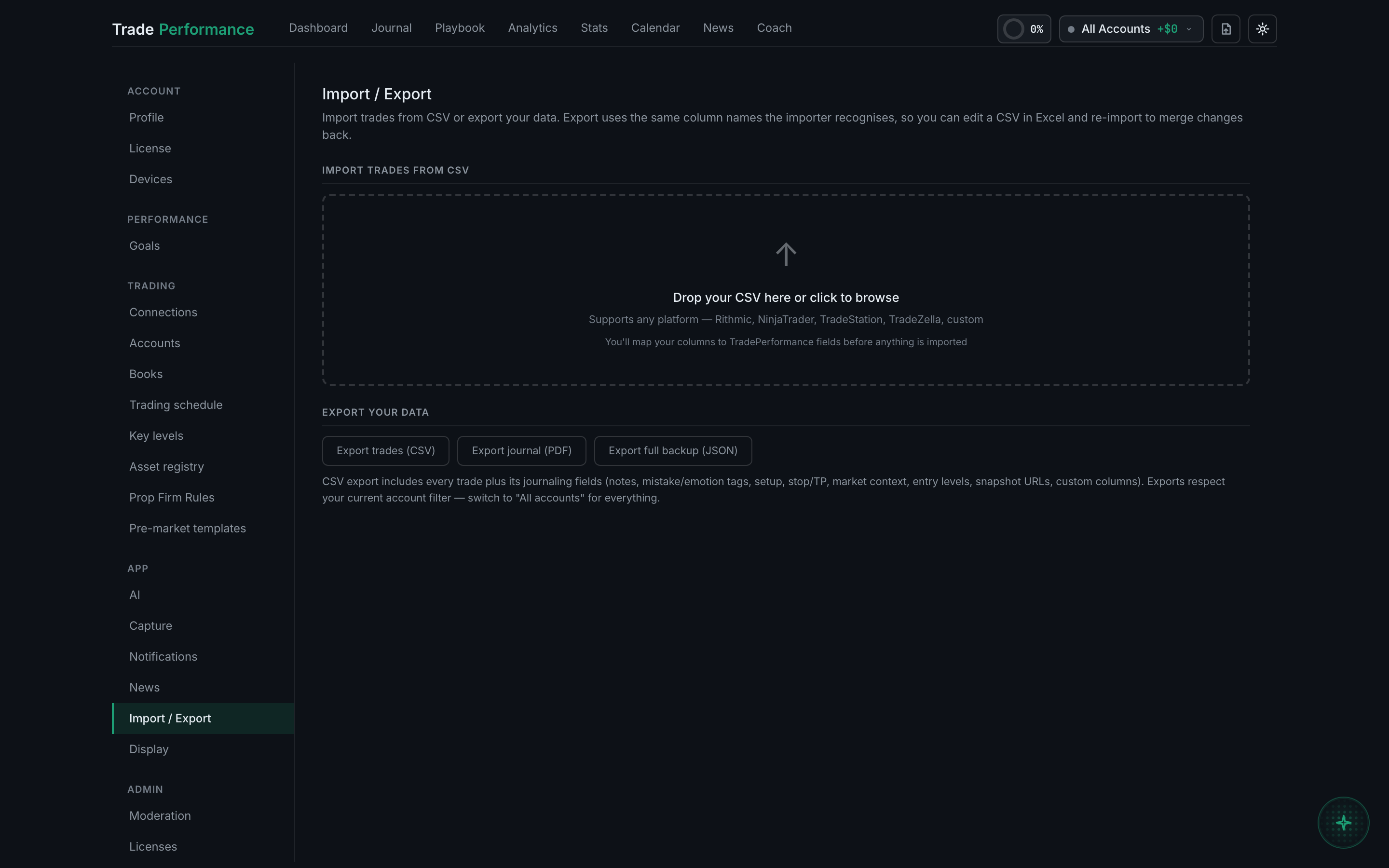
It stays on your account until you delete it, and you can take it with you whenever you like — Settings → Import / Export → Export trades (CSV) exports everything, including all the journalling fields. Deleting the account is an email away, and the erase happens within thirty days.
Three separate things people mean by this question.
Getting your data out. The CSV export includes every trade plus its journalling fields — notes, mistake and emotion tags, setup, stop and target, market context, entry levels, snapshot URLs and any custom columns you made. It uses the same column names the importer recognises, so the file you export is a file you could import again — into this app, or into a spreadsheet, or into something else entirely.
Exports respect your current account filter. Switch to All accounts before exporting, or you will get one account's trades and think that is all of them.
Deleting individual trades is done from the Journal, one at a time.
Deleting the account is a request rather than a button: email the address in the privacy policy with the subject Delete my account. Records are erased within thirty days, except anything there is a legal obligation to keep — payment records for tax purposes, principally.
And if you simply stop. Nothing is deleted for inactivity. Your data is retained as long as the account exists, so an account you come back to in a year is the account you left.
A word of advice that costs nothing: export a CSV now, before you need one. It takes a few seconds, it is the only copy that lives on your own disk, and the moment you actually want it is rarely a calm one.