What is the stack of banners at the top?
A queue of everything that wants your attention right now, shown one at a time with a count like "1 of 9" and arrows to page through.
Rather than stacking six warnings down the page and pushing your numbers off screen, the Dashboard shows one slot and lets you page through the rest. The dots and the count tell you how many are waiting.
They are ordered by how time-critical they are, not by when they arrived:
Step by step
- Avoid window — you are currently inside your own "don't trade around high-impact news" rule. It clears itself when the window closes, so there is nothing to dismiss.
- Prop firm guard — you are near a daily loss limit, drawdown or trade-day rule.
- Pre-market prep — you have not done today's prep. It names the template and how many questions it has, and offers Start prep → or Later.
- Weekly report — your report is ready.
- News — one slot per imminent high-impact release, most imminent first. Each can be dismissed with its ✕.
- Pattern alerts — behavioural warnings, which ride at the back because they describe what you have already done rather than what is about to happen.
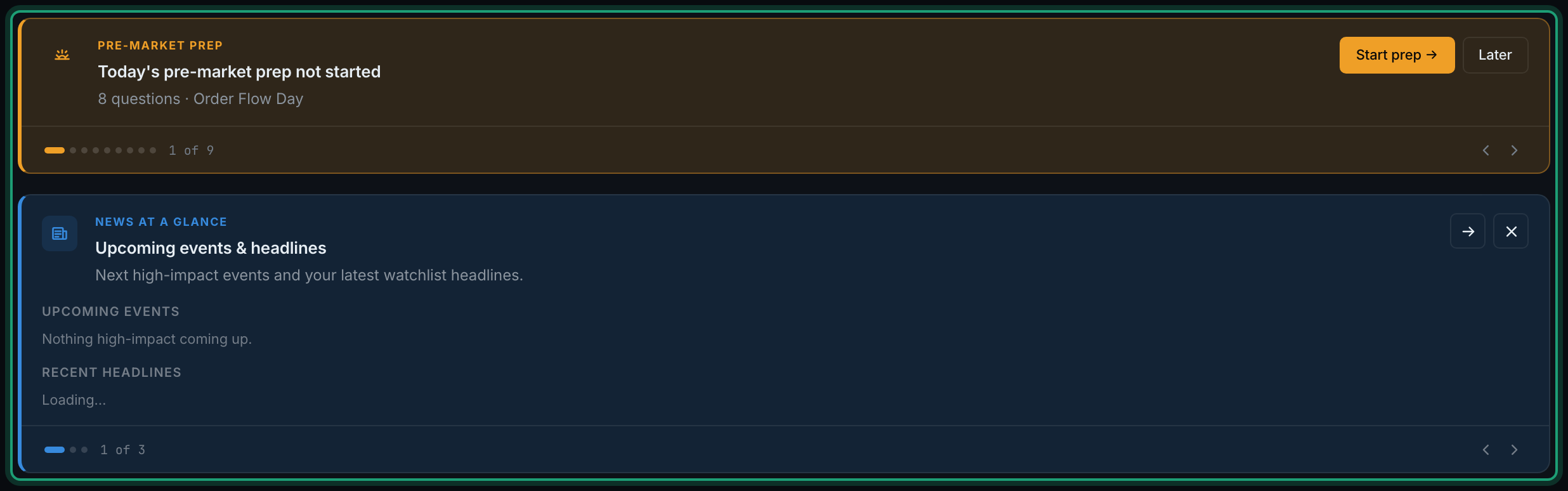
Underneath sits a second, blue carousel for things that are useful rather than urgent: news at a glance, the daily news briefing, desk radar, your daily summary, a daily note from the Coach, and the weekly report card. It has its own count and arrows, an → to open the thing it is describing, and an ✕ to dismiss it.
Both carousels are empty most of the time on a quiet day, and that is the point — an empty top of the page means nothing needs you.