How do I edit or remove a setup?
Expand the card. Edit setup reopens the same three-step form. Remove does one of two things depending on whether anything uses the setup: it deletes an unused one, and archives one your trades reference. Either way your history keeps its setup.
Editing is the normal case and there is no cost to it — a setup is a description of your intent, and your intent is allowed to improve. Rewriting a rule after twenty trades is the app working as designed.
Remove asks the database how much the setup is used before it does anything, and the answer decides which of two things happens.
If nothing uses it — no trades, no worked examples — it is deleted outright, and the confirmation says so: "No trades or examples use it, so nothing is lost. Its rules go with it."
If anything does use it, you are offered an archive instead, and the confirmation counts what is at stake: "N trades and examples reference this setup. They KEEP it — archiving only takes it out of the pickers, so you cannot tag new trades with it. You can restore it any time."
That distinction is the whole point, and it is worth understanding. Archiving changes only what you can log next. Every trade that already carries the setup keeps carrying it, so your win rate by setup, your Edge comparisons and your filters all still work on your history. What you lose is the ability to tag new trades with it — which is usually exactly what you wanted when you decided to retire a setup.
An archived setup can be restored at any time, so retiring one is not a decision you have to be sure about.
Step by step
- On My Playbook, click a setup's card to expand it.
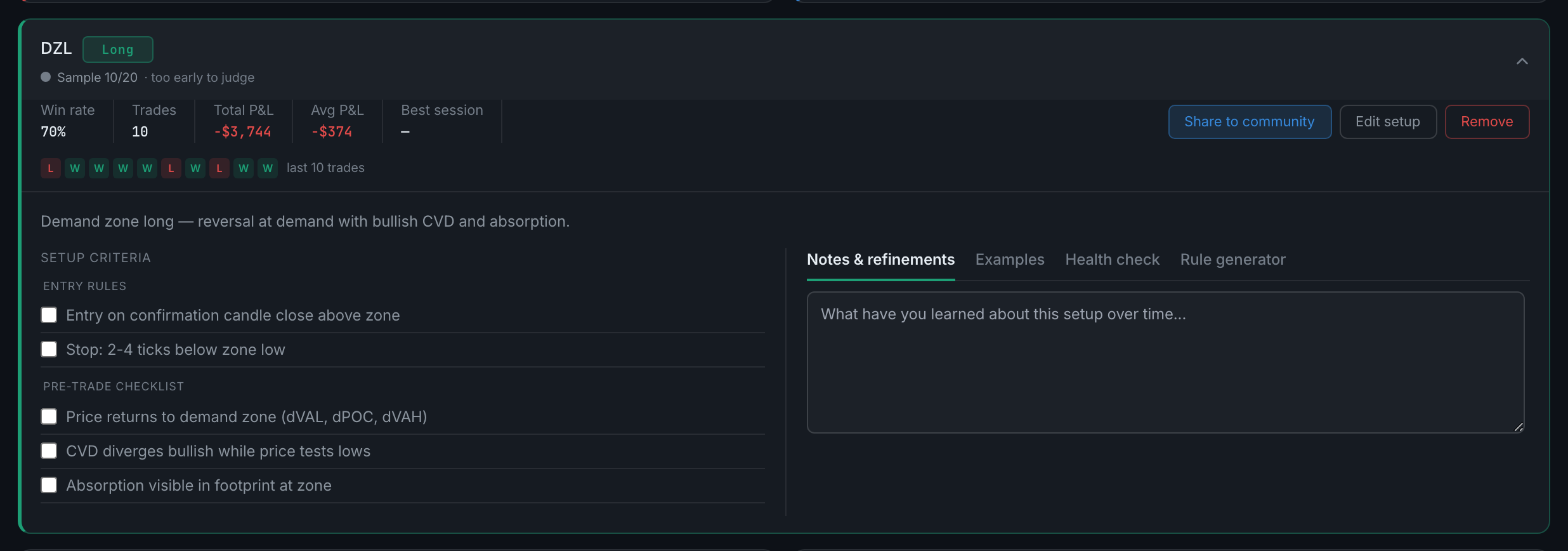
an expanded setup card, with its rules, its four tabs and the action buttons - Click Edit setup. The three-step form opens with everything filled in, including the rules and checklist.
- Change what you need and click Save changes — the button reads that rather than Create setup when you are editing.
- To retire it instead, click Remove. A confirmation appears naming the setup. Read which one you got: Delete means nothing used it, Archive means your trades did and they are keeping it. Confirming goes through; anything else backs out.
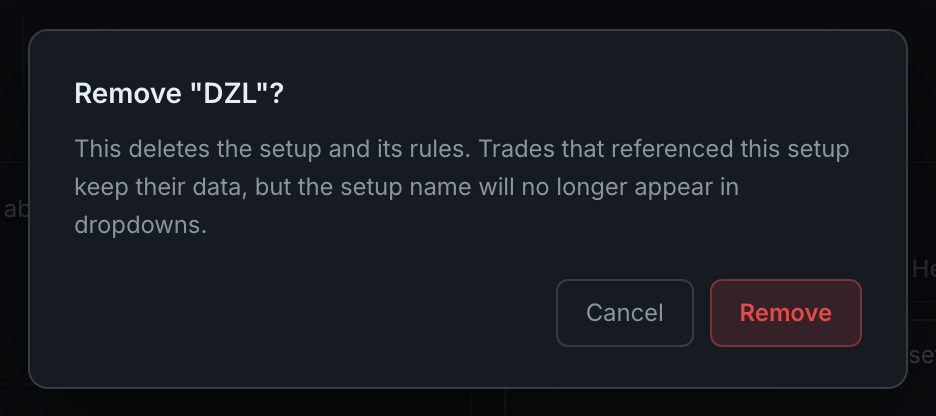
the delete confirmation for an unused setup, saying nothing is lost playbook/pb-10-archive-confirmthe archive confirmation for a setup in use, counting the trades that keep it
The Random setup has no Edit or Remove buttons. It is the not-in-playbook bucket rather than a strategy, and Analytics needs it to stay put.