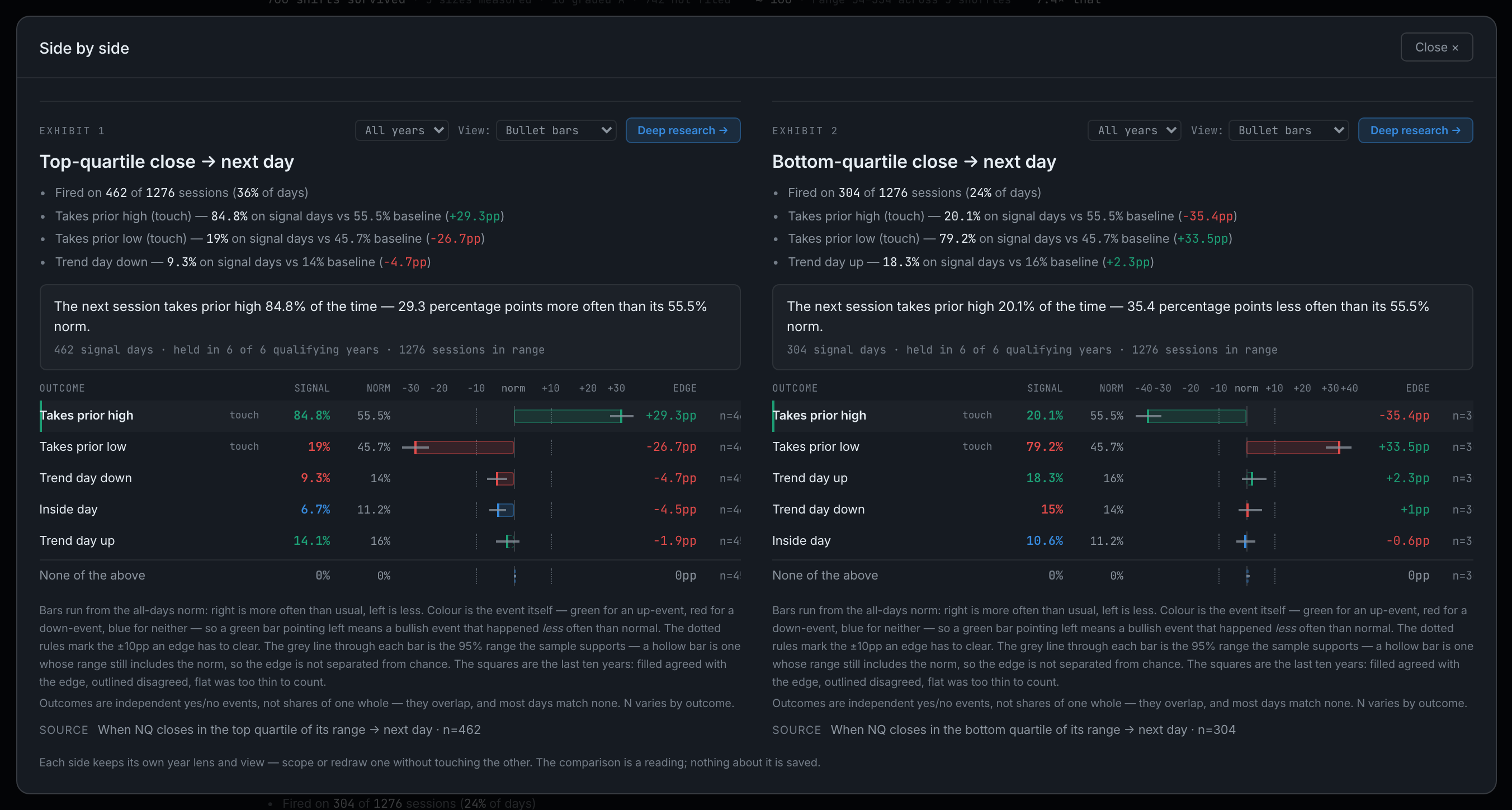
How do I compare two studies side by side?
Press Pin on two exhibits. The comparison opens by itself when the second one is pinned.
Every exhibit carries a Pin button among its controls. Pin one and a strip appears above the exhibits naming it and asking for a second. Pin the second and the side-by-side view opens straight away.
The comparison shows both studies as full report cards, not summaries — each keeps its own year lens and its own chosen view, so you can scope or redraw one without touching the other, and Deep research still opens on top of it. Below a certain width the two stack rather than squeeze, because the rate bars carry fixed-width columns and a crushed one is unreadable.
Pinning a third replaces the older of the two, so you can re-aim a comparison without unpinning first. Clear empties the strip. Nothing about a comparison is saved — it is a reading, not a fact about the report.