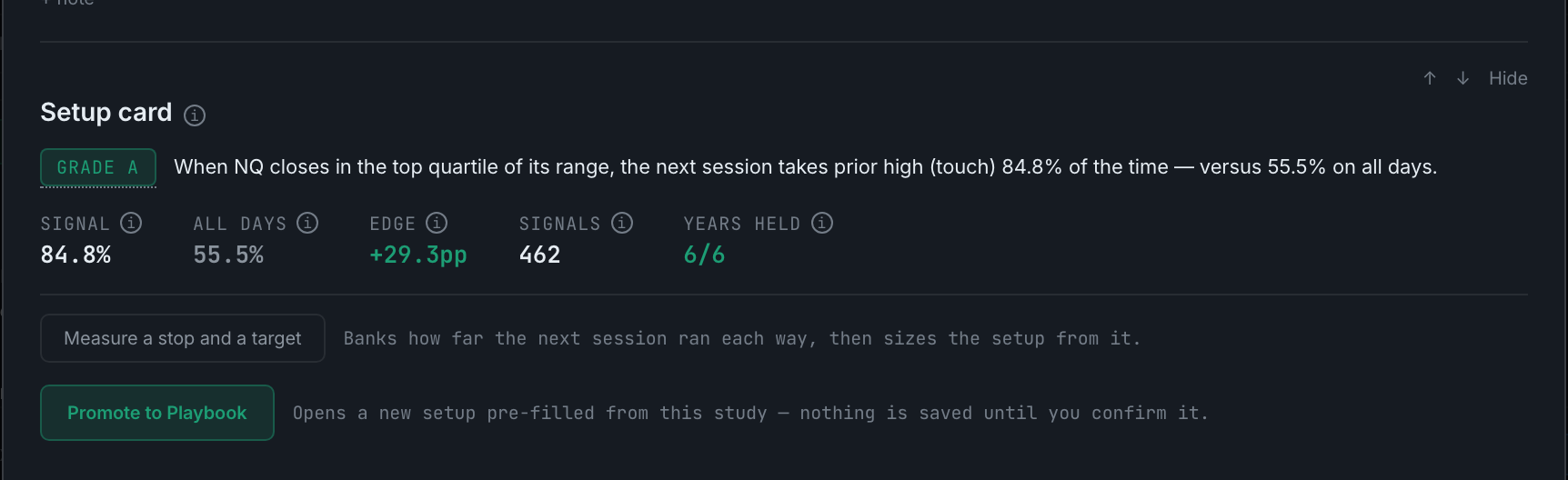
What is a setup card, and how do I send it to the Playbook?
The study condensed into one tradeable sentence with its numbers and grade, and a Promote to Playbook button that opens a new setup pre-filled from it.
This is the bridge between this page and the rest of the app.
The card carries the grade badge, then the rule as a single sentence — "When NQ closes in the top quartile of its range, the next session takes prior high 84.8% of the time — versus 55.5% on all days" — then five figures, each with its own hover explanation: Signal, All days, Edge, Signals and Years held.
Measure a stop and a target is offered when the sizing has not been worked out yet. It banks how far the next session ran each way on signal days and sizes the setup from that: the stop is set at a percentile of the move against you, the target at the median move in your favour, and the card states the resulting ratio and the sample it came from.
Promote to Playbook opens a new setup on the Playbook page, pre-filled from the study — nothing is saved until you confirm it there. Once it is a setup, the Journal can filter to it, Analytics scores it against your other setups, and the Grade column starts checking your trades against it.
When the study does not clear the guards the card still appears, and says which guard it missed. A card that vanished would read as "not applicable" rather than "not good enough".