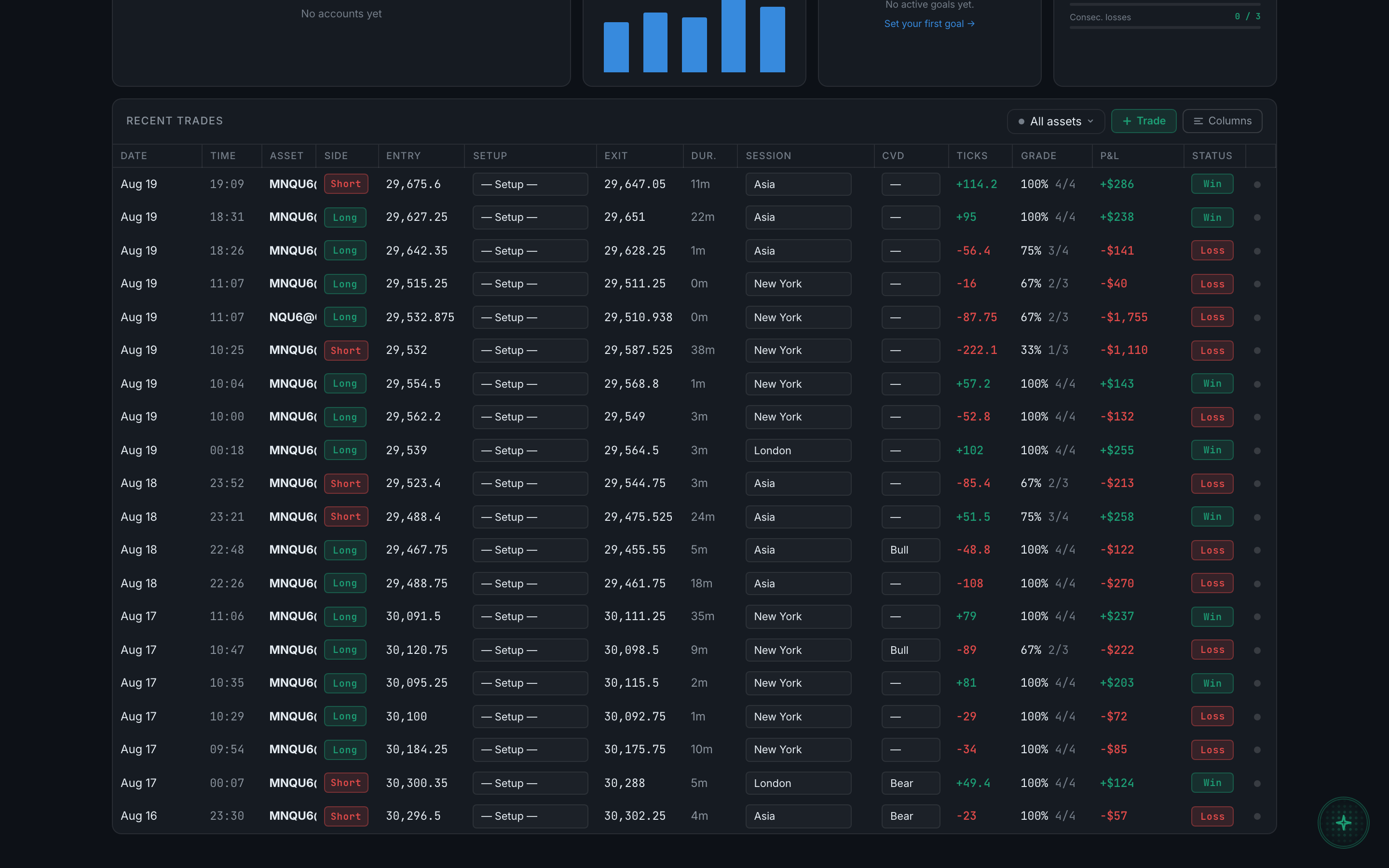
What is the Recent trades panel?
The block at the foot of the Dashboard — your latest 20 trades, as a flat list, with its own filter, quick-add and column controls in its header.
It is the real trade table, not a summary of one. Clicking a row opens the same detail panel with the same four tabs, and inline editing works exactly as it does on the Journal.
Two differences from the Journal are worth knowing, because they trip people up:
- It is capped at 20 trades. The Journal shows everything; this shows the most recent twenty and stops. It is a working surface for today, not a record.
- It is a flat list. There are no day-group headers here, so no per-day P&L and no debrief bar. Those live on the Journal.
Its three controls sit in the panel's own header, on the right — not in day headers the way the Journal puts them:
- All assetsFilters the panel by instrument
- + TradeA compact quick-add strip
- ColumnsThe same column chooser the Journal uses
The panel follows the account selected in the top bar, and any filters set elsewhere, the same as the rest of the Dashboard.