How do I deactivate a device to free a slot?
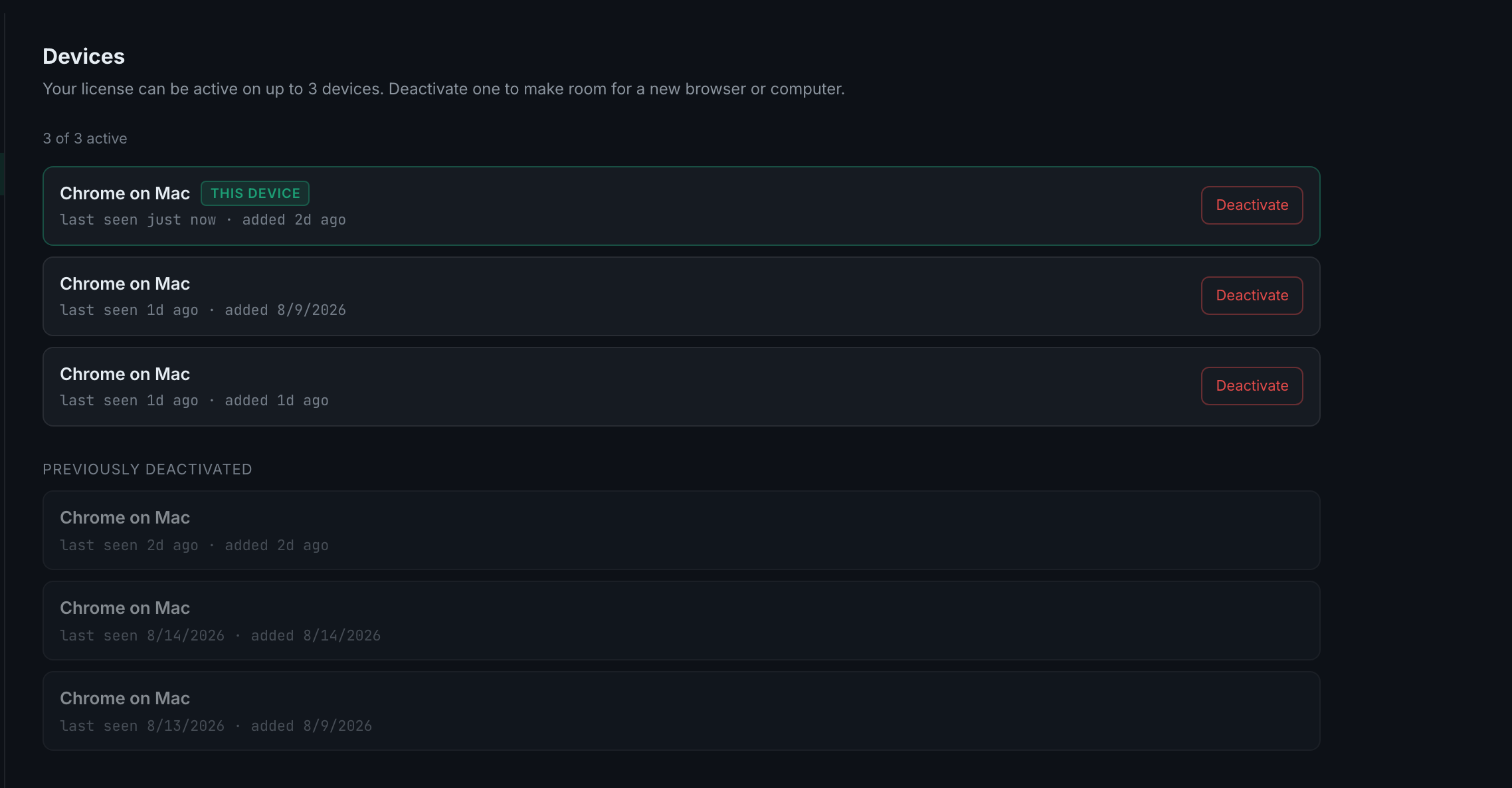
On Settings → Devices, press Deactivate on the row you no longer use. The slot frees immediately and the next sign-in on a new machine takes it. A Device deactivated toast confirms.
The cap is three, enforced on the server rather than in the browser, so there is no way to slip a fourth past it — and no way to lose a slot to a bug in one client either.
When you need to do this: a new laptop, a reinstalled machine, a browser whose data you cleared, or a work computer you no longer use. Any of those can leave a slot occupied by something you cannot sign in from any more.
What it does not do. Deactivating a device does not touch your trades, your settings or your licence. Everything lives on your account; a device is only a permission to reach it. Sign in again on that machine and it simply takes a slot again — assuming one is free.
Reading the rows to decide. Last seen is the useful column. A device last seen two months ago is the one to free; a device last seen an hour ago on a machine you still use is not.
One thing worth knowing: the row you are on has a Deactivate button too, and pressing it signs that browser out. The THIS DEVICE badge exists so you can avoid doing it by accident.