How do I see which devices are on my license?
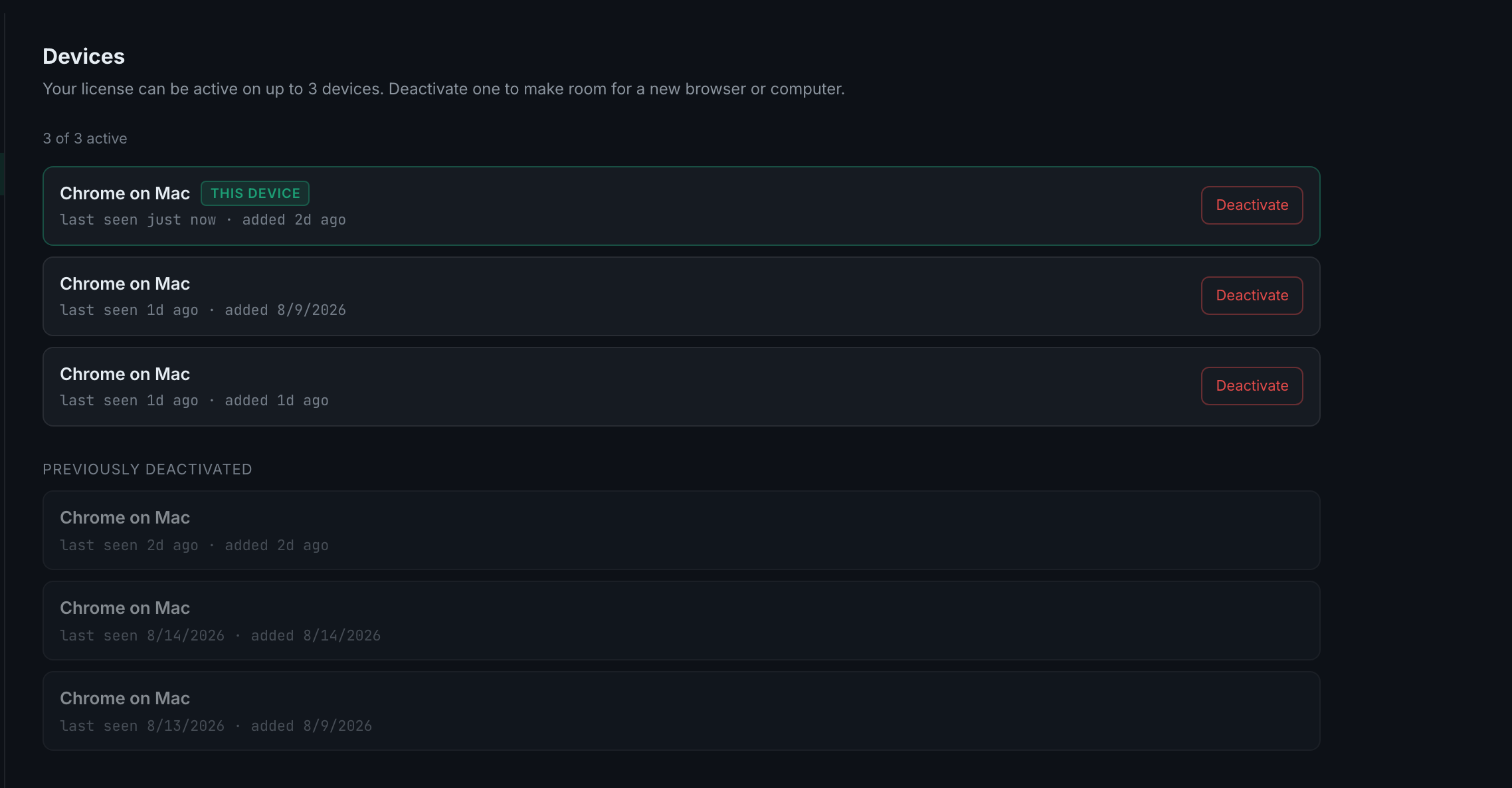
Settings → Devices. It lists every browser and computer your licence is currently active on, marks the one you are using, and shows the count as N of 3 active.
A device is registered the first time you sign in on it, so the list grows on its own as you use the app in a new browser or on a new machine. A different browser on the same computer counts as a different device — the registration is per browser profile, not per person.
Each row names the device by browser and operating system — Chrome on Mac — with last seen and added underneath, and a Deactivate button on the right. The one you are reading this on carries a green THIS DEVICE badge so you never deactivate yourself by accident.
Below the active list is a Previously deactivated section, shown greyed out. It is a record, not a problem — a slot you freed stays visible so you can see what happened to it.