Where do I find my goals — Settings or the Dashboard?
Both, and they are the same goals. Settings → Goals is where you create, edit and archive them. The Dashboard shows their progress while you work.
The split follows what you are doing at the time.
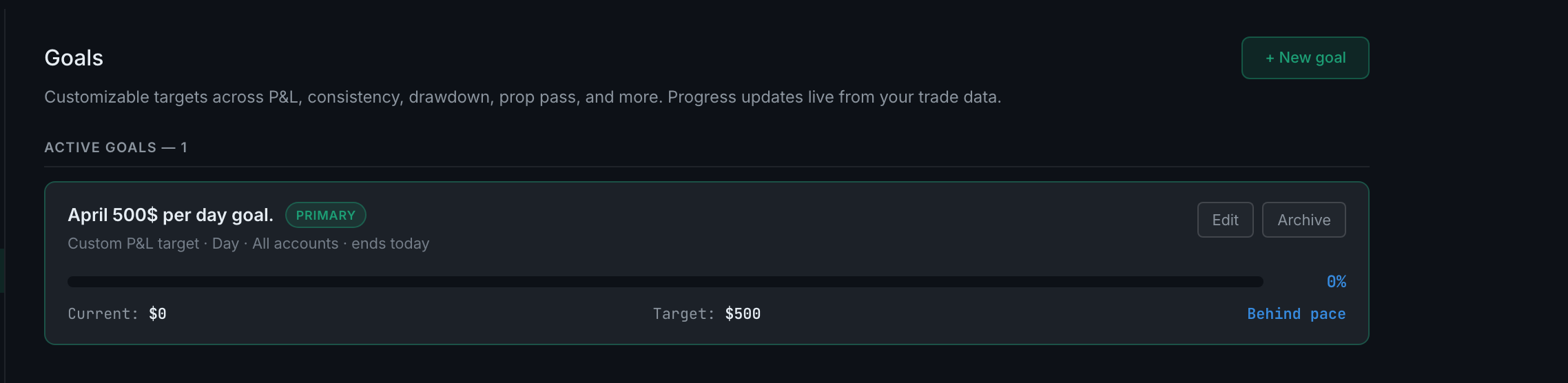
Settings → Goals is the editor. The full list, a + New goal button, the archive, and every field on each goal.
The Dashboard is the readout. Your active goals appear there with live progress computed from your trades, sorted so that your primary goal — the one carrying a ★ — comes first.
The top bar carries the primary goal too, so it is visible from every page without going anywhere.
Progress is always computed, never entered. You set a target; the app measures against it from the trades already in your journal. There is nothing to keep updated.
What a goal's row shows. Its title, a PRIMARY pill if it is the pinned one, and a summary line reading type, period, account scope and how long the window has left — Custom P&L target · Day · All accounts · ends today. Under that, a progress bar with a percentage, the Current and Target figures, and a pace verdict: whether you are ahead of or behind pace for the window. Edit and Archive sit on the right.