What is on the Profile tab?
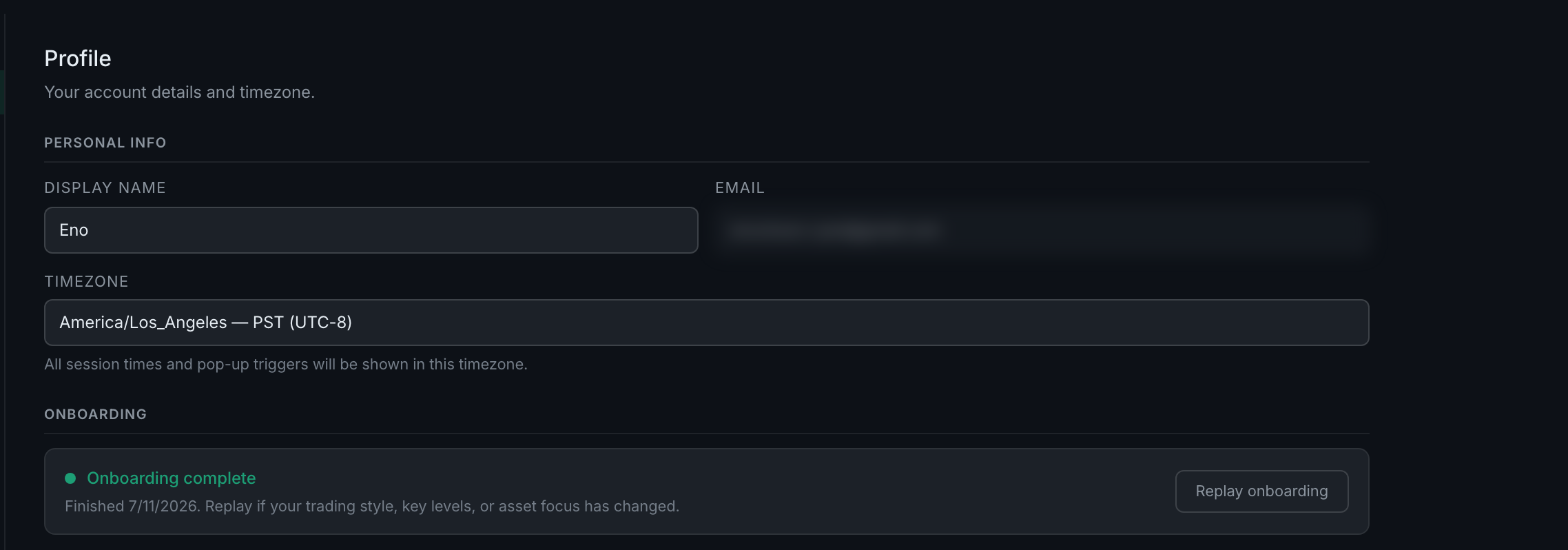
Your display name, your email, your timezone, an onboarding status with a replay button, and a change-password pair. The timezone is the one that matters most — everything else in the app is timed against it.
Four blocks, in this order.
Personal info. Display name, which you can change. Email, which is read-only — it is your sign-in identity. And timezone.
The timezone is load-bearing. Its own note says so: "All session times and pop-up triggers will be shown in this timezone." Your trading schedule's session blocks are anchored to New York and converted to this setting, your reminders fire against it, and your day boundaries are drawn on it. Set it before you set your schedule, not after. See the trading schedule.
Onboarding. A status line — Onboarding complete, with the date you finished, or Onboarding incomplete — and a button to run or replay it. Replaying is the fast way to re-seed your schedule, key levels, assets, playbook and capture preferences when your trading changes shape. The button's own copy suggests exactly that: replay if your style, key levels or asset focus has changed.
Change password. Current and new, in the usual pair.
Then Save changes, and a Sign out button beside it.