Can I sort the table by asset, or by any other column?
No. Clicking a column heading does not sort — trades are always listed newest first. To see one asset on its own you filter to it, which gets you the same view.
This catches people out, because a table with column headings looks like it should sort when you click them. It does not. Dragging a heading moves the column to a different position; clicking it does nothing.
Trades are always in date order, newest first, and inside day grouping they sit under their day. That ordering is fixed.
What replaces sorting is filtering, and for reviewing trades it is usually the better tool anyway. Sorting by asset would give you a run of NQ trades with everything else pushed below; filtering to NQ gives you only NQ trades, and the trade count on the left tells you how many there are. The same applies to setup, session, account and result.
Step by step
- To see a single instrument, click All assets at the top-right, tick the contract you want, and click Apply.

the All assets button highlighted in the filter bar - The table now shows only those trades, still newest first, and the button names your selection instead of reading "All assets".
- For anything else you might have wanted to sort by, open Filters and choose from the Account, Setup, Session or Result groups.
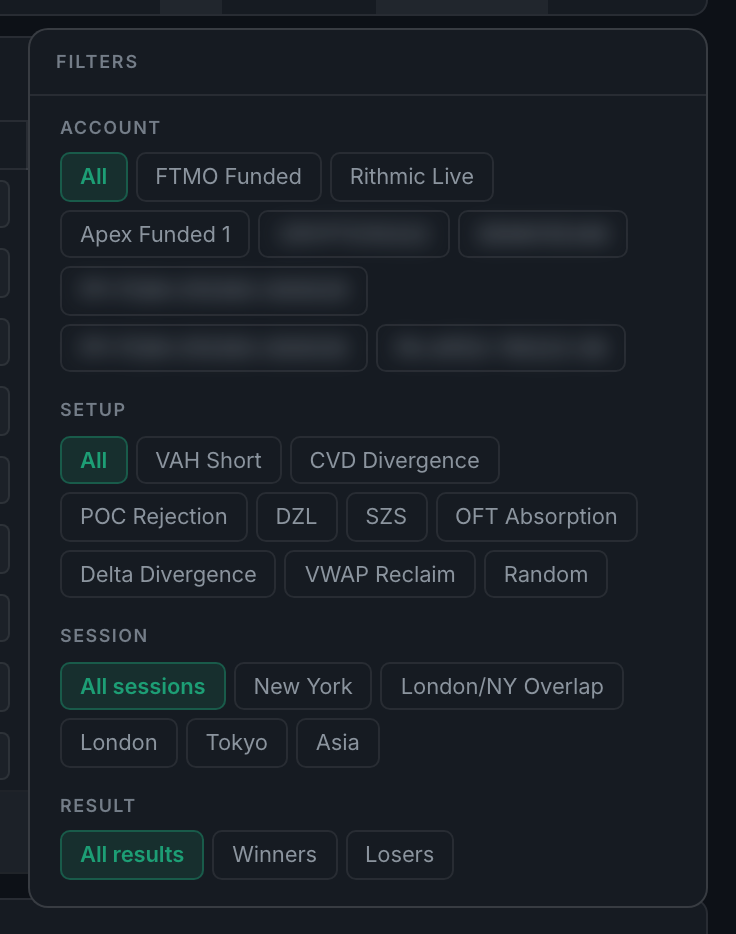
the Filters panel showing the Account, Setup, Session and Result groups
If what you actually want is a ranking — your best setups, your worst sessions — that is what Analytics is for. The Journal is a record; Analytics is where it gets sorted and scored.