How do I switch between the day view and one long list?
Trades come grouped by day. The small icon button between All assets and All time switches to a single flat list, and back.
Day grouping is on by default because most review happens a day at a time — you want to see that Tuesday cost you $340 across six trades, not just six rows in a sequence.
Each day gets a header showing the date, how many trades it held, the profit or loss, and the win-loss split. Grouping also puts a debrief bar under each day, which is the only route to the daily review from this page, and it is where the + Trade and Columns buttons live too.
That debrief is the bigger half of what grouping gives you, and it is easy to miss. The bar opens the day's review, which carries three tabs — Pre-Market Prep, Report Card and Per-Trade Notes — and all three are editable from there. The closed bar lists four things rather than three, because it is describing contents rather than tabs: Mental scores is a section inside the Report Card, not a tab of its own. The flat list has no day headers, so it has nowhere to put a debrief bar: switching to it does not just merge the rows, it takes away the only way into your daily review from this page.
The flat list is better when you are comparing across days rather than reviewing one — scanning every VWAP Reclaim you have ever taken, for example, where the day boundaries just get in the way.
One thing to know: this choice is saved to your account, not to the browser. Switch to the flat list on your laptop and it will be flat on your desktop too.
Step by step
- Look at the filter bar. Between All assets and All time there is a small icon button with no label. That is the toggle.

the unlabelled day-grouping toggle highlighted between the Asset and Time buttons - Grouped is the default. Days are separated, each with its own header and totals.
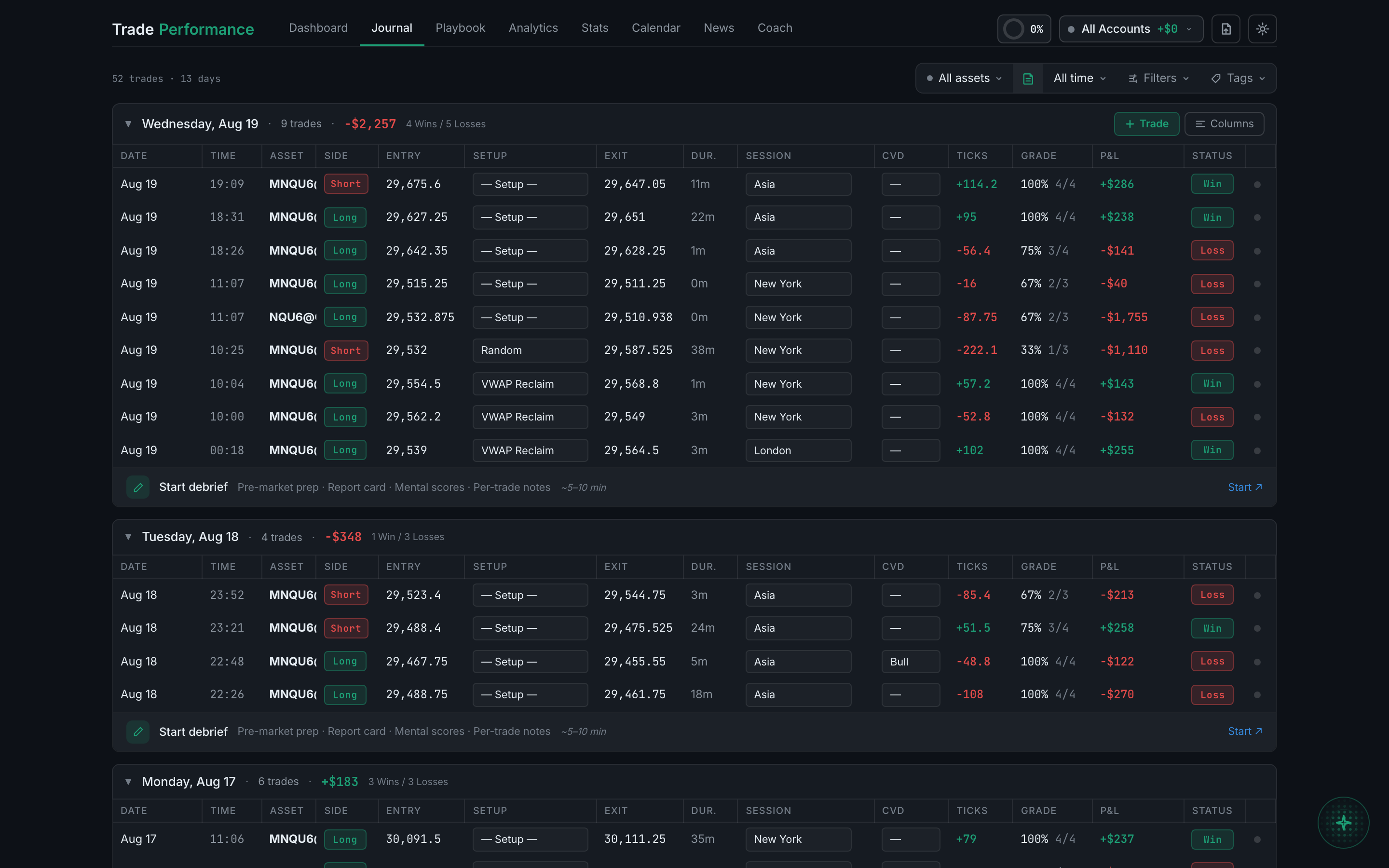
the trade table grouped into days, with a day header showing date, count and P&L - Click the icon. The day headers disappear, the count on the left drops from "51 trades · 13 days" to just "51 trades", and every trade runs together in one sequence.
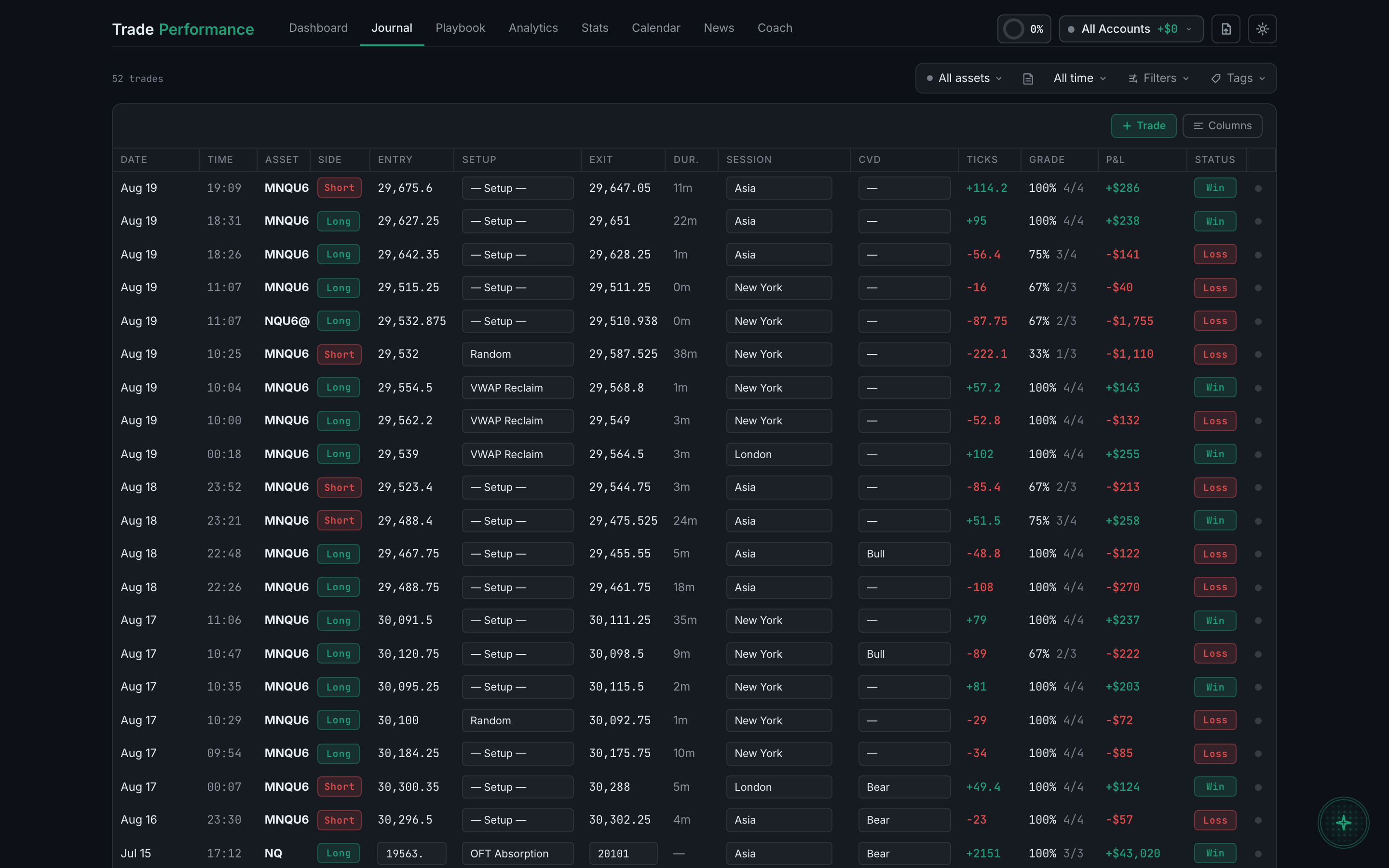
the same trades as a single flat list with no day headers - Click it again to group them back.
If the + Trade or Columns buttons have vanished, this is why — they live in the day headers, so the flat list has nowhere to put them. Switch grouping back on.