What can I filter by, beyond the instrument?
The Filters button holds four more: which account, which setup, which trading session, and whether the trade won or lost.
These four live together because they are all things the app already knows about a trade without you having to tag it. Your account and session come in with the trade, the setup is whatever you linked it to in your Playbook, and the result is simply whether the profit and loss was positive.
Each one is a row of buttons rather than a dropdown, so you can see every option at once and how they relate. The first button in each row — All, All sessions, All results — is the "don't filter by this" option, and it is selected by default.
Step by step
- Click Filters in the filter bar at the top-right.

the Filters button highlighted in the filter bar - The panel opens with four labelled groups stacked down it. Reclaim trades and see how that one setup is actually performing.
- Account — every account you trade, including prop firm accounts and demo ones.
- Setup — every strategy in your Playbook, so you can pull up just your VWAP
- Session — New York, London/NY Overlap, London, Tokyo, Asia.
- Result — Winners or Losers.
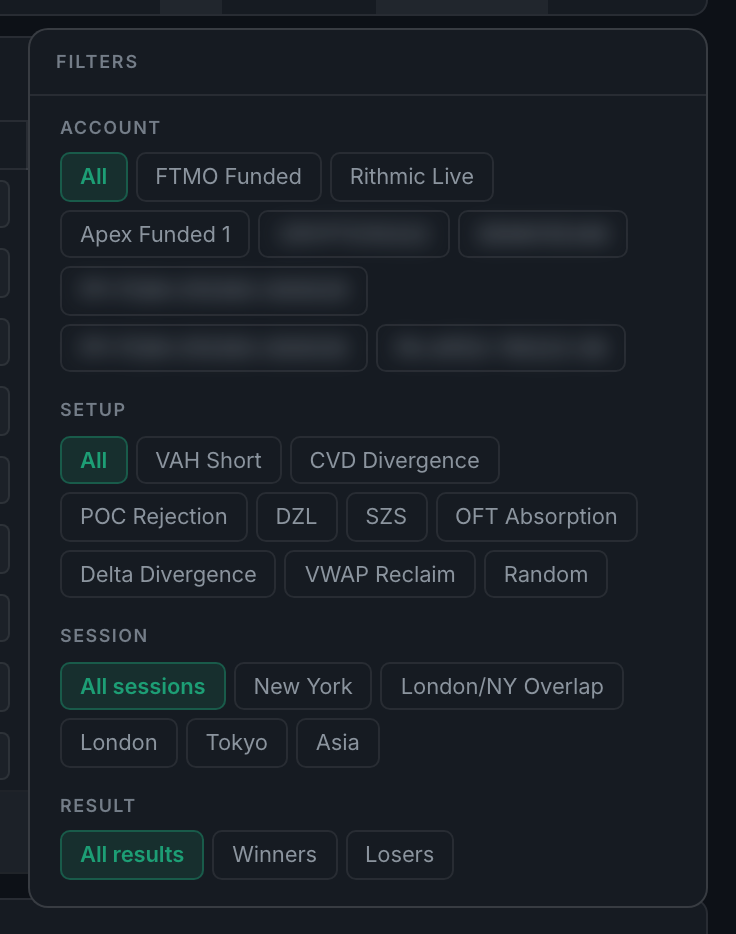
the Filters panel showing the Account, Setup, Session and Result groups - Click a button in any group to filter by it. Click the All button in that group to stop filtering by it again.
- Combine them freely. Setup "VWAP Reclaim" plus Result "Losers" gives you every time that setup failed, which is usually more instructive than looking at the wins.