How do I filter by how I was feeling, or by a mistake I made?
The Tags button. It filters by emotion, by the mistake you logged, or by a news event that was happening at the time.
This one works differently from the others, because it filters on things you recorded rather than things the app measured. If you have not been tagging your trades, most of these will return nothing.
That is the honest catch with this filter, and it is worth understanding rather than being surprised by. Emotion and mistake tags get onto a trade in one of three ways: you set them by hand in the trade's Notes tab, you speak them while voice logging, or the AI fills them in from notes you have already written. A trade nobody tagged is invisible to this filter.
News events are the exception — those are attached automatically, by matching the time of your trade against the economic calendar.
Step by step
- Click Tags, the last of the filter buttons.

the Tags button highlighted at the right of the filter bar - The panel opens under the heading Filter by tag, with a live count of how many trades currently match.
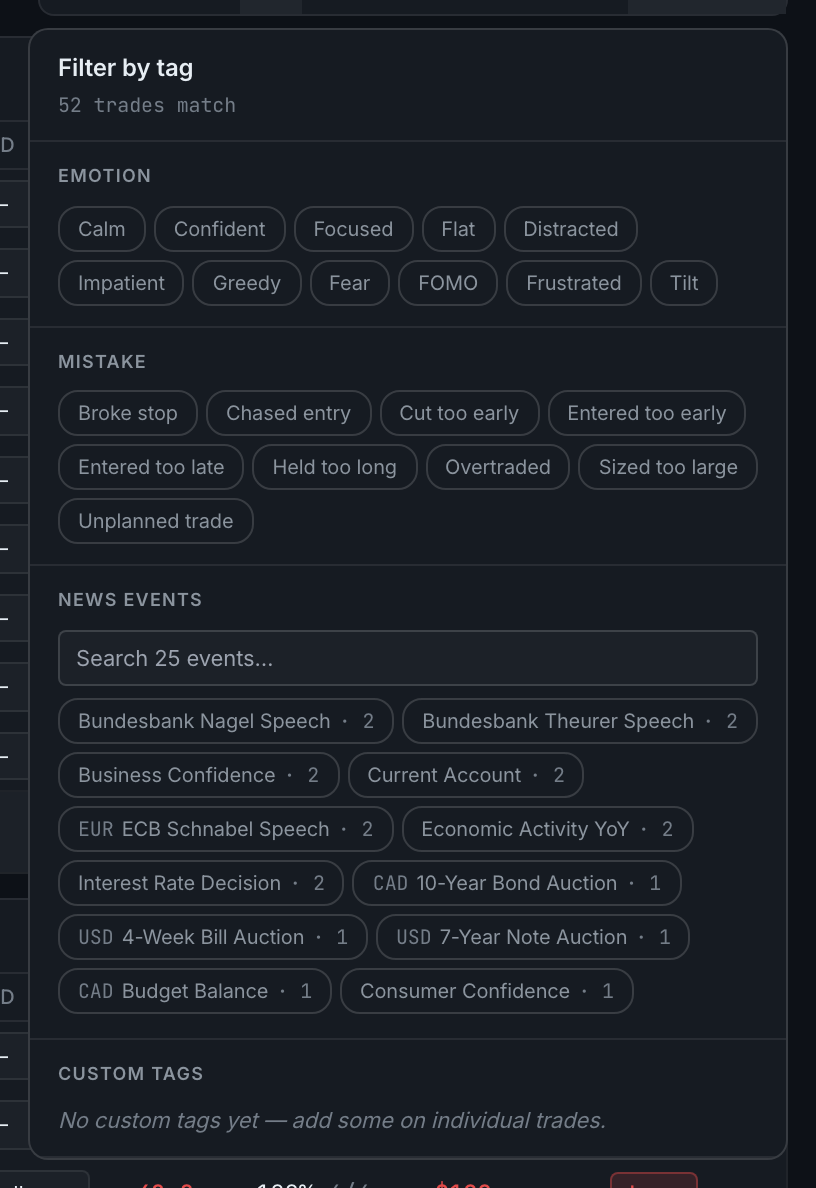
the Tags panel showing its Emotion, Mistake, News events and Custom tags sections - It has four sections. Distracted, Impatient, Greedy, Fear, FOMO, Frustrated, Tilt. early, Entered too late, Held too long, Overtraded, Sized too large, Unplanned trade. each showing how many of your trades it touched. here; until you have added one it reads No custom tags yet — add some on individual trades, which is where they are created rather than in this panel.
- Emotion — how you felt taking the trade: Calm, Confident, Focused, Flat,
- Mistake — what went wrong: Broke stop, Chased entry, Cut too early, Entered too
- News events — a searchable list of releases and headlines your trades overlapped,
- Custom tags — anything you have made up yourself on a trade. The section is always
- Click any tag to narrow the list to trades carrying it.
The most useful thing here is pairing a tag with a result. Filter to the emotion FOMO and you will see, in one screen, what chasing actually costs you over a month.