How do I archive a trade as a worked example?
From a day's debrief, on the Per-Trade Notes tab, using Archive to Playbook. The trade then shows under that setup's Examples tab.
A rule tells you what you are looking for. An example shows you what it looked like when it worked, which is usually the faster way to recognise it again.
Examples are archived from the trade rather than from the Playbook, because the moment you know a trade is worth keeping is the moment you are writing it up. That happens in the day's debrief.
They cannot be archived onto Random, which has no rules to exemplify.
Step by step
- In the Journal, click a day's debrief bar to open the day's review.
- Go to the Per-Trade Notes tab and pick the trade.
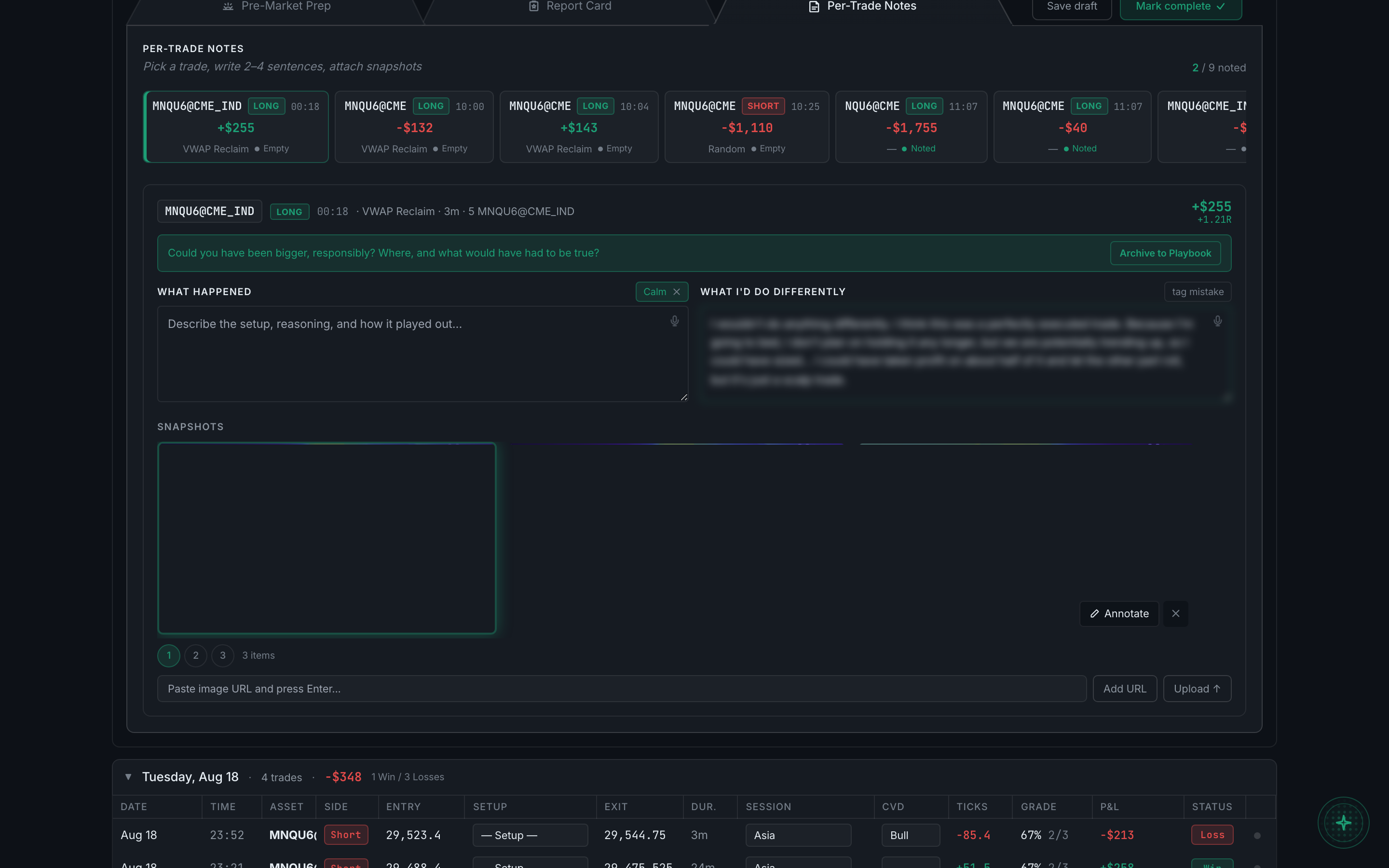
the Per-Trade Notes tab of a day's debrief - Write it up, then click Archive to Playbook.
- Open Playbook, expand the setup, and click the Examples tab. The tab header carries a count once there is at least one.
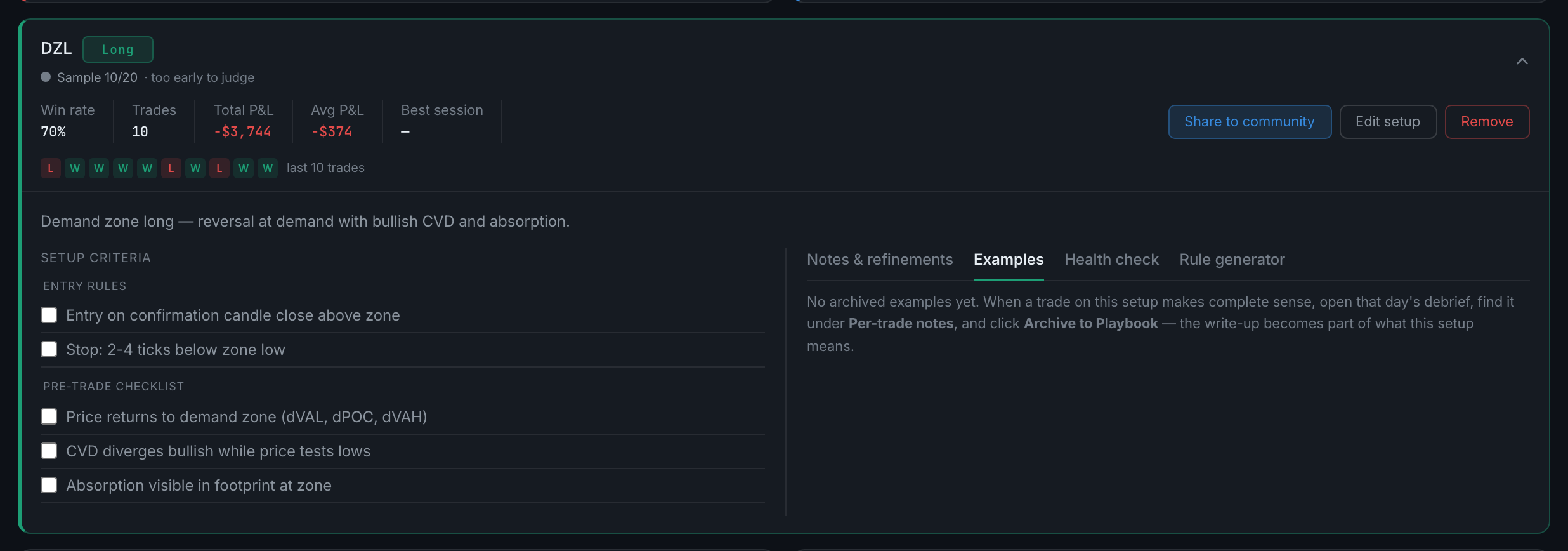
the Examples tab on an expanded setup - To take one back out, remove it from that Examples tab. It only removes the example — the trade itself is untouched.