What is the rule generator?
An AI pass that proposes entry rules and checklist items from your trades on the setup. You accept the ones you want, one at a time.
The health check tells you where you are drifting from rules you have already written. The rule generator is for the other problem: a setup you trade by feel and have never written down properly.
It reads your trades on the setup and proposes two lists — proposed entry rules and proposed checklist items. Nothing is added to your setup until you accept it, and you accept them individually, so a list of five suggestions where two are good costs you two clicks and no cleanup.
Like the health check it needs an AI key in Settings → AI.
Step by step
- Expand a setup and click the Rule generator tab.
- Click Suggest rules and wait for it to read your trades.
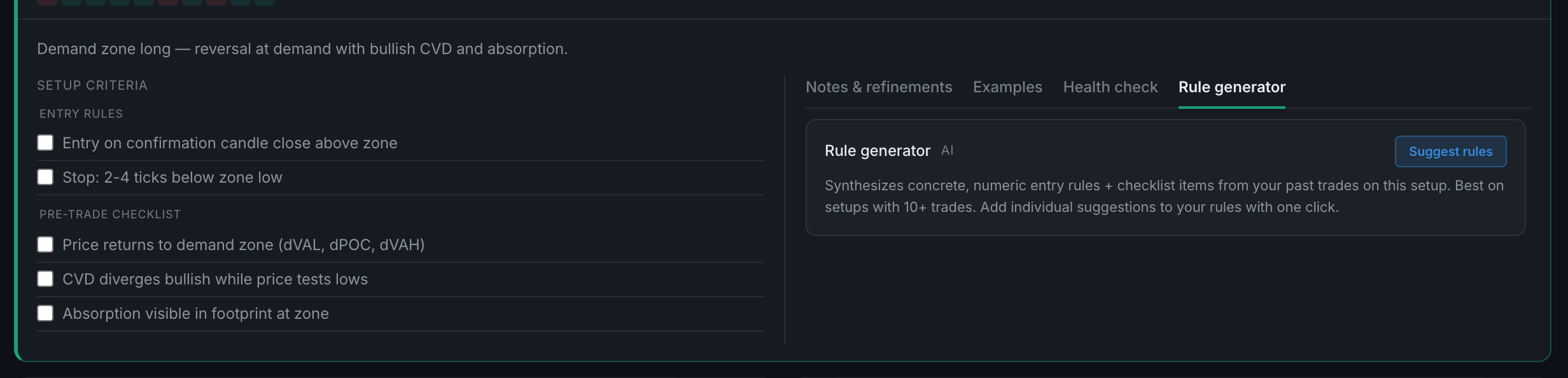
the Rule generator tab, with its Suggest rules button - Work down Proposed entry rules and Proposed checklist items.
- Accept the ones worth keeping. Each lands in the setup's real rules or checklist immediately, and the setup's own rule list updates as you go.
- Ignore the rest — nothing you do not accept is stored.