How do I import a template?
Open Strategy Templates, find one, and import it. It lands in My Playbook with its rules and checklist already filled in.
Step by step
- Click the Strategy Templates tab.
- Browse the categories. Each card shows the setup's name, direction, asset classes and a one-line description.
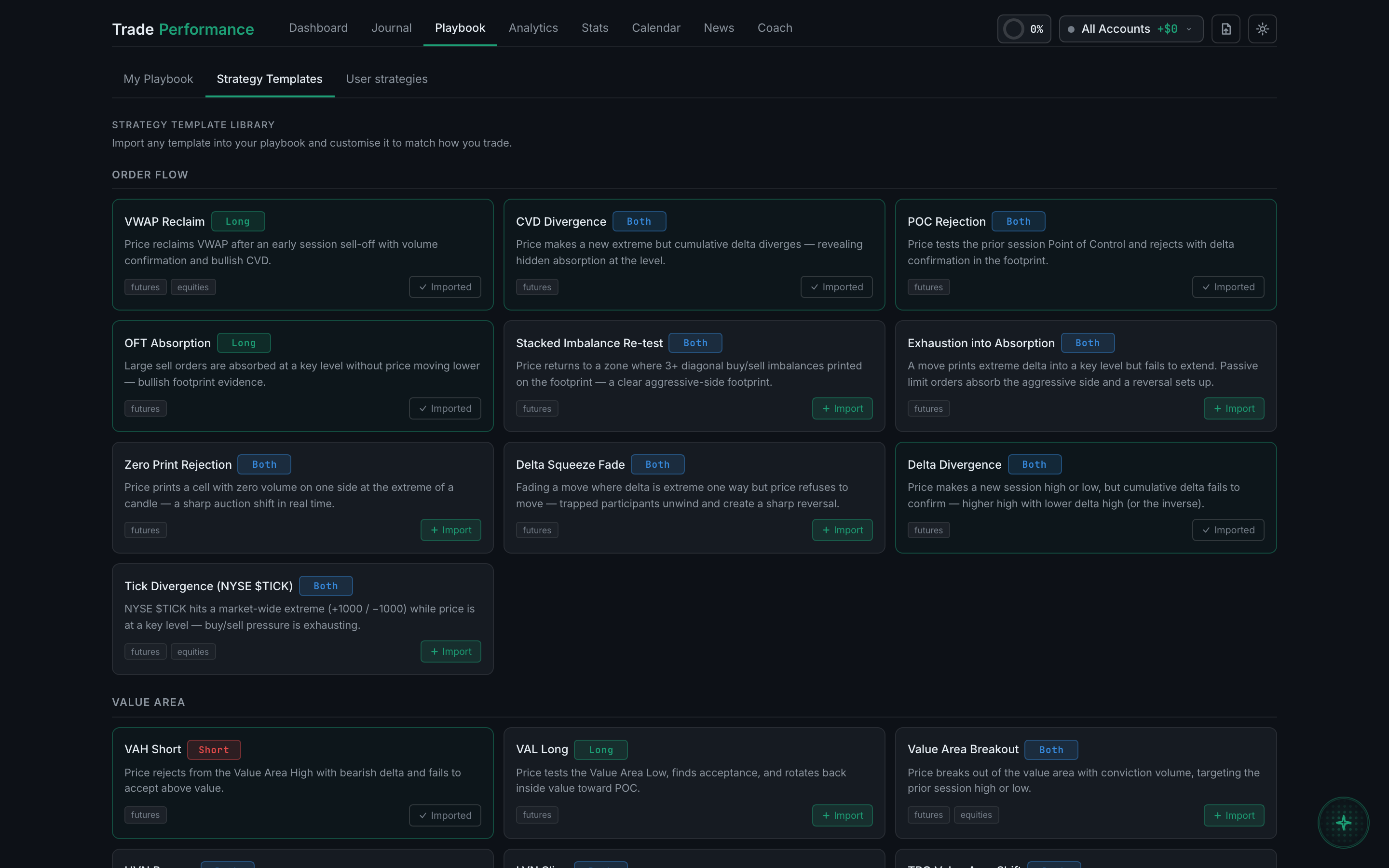
the template library, with Import on each card and Imported on ones you have taken - Import the one you want. Its entry rules and checklist come with it.
- Switch to My Playbook — it is there as a card, and a template you have already taken is marked so you do not import it twice.
- Expand it and click Edit setup to make it yours. Most templates are worth narrowing to the instrument and session you actually trade.