What is the health check?
An AI pass that reads your entry rules and checklist against your actual trades on that setup, and marks each rule Enforced, Inconsistent or Broken.
This is the tool that answers "am I actually trading my own setup?" It takes the rules you wrote, takes your real trades on that setup, and reports where the two disagree.
Every rule comes back with one of three verdicts:
- EnforcedYour trades are consistent with this rule.
- InconsistentYou follow it sometimes. Usually the most useful of the three, because a rule you keep half-following is a rule that is either wrong or too vague.
- BrokenThe trades show you are not following this rule at all.
Alongside the rule verdicts it returns observations your rules do not cover, and proposes concrete additional rules the data supports.
It reads your most recent 40 trades on the setup, and the result is cached, so reopening the tab shows the last run rather than spending another call.
Step by step
- Expand a setup on My Playbook.
- Click the Health check tab on the right.
- Click Run health check. It needs an AI key — without one it tells you to add one in Settings → AI.
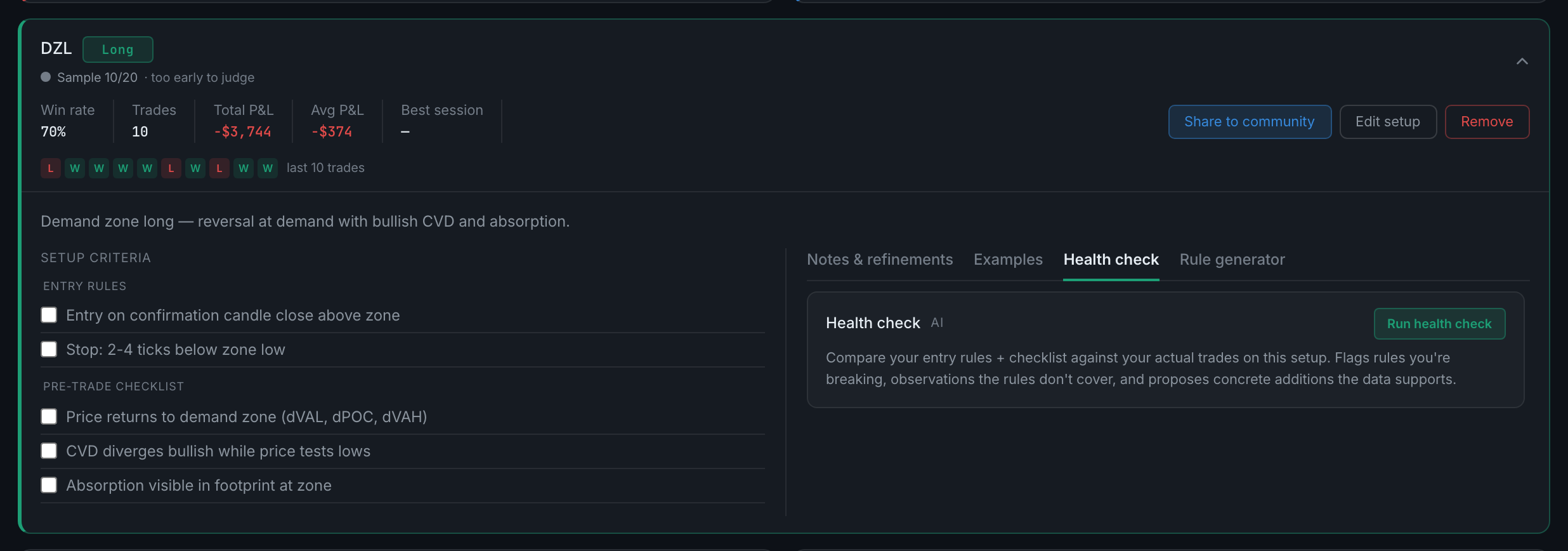
the Health check tab on an expanded setup, before a run - Read the rule pills first, then the observations, then the suggested rules.
- The button afterwards reads Re-run, and the ✕ beside it clears the cached result.