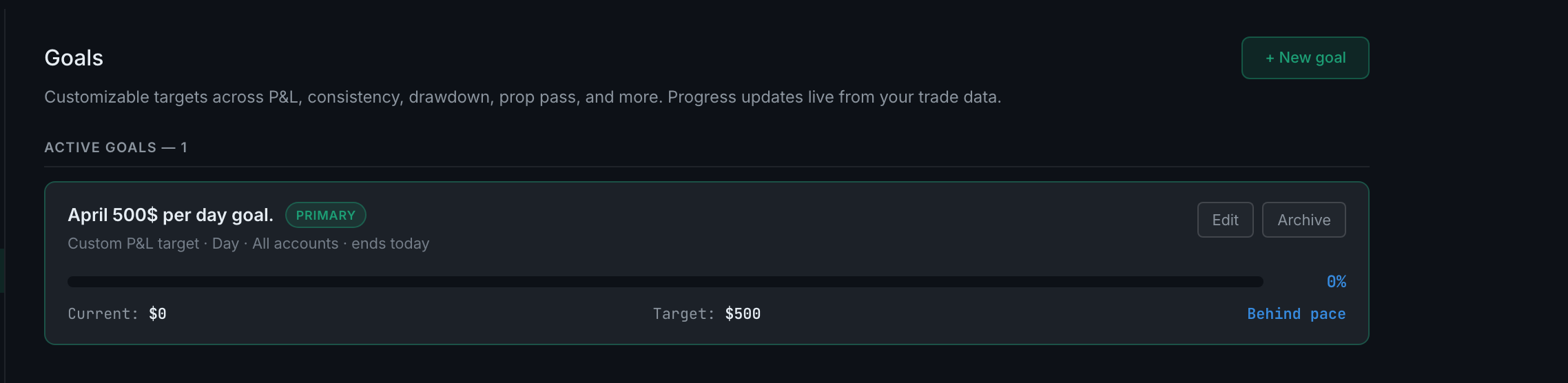
How do I archive a goal?
Press Archive on the goal's row. Archived goals collect under an Archived disclosure with a count, and nothing is lost. The same thing is available as a checkbox inside the goal editor, where it reads uncheck to archive without deleting.
Archiving is the app's answer to a goal that has served its purpose — an evaluation you passed, a month that ended, a discipline target you no longer need in front of you.
What archiving does: removes the goal from the active list and from the Dashboard, and clears its primary flag if it had one. What it does not do: delete it. The goal, its target and its history stay on your account.
Two ways to do it. The Archive button sits beside Edit on each goal in the list, which is the quick way. Inside the editor the same thing is a checkbox — untick active, whose note reads uncheck to archive without deleting.
Where archived goals go. A collapsed Archived — N section under the active list, matching the Active goals — N heading above it. Open it to see them.
Why not delete? Because a goal you set and met is evidence about your own trading, and a goal you set and abandoned is more interesting evidence still. Neither is worth destroying to tidy a list that already collapses.