How do I change the theme?
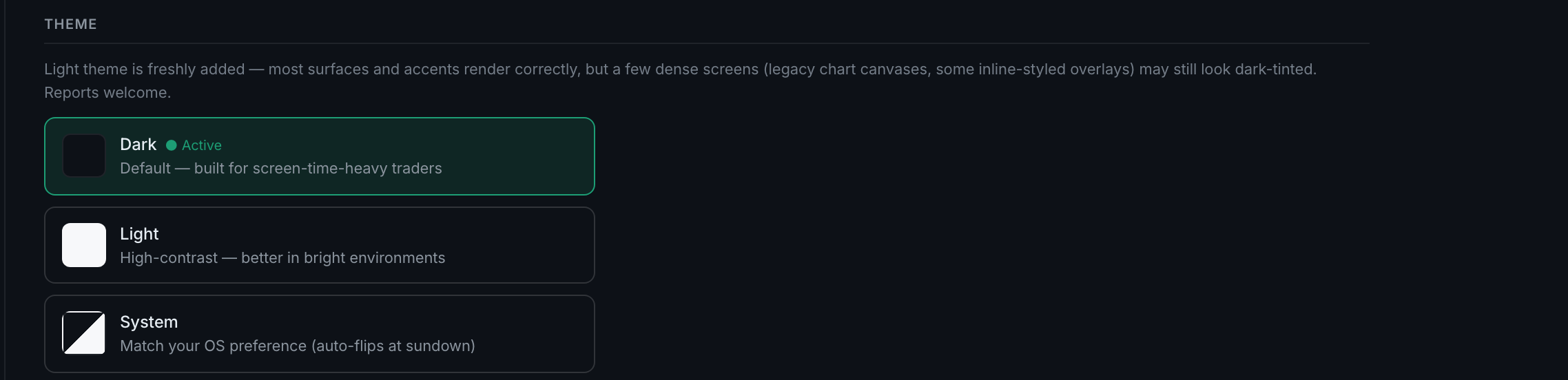
Settings → Display → Theme. Three choices: Dark, which is the default, Light, and System, which follows your operating system and flips with it.
Each option carries a one-line description and a colour swatch.
- DarkThe default, described as built for screen-time-heavy traders.
- LightHigh-contrast, better in bright rooms.
- SystemMatches your OS preference and auto-flips when your OS does.
A caveat the app states itself, above the choices: light theme is freshly added, and while most surfaces and accents render correctly, a few dense screens — legacy chart canvases and some inline-styled overlays — may still look dark-tinted. The panel explicitly invites reports.
The choice applies immediately and follows your account rather than the browser, so it is the same on your other devices.