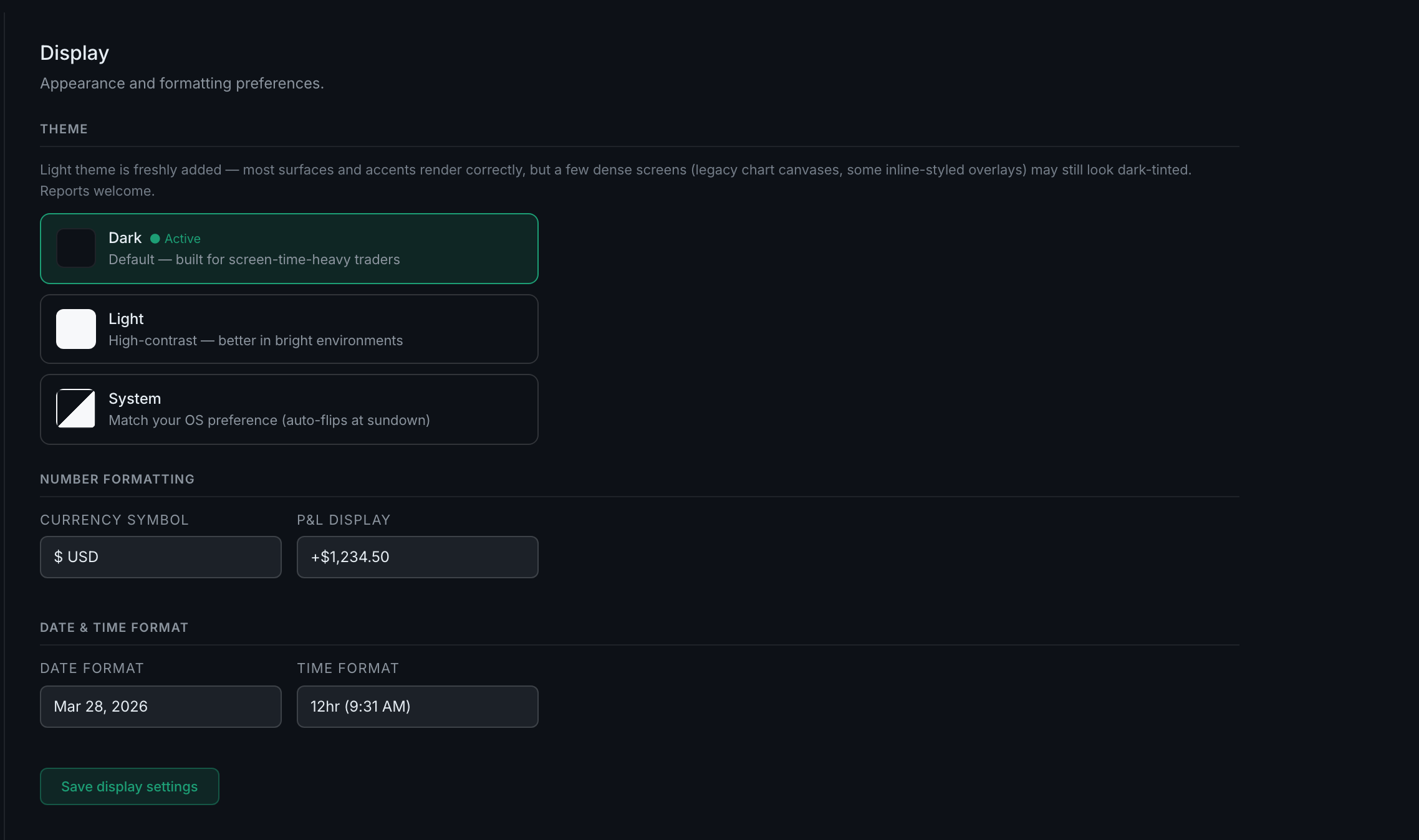
What else lives on the Display tab besides theme?
Two formatting blocks — Number formatting and Date & time format — and a Save display settings button. That is the whole tab.
These decide how every figure and timestamp in the app is drawn, which matters more than it sounds when you are scanning a table of P&L at speed.
Number formatting holds two settings: your currency symbol, and how P&L is displayed.
Date & time format holds two more: how dates are written, and whether times are 12-hour or 24-hour.
Both are covered in the next question.
Unlike most of the app, this tab needs saving. There is a Save display settings button at the foot, and the settings apply when you press it.