How do I change number and date formatting?
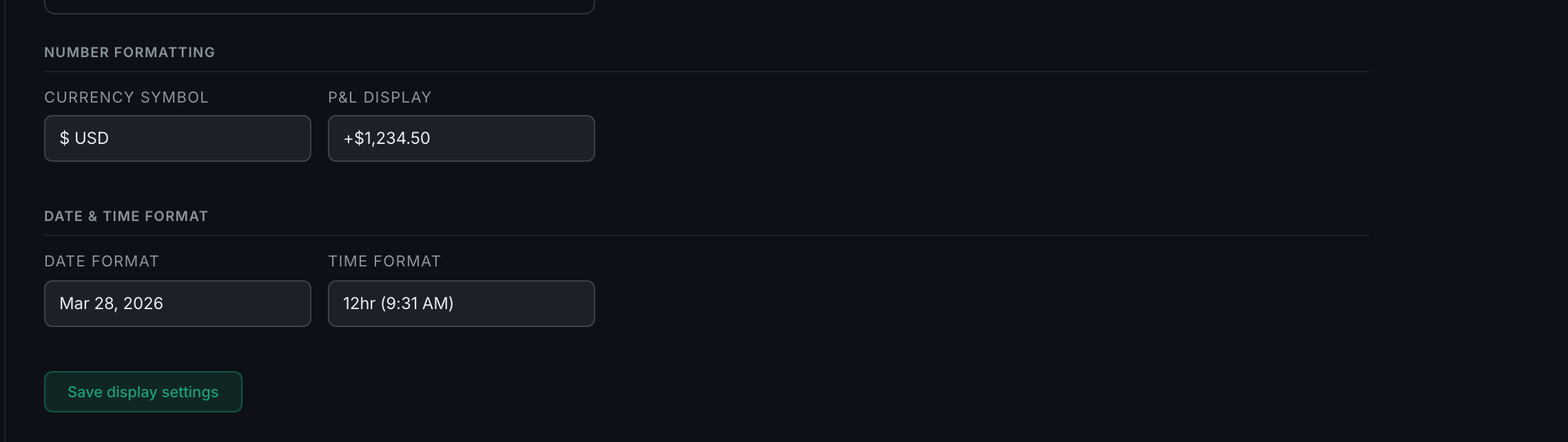
Under Number formatting and Date & time format on the Display tab. Five currency symbols, three P&L styles, four date formats, and 12- or 24-hour time.
Each option is shown as an example rather than a format string, so you pick the one that looks right.
Currency symbol — $ USD, € EUR, £ GBP, ¥ JPY, or C$ CAD. This is presentation only: it changes the symbol drawn beside your figures, not any conversion. Your P&L is whatever your broker reported.
P&L display — three styles, shown as examples:
+$1,234.50— signed and with the symbol.$1,234.50— with the symbol, unsigned.1,234.50— bare.
The signed style is the one to pick if you scan tables quickly, because a leading + or − reads faster than a colour alone.
Date format — Mar 28, 2026, 28/03/2026, 03/28/2026, or 2026-03-28. The last is the one that sorts correctly as text and reads the same in every country, which matters if you export to a spreadsheet.
Time format — 12hr (9:31 AM) or 24hr (09:31).
Press Save display settings when you are done.