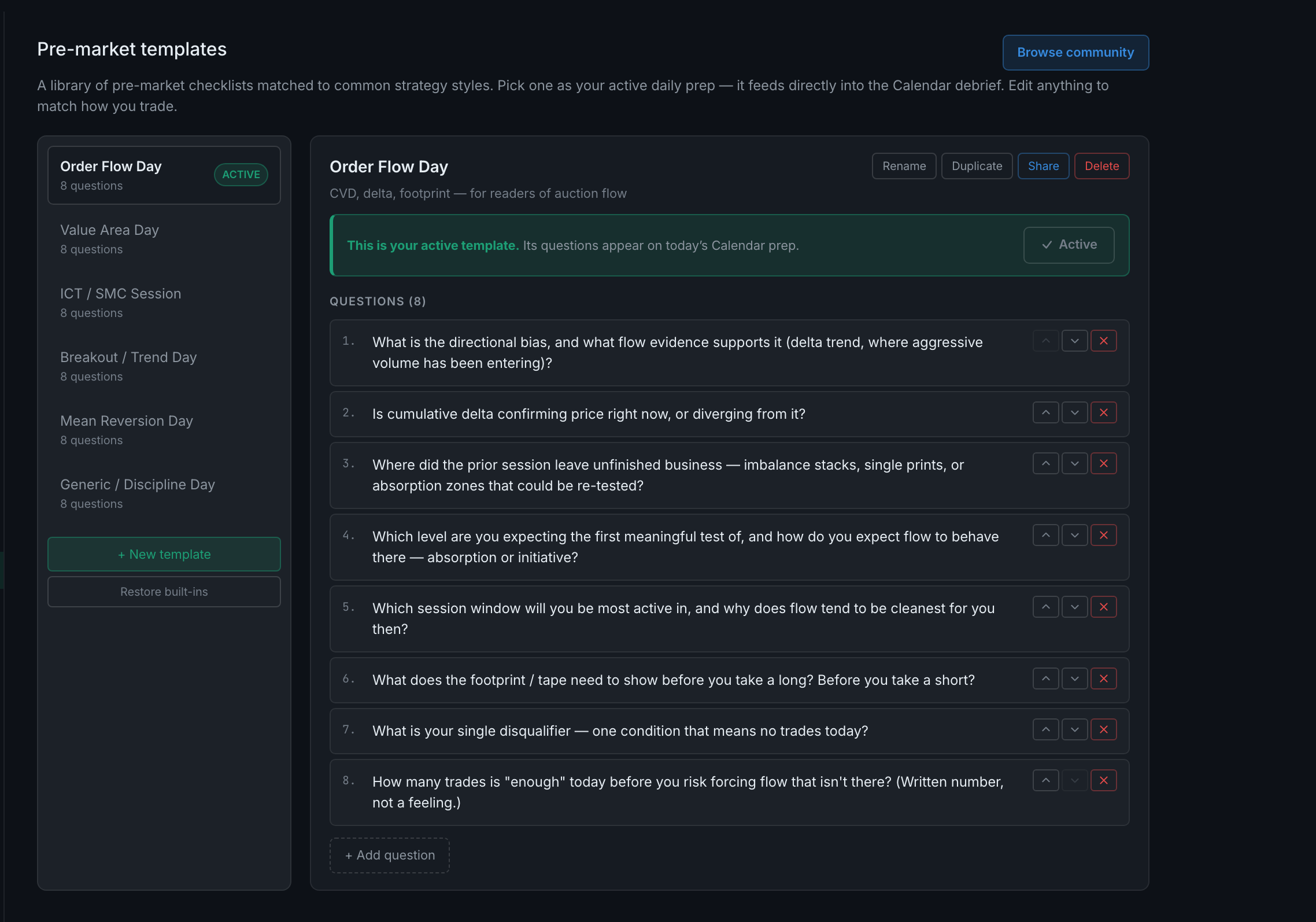
How do I edit or create a pre-market template?
+ New template starts one. Questions are edited in place, reordered with the arrows beside each, and removed with the ×. + Add question adds one at the bottom. Four buttons across the top of the open template handle the template itself: Rename, Duplicate, Share and Delete.
Editing is direct — no separate edit mode to enter, no save button to forget.
Creating one. + New template makes a template with a single starter question captioned "First question — customise this." Replace it, then add the rest. Each new question arrives as "New question — customise me."
Duplicate is usually the better start. Copying the built-in closest to how you trade and cutting it down beats writing eight questions from nothing, and it leaves the original intact for comparison.
Reordering matters more than it looks. The arrows move a question up or down, and the order is the order you will answer them in at 6am. Put the disqualifier — "what one condition means no trades today?" — where you will actually read it.
Two guards you will meet if you delete too much:
- Template needs at least one question. You cannot empty a template; delete the template instead if that is what you meant.
- Keep at least one template. You cannot delete your last one, because the prep flow needs something to ask.
Deleting a template is final — the confirmation says this cannot be undone. Built-ins come back through Restore built-ins; a custom template you wrote does not come back at all.
A practical approach: duplicate the built-in closest to your style, make it active, then edit it over a few sessions as you notice which questions you answer honestly and which you skip. A question you always skip is not a question — delete it.