Where do I manage my pre-market templates?
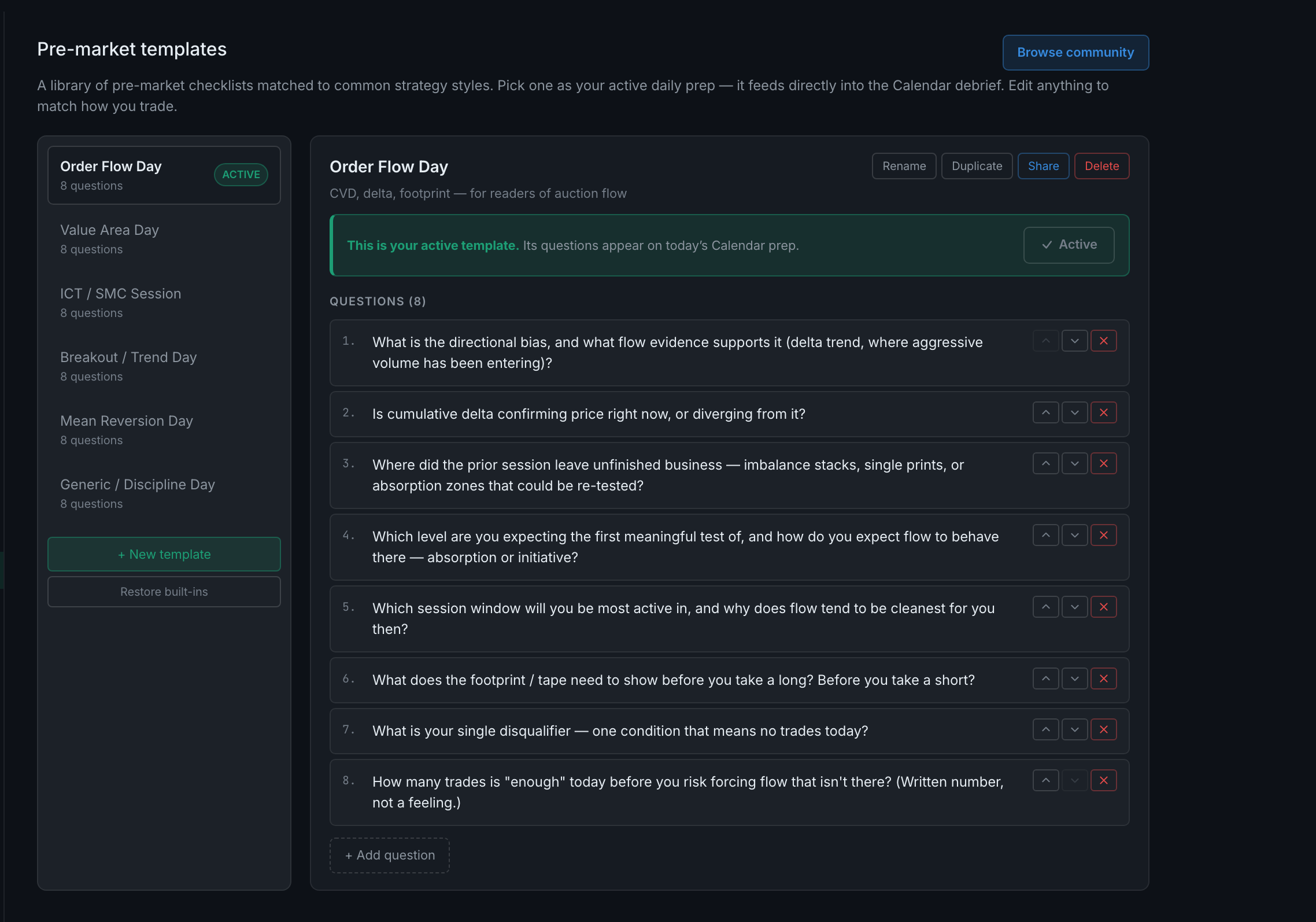
Settings → Pre-market templates, under Trading. Your library is the column on the left, the selected template opens on the right, and one is marked ACTIVE — the active template's questions are the ones that appear on today's prep.
A template is a checklist you answer before the session. The panel describes itself accurately: "A library of pre-market checklists matched to common strategy styles. Pick one as your active daily prep — it feeds directly into the Calendar debrief."
Six ship with the app, each with eight questions and a one-line description of who it is for:
- Order Flow DayCVD, delta, footprint, for readers of auction flow.
- Value Area Day
- ICT / SMC Session
- Breakout / Trend Day
- Mean Reversion Day
- Generic / Discipline Day
Only one is active at a time. The list shows an ACTIVE pill against it, and opening it shows a green banner: "This is your active template. Its questions appear on today's Calendar prep." Open a different one and the banner reads the opposite — not active yet — with a Use this template button and a warning that applying it will replace today's prep questions.
That warning is worth reading before you press it. Switching changes today's questions, so switching mid-morning after you have already answered some is not free.
Two buttons sit under the list. + New template starts an empty one. Restore built-ins re-adds any of the six that are missing and leaves your own templates alone.
See the Pre-Market Prep tab for what these questions look like when you actually answer them.