Can I edit a trade without opening it?
Yes, for most fields. Click straight into the cell in the table and change it there.
Step by step
- Find the trade's row in the table.
- Click the cell you want to change. What happens depends on the field: to pick from. On CSV and broker-synced trades they're locked, so the original record stays intact.
- Setup, Session, Emotion, CVD, VWAP, Order Flow, Entry Level 1/2/3 open a dropdown
- Stop and TP1 become a number box, and save when you click away.
- Entry, Exit, and Contracts are editable only if you entered the trade by hand.
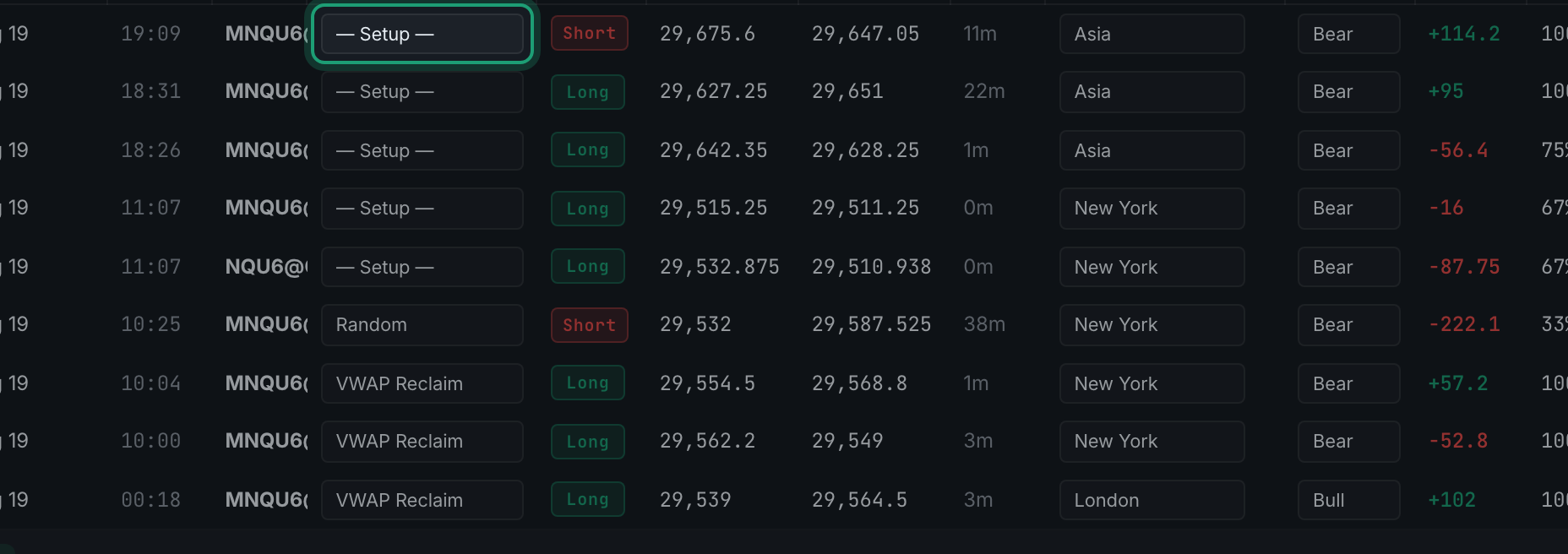
the Setup cell on a trade row, highlighted, ready to click - There's no save button. Changes are stored as you make them.
Working across a row without the mouse. Every editable cell is a real form control, so the keyboard behaves the way it does anywhere else: Tab moves to the next one and Shift + Tab back, and once a dropdown cell has focus the up and down arrows change its value without opening it. That is enough to fill in a row of setups and sessions in one pass. There is no separate shortcut to learn and nothing to switch on.
And by voice. With voice mode on, focusing a cell starts dictation into it, so you can tab along a row and speak each value. The trade filters answer to speech too — winners only, losers only, show futures, last 30 days, clear filters — which is usually faster than reaching for the filter bar when your hands are on your platform.