What is the Grade column?
It scores how well you followed your own process on that trade, with profit and loss deliberately left out of the calculation. It is off by default.
Every other journal grades outcomes, which quietly teaches you that a winning trade was a good trade. Over any small sample the market pays out more or less at random, so the only thing worth grading is whether you did what you said you would do. A well-executed loser scores 100% here. A badly-executed winner scores low, and that is the point.
Nothing in the calculation reads your profit and loss.
Five things are checked on every trade:
- In playbookThe trade was not flagged as random, meaning you took a setup you had actually planned.
- Stop predefinedThe trade had a stop price on it when you entered.
- Size within limitThe contract count was at or under the size cap you set for yourself.
- Session in scheduleThe trade's session is one you listed as a trading session in your schedule.
- Stop honouredPrice never traded through your planned stop.
Each of those lands on pass, fail, or ungradeable, and the third one matters more than it sounds. If you never set a size cap, the app cannot credit you with respecting it, so that component is not counted at all rather than being marked as passed. The same goes for a CSV import with no bar data behind it: the app cannot tell whether your stop was honoured, so it declines to guess.
That is why the cell reads two numbers. 80% 4/5 means five things could have been checked, four of them were actually checkable on this trade, and 80% of those four passed. A trade showing 100% 1/3 is not a perfect trade — it is one where only one thing could be judged, and the number is close to meaningless. Watch the second figure before you believe the first.
Step by step
- Turn it on: click Columns in a day's header row, then switch on Grade.
- Each trade now shows a percentage and a gradeable count. Trades with no session set, or with no stop, will show a smaller denominator than the ones beside them.
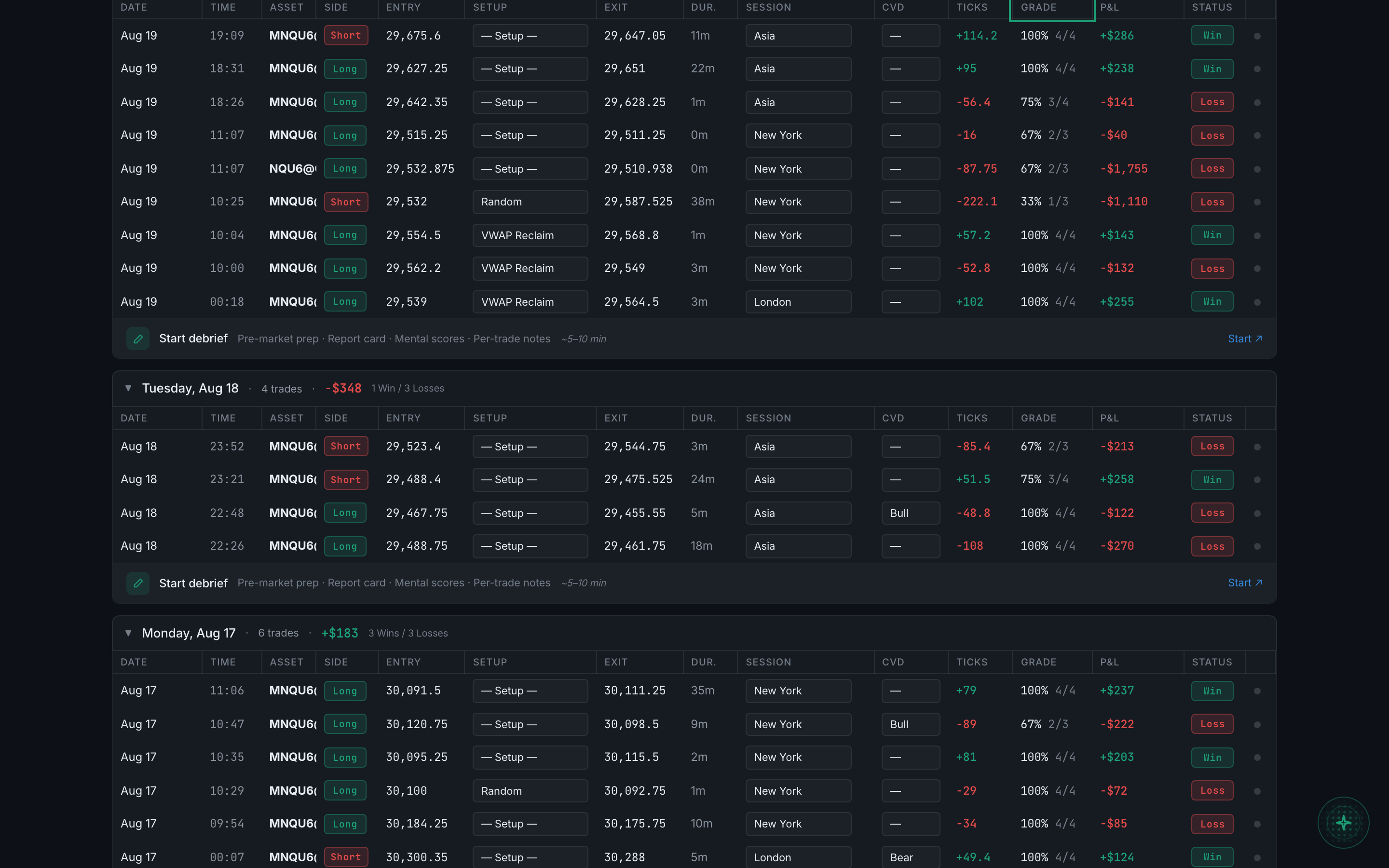
the Grade column visible in the table with several graded trades - Hover the cell to see the breakdown. It lists all five checks by name with
pass,failorungradeableagainst each, so you can see exactly which one cost you.
The grade is not coloured green or red on purpose. A poor grade next to a winning trade is exactly the situation the column exists to show you — you made money without following your plan — and colouring it would push you to read it as good or bad news rather than as a scorecard.
Two components depend on settings you may not have filled in. The size cap comes from your personal risk preferences, and the session list comes from your trading schedule. Until both are set, most of your trades will grade out of three rather than out of five.