How do I review a whole day, not just one trade?
Every day of trades carries a debrief bar underneath it. Clicking that bar opens the day's review — your morning prep, a report card for the session, and a note per trade — without leaving the Journal.
A single trade tells you very little. A day tells you whether you were sharp, whether you followed your routine, and whether the losses came from the market or from you. The debrief is where that gets recorded while you still remember it.
It is also what the Psychology tab in Analytics is built from. Skip debriefs and that tab has nothing to work with.
The editor opens as three tabs, and the bar tells you roughly how long the whole thing takes — about five to ten minutes.
Step by step
- Trades are grouped by day already, so every day has its own header and its own bar underneath. If you are looking at one long list with no day headers, click the small unlabelled icon button between All assets and All time to group them back.
- Under each day's trades there is a bar. What it says depends on how far you have got:
- Start debrief — you have not begun this one
- Continue debrief — you started and saved a draft
- A green Debrief complete badge with the day's grade — you finished it

a day group with its debrief bar in the not-started state - Click the bar. The review opens directly underneath, still on the Journal page.
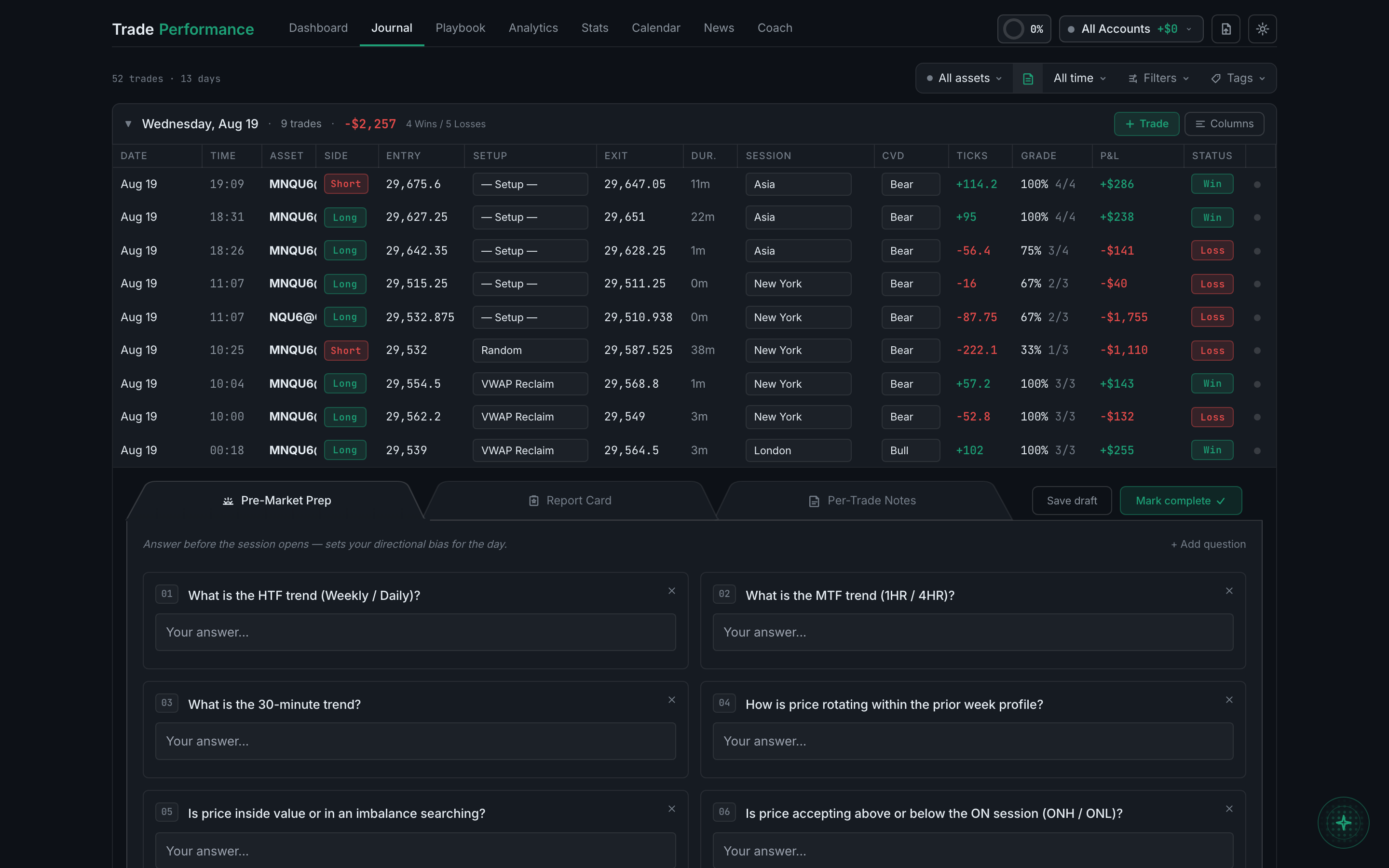
the debrief expanded inline, open on the Pre-Market Prep tab - Pre-Market Prep is the first tab: the questions you answered before the session, and the answers you gave. + Add question adds one of your own, and the ✕ on any question removes it, so the list becomes yours rather than the one you were given.
- Report Card is the second tab, and it is the substantial one. are grading execution and process, not the money. pre-session routine you actually completed. Mid-morning, Lunch / Close. Each takes its own A to D grade, a market condition (trending, range-bound, choppy, news-driven, high or low volatility), an emotional state, and a note. This is what lets you find out that you are fine at the open and lose money every lunchtime.
- Overall grade for the day, A+ down to F. The prompt beside it is explicit that you
- Routine, a progress bar reading something like
0/8— how much of your own - Session segments, one block per part of the day — London/NY Overlap, New York Open,
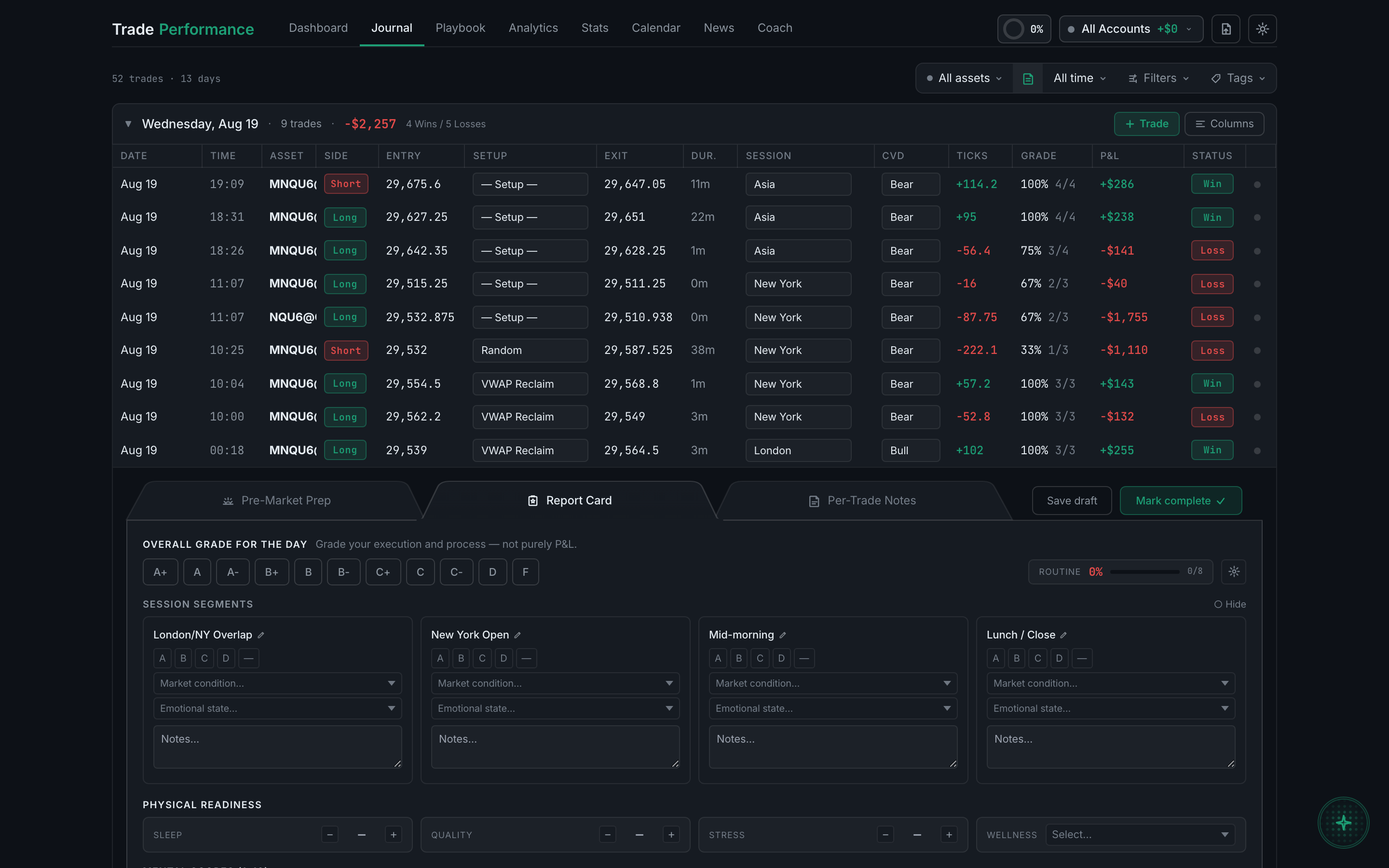
the Report Card tab, showing the day grade, routine progress and session segments - Further down the same tab: Physical readiness — sleep, quality, stress and a wellness pick from feeling great through to injured — and Mental scores (1–10), scored separately for the AM and PM sessions across nine measures: energy, conviction, plan execution, concentration, entry execution, discipline, exit execution, overall feel and process focus.
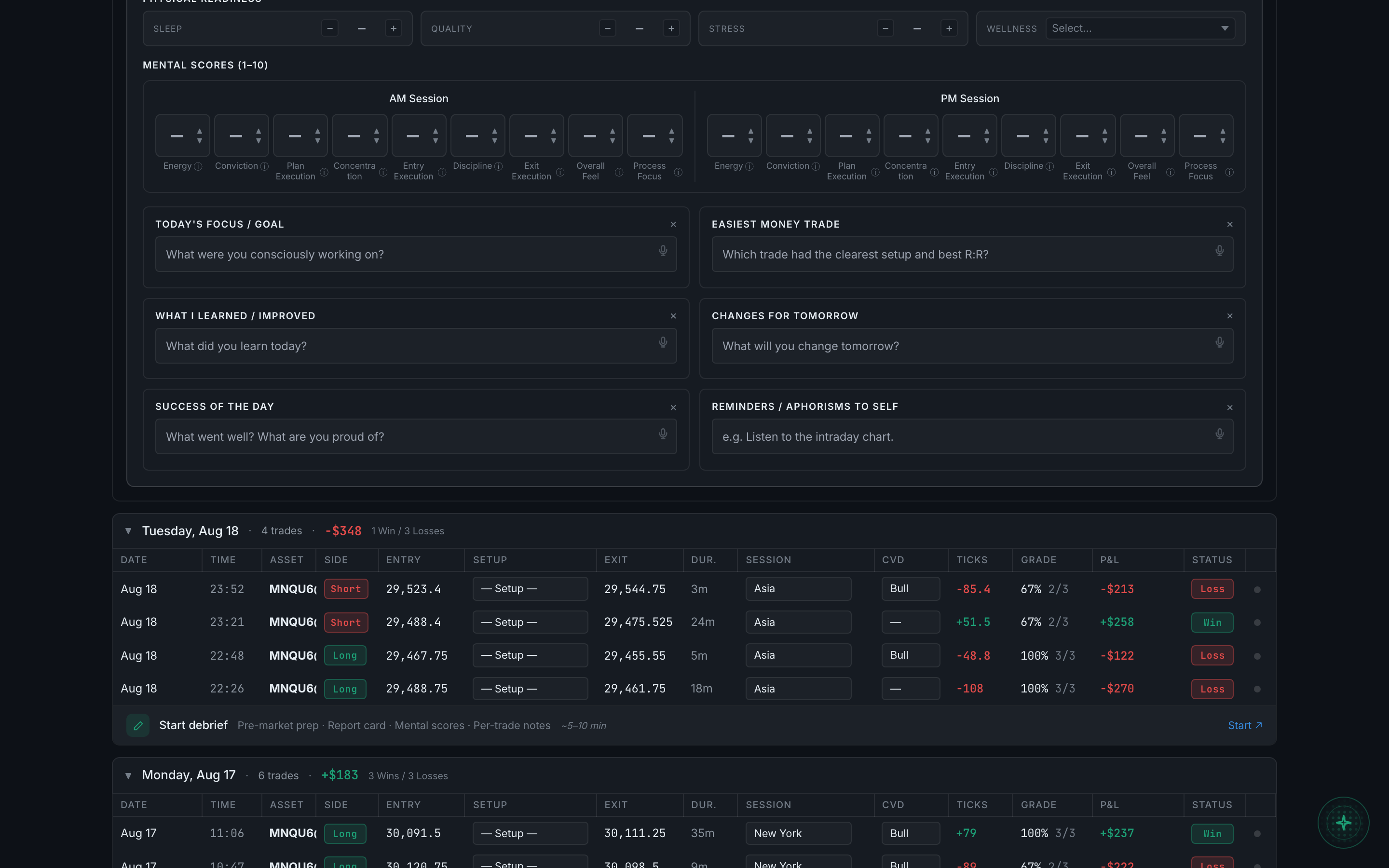
physical readiness, the AM and PM mental scores, and the reflection boxes - Below those sit six writing prompts: today's focus, the easiest money trade, what you learned, changes for tomorrow, the success of the day, and reminders to yourself. Each has a microphone, so you can talk rather than type.
- Per-Trade Notes is the third tab. A strip across the top shows every trade of the day as a card with its result and whether it has been noted yet, and a counter reads something like "2 / 9 noted" so you can see what is left.
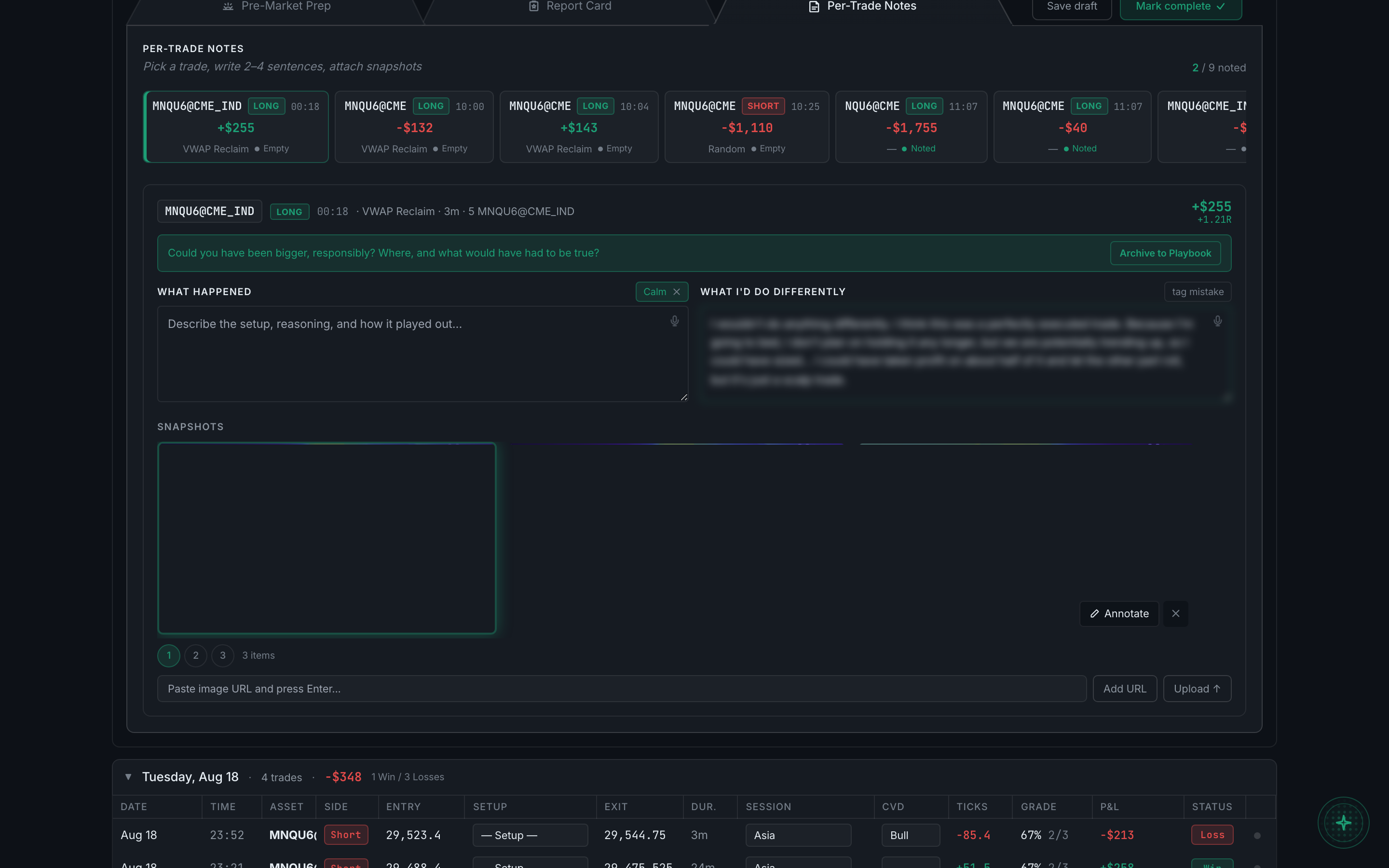
the Per-Trade Notes tab with the trade strip and one trade open - Pick a trade and you get a prompt tailored to it — a winner is asked whether you could have been bigger, responsibly — then What happened and What I'd do differently, an emotion tag, a mistake tag, and the trade's snapshots with Annotate on each. A trade you are pleased with can be sent straight to your Playbook with Archive to Playbook.
- Save draft closes the debrief without marking it done, and the bar switches to "Continue debrief". Mark complete finishes it and shows the green badge with your grade.
You do not have to fill in all three tabs. A day grade and two sentences is worth more than a blank form, and the parts you skip simply stay empty.