Where do I write notes and tag how I felt?
The Notes tab — the one the panel opens on. Two writing boxes you can type or dictate into, buttons to tag an emotion and a mistake, a row for your own custom tags, and a field for a chart URL.
This is the tab that makes the rest of the app work. Emotion and mistake tags are what the Psychology analytics are built from, and they are what the Tags filter searches. A trade nobody tagged is invisible to both.
Going down the tab:
- Trade notesWhat happened. Quick notes while you are trading.
- What I'd do differentlyThe lesson. This box is synced with your daily debrief: whatever you write here shows up in that day's per-trade notes when you sit down to review the day, so you are not writing the same thought twice.
- Microphone iconIn the corner of either box. Click it and you can dictate instead of typing, which is the realistic option mid-session when you have no hands free.
- One emotionHow you actually felt taking the trade, from Calm, Confident, Focused, Flat, Distracted, Impatient, Greedy, Fear, FOMO, Frustrated and Tilt.
- One mistakeAnd that list is yours to edit. Add or remove mistake types straight from the dropdown here and they save to your account, so you can name the errors you actually make rather than the ones we guessed.
- Tags rowEmotion, mistake and news tags land here automatically as you set them, and + tag adds your own labels for anything the built-in vocabularies do not cover: a market condition you track, or an experiment you are running.
- Chart URLIf your chart lives somewhere else, a TradingView snapshot link say, paste it here and you get a button to open it straight from the trade, without having to store the image yourself.
Worth knowing: if you write notes but do not tag, the AI can read your notes and fill in the emotion tag for you in bulk later. So writing something is always better than nothing.
Step by step
- Open a trade and click Notes.
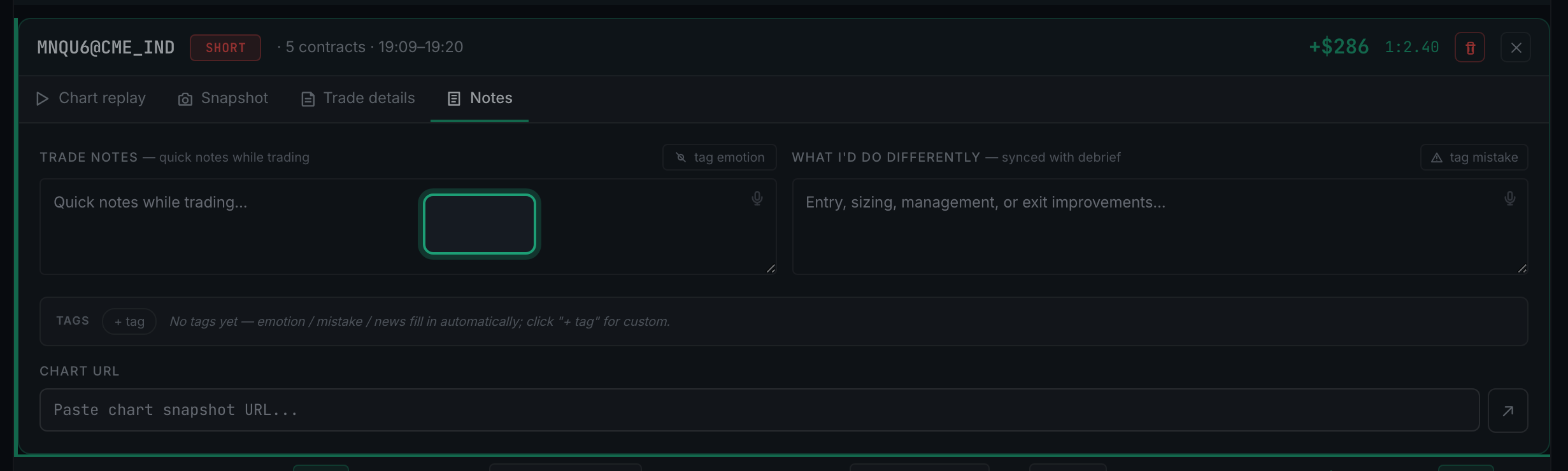
the Notes tab selected in the detail panel - Write what happened in the quick note box.
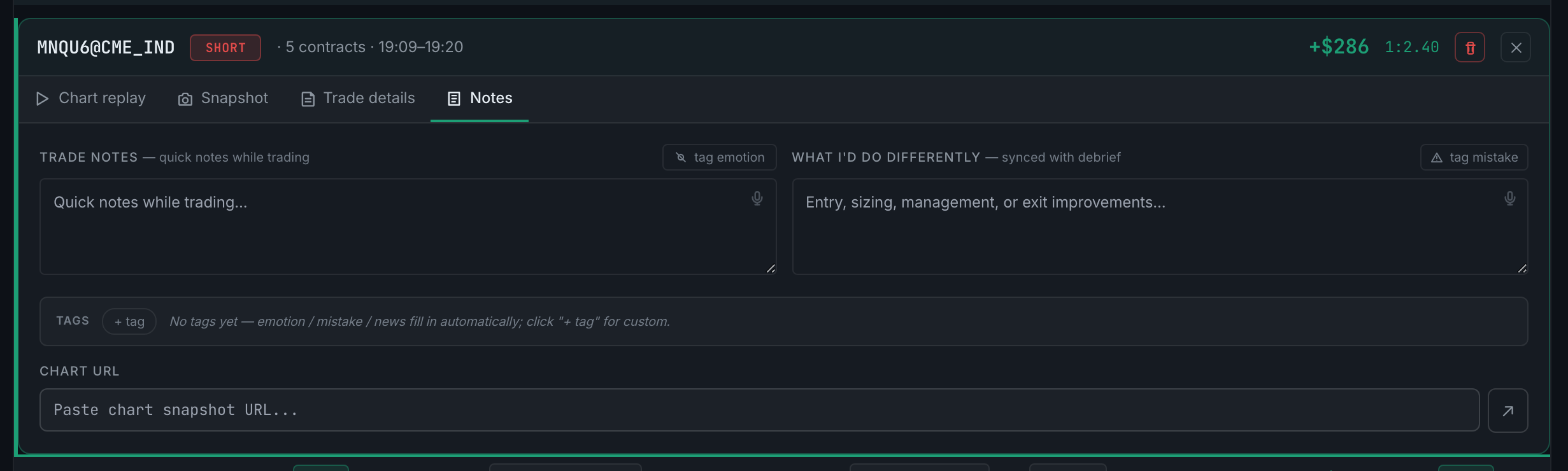
the two writing boxes on the Notes tab - Write the lesson in What I would do differently.
- To dictate rather than type, click the microphone icon in the corner of either box.
- Click tag emotion and pick how you actually felt taking the trade.
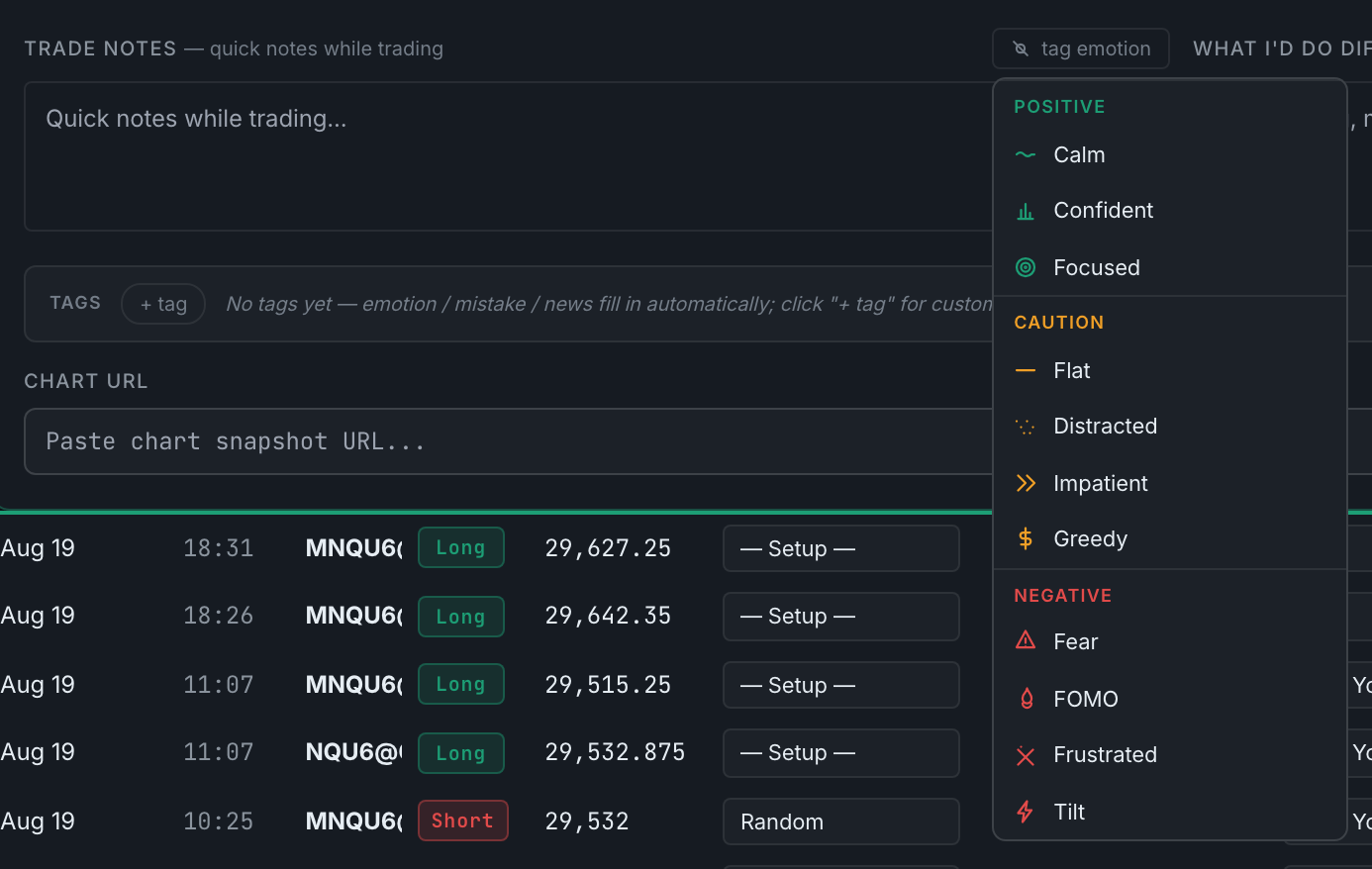
the emotion tag options - If something went wrong, click tag mistake. Use the dropdown to add your own type if the one you want is not listed.
- Add any custom labels of your own with + tag in the Tags row.
- If your chart lives elsewhere, paste its link into Chart URL.