How do I switch between my accounts?
Click the account name in the bar across the top of the screen. A panel drops down listing every account, and you pick one.
Step by step
- Look at the bar running across the top of the screen. Your current account name is shown there. Click it.

the topbar with the account name visible - A panel opens. The top of it summarises everything combined: your total balance across accounts, how many accounts you have, and how many are profitable today. It also shows which Book you are filing trades into.
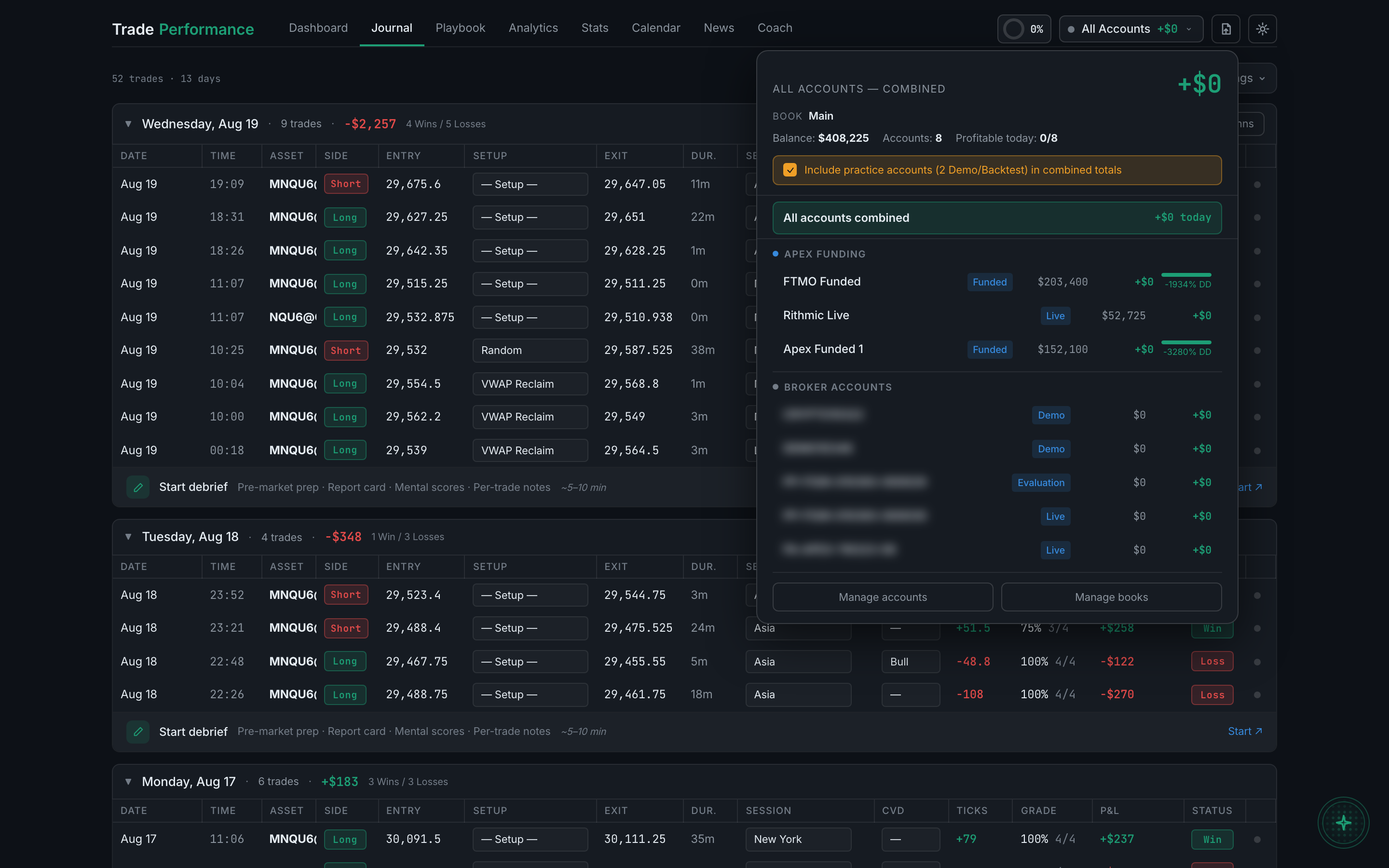
the account panel expanded, showing the combined summary and the account list - Below that, accounts are grouped — by prop firm where they belong to one, then broker accounts. Each row shows a status badge (Funded, Live, Demo, Evaluation), its balance, and its profit or loss today.
- Click any account to switch to it. The whole app follows — Journal, Dashboard, and Analytics all now show only that account's trades.
The panel also shows which Book new trades are being filed into, and how many Books you're currently viewing. Books are a separate way of grouping trades, covered in its own section.